Home / Categories / Blog
What happens to the links to a blog post if I delete it?
Both make the post's own address return a 404. The difference is what happens to the blog's own link to it. Deactivating a systeme.io blog post leaves it linked from the blog's front page, now pointing at a dead address. Deleting removes that link. For a blog post, deleting tidies up more than deactivating does.
The two confirmations, worded almost the same way
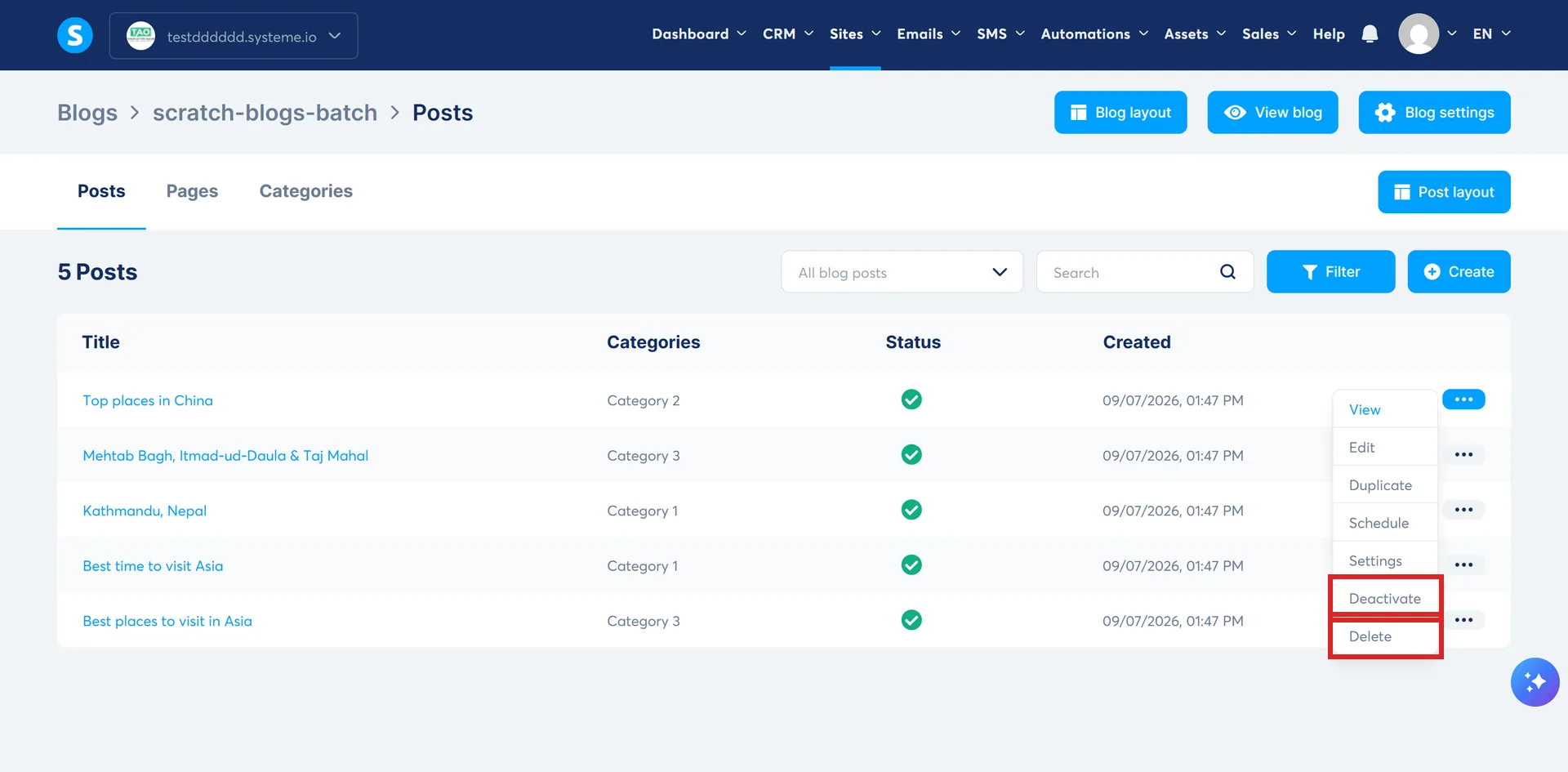
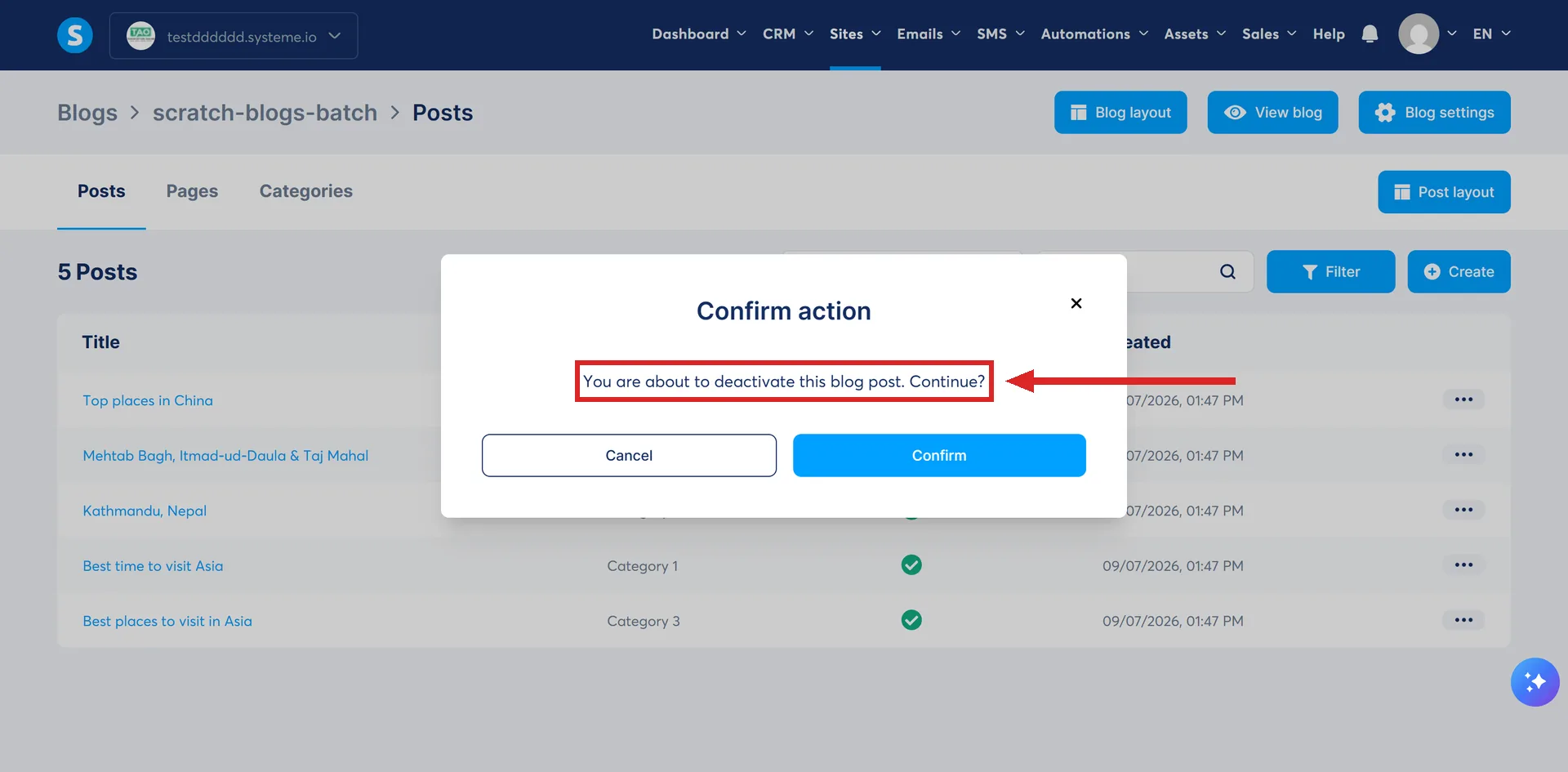
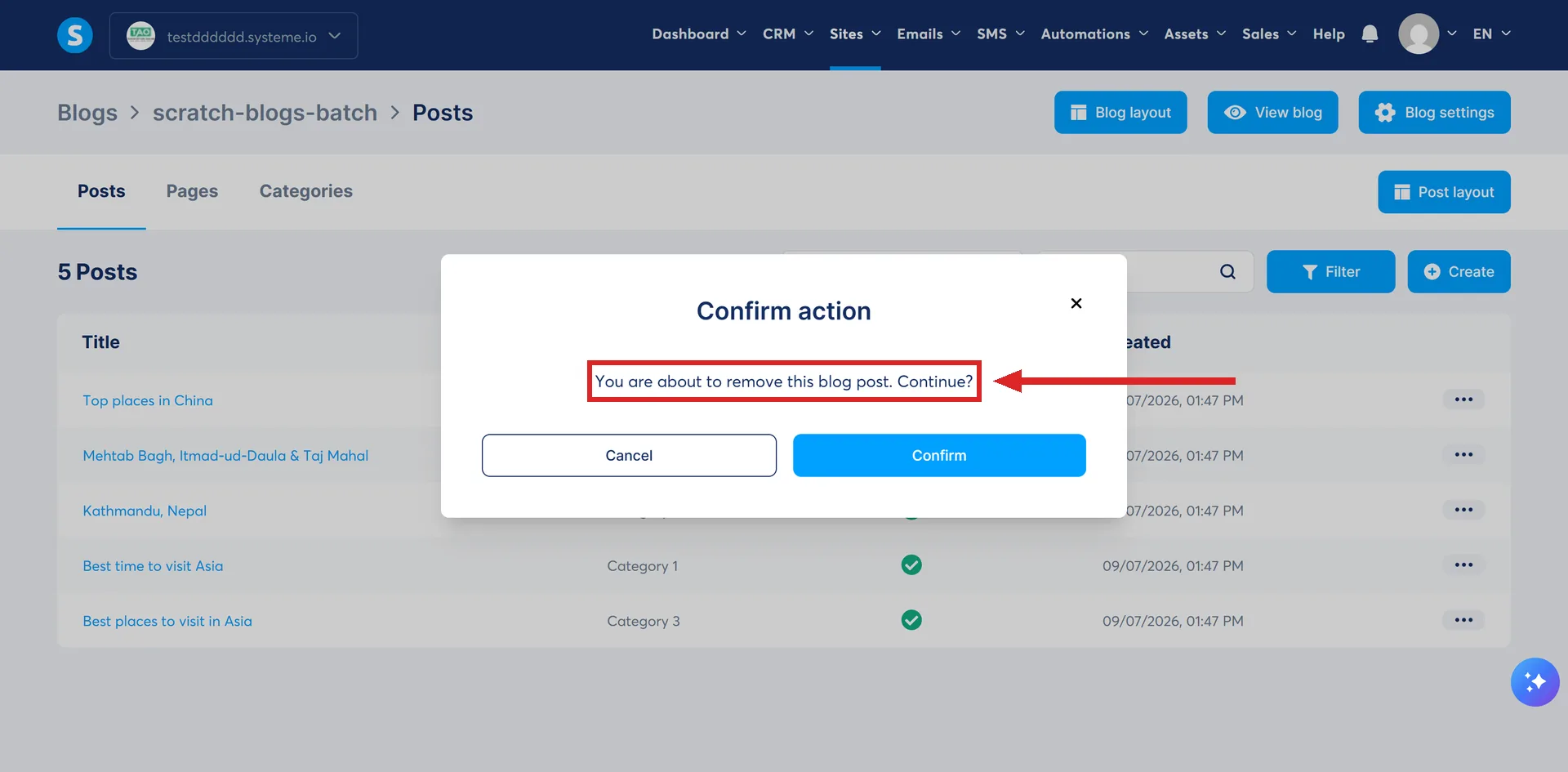
A post's three-dot menu holds View, Edit, Duplicate, Schedule and Settings, and Deactivate sits right next to Delete. Deactivate asks "You are about to deactivate this blog post. Continue?" Delete asks "You are about to remove this blog post. Continue?" Both sit under the same heading, "Confirm action", with only Cancel and Confirm to choose between. Neither one says the post's own address will stop working, and neither says which of the two you can undo.
Both break the post's own address
I tested this on a sample post, one of the five that come with a new systeme.io blog. Its address returned a normal page beforehand. Deactivating it made that address return a 404 straight away. Then, without reactivating it first, I deleted the same post. Its address was already a 404 from the deactivation, and stayed one.
What actually differs: the link on your own blog
The blog's own front page lists its posts, each one a link. Before either action, that listing linked to the post I was testing on. After deactivating it, the listing still linked to it, an anchor on the title and a separate "read more" link, both still pointing at it. Checked twice, seconds apart with a fresh request each time, so a stale page cannot explain it. The post was gone but the blog kept advertising it, now leading to a 404.
After deleting the same post, both of those links were gone. Checked the same way, the listing carried no reference to it at all. Deleting tidied up the front page. Deactivating did not.
Why this is worth saying plainly
This is worth saying plainly because the usual advice, both from systeme.io itself and from this site's own answer on funnels, favours deactivating over deleting whenever you are not sure. For a funnel, that advice holds up. For a blog post, it does the opposite of what it promises: deactivating leaves a link on your own front page pointing at a page that no longer loads, while deleting is the option that actually tidies it up, even though it is the one you cannot undo. This is about blog posts specifically, not about funnels, which behave differently, and it is not a reason to stop deactivating things in general.
What I have not checked
Whether a deleted post can be brought back at all, by support or otherwise. Whether reactivating a deactivated post restores its address: the menu suggests it can, but I did not try, because I deleted the post from its deactivated state instead of reactivating it first. Whether a sitemap entry, an outside link or a search engine sees any kind of redirect: none was offered on screen, but I did not go looking for a setting. And whether a post that never appeared in the blog's own front-page listing behaves the same way, since the post I used was one systeme.io had already placed there itself.
How I checked this answer
Nothing on this site is written from memory. These are the sources I checked to write this answer, and the date I checked them.
- Deactivating a blog post, then deleting it from that deactivated state, checking the post's own address and the blog's front-page listing after each step, tested 5 September 2026A live systeme.io account
Checked on
Did this answer your question?
Keep reading
- What happens to the posts in a category if I delete the category? The posts survive. The category's own page does not, and the warning mentions neither one.
- If I change my blog's URL path, what happens to the posts already published? The whole blog moves the moment you save it. Nothing is left behind at the old addresses, not even a redirect.
- My custom field isn't showing up in the form editor. systeme.io makes these on the contacts page. You open somebody's record to create one.