Home / Categories / Payments
Why is the payment method I switched on missing from my checkout?
systeme.io's help articles set the same two conditions for all eleven extra payment methods covered here, such as Klarna, iDEAL and Mollie. The method has to be set up with the gateway itself, and the funnel's own currency has to be one it accepts. Eight of them also need certain fields on the order form, usually including the email address, for the payment to work.
Two shared conditions, and a third for most
Eleven extra payment methods, iDEAL, Bancontact, Klarna, Multibanco, Mollie, GoCardless, Razorpay, Flutterwave, Mercado Pago, Xendit and Secure and Pay, each come with the same two conditions in systeme.io's help articles: set up with the gateway itself, and a funnel currency it actually accepts. Most of them add a third: the order form has to carry specific fields, which their articles say are needed for the payment to work.
Enabled somewhere that is not systeme.io
For Klarna and Multibanco, the switch is inside your own Stripe dashboard: Settings, then Payments, then Payment methods, where each one sits Disabled until you turn it on. iDEAL and Bancontact need to be integrated and enabled in Stripe, plus SEPA Direct Debit enabled on the account, before systeme.io will do anything with them.
The separate gateways, Mollie, GoCardless, Razorpay, Flutterwave, Mercado Pago, Xendit and Secure and Pay, are connected under Settings, then Payment Gateways. Mollie has an extra step: which payment methods it actually accepts is chosen inside the Mollie dashboard itself, under Settings, then Profiles, then Payment methods. Connecting the account is not the same as switching anything on there.
The currency each method accepts
systeme.io states this in near-identical wording for Klarna and Multibanco: once the method is enabled in Stripe and the funnel is using a supported currency, the option automatically appears in Funnel settings.
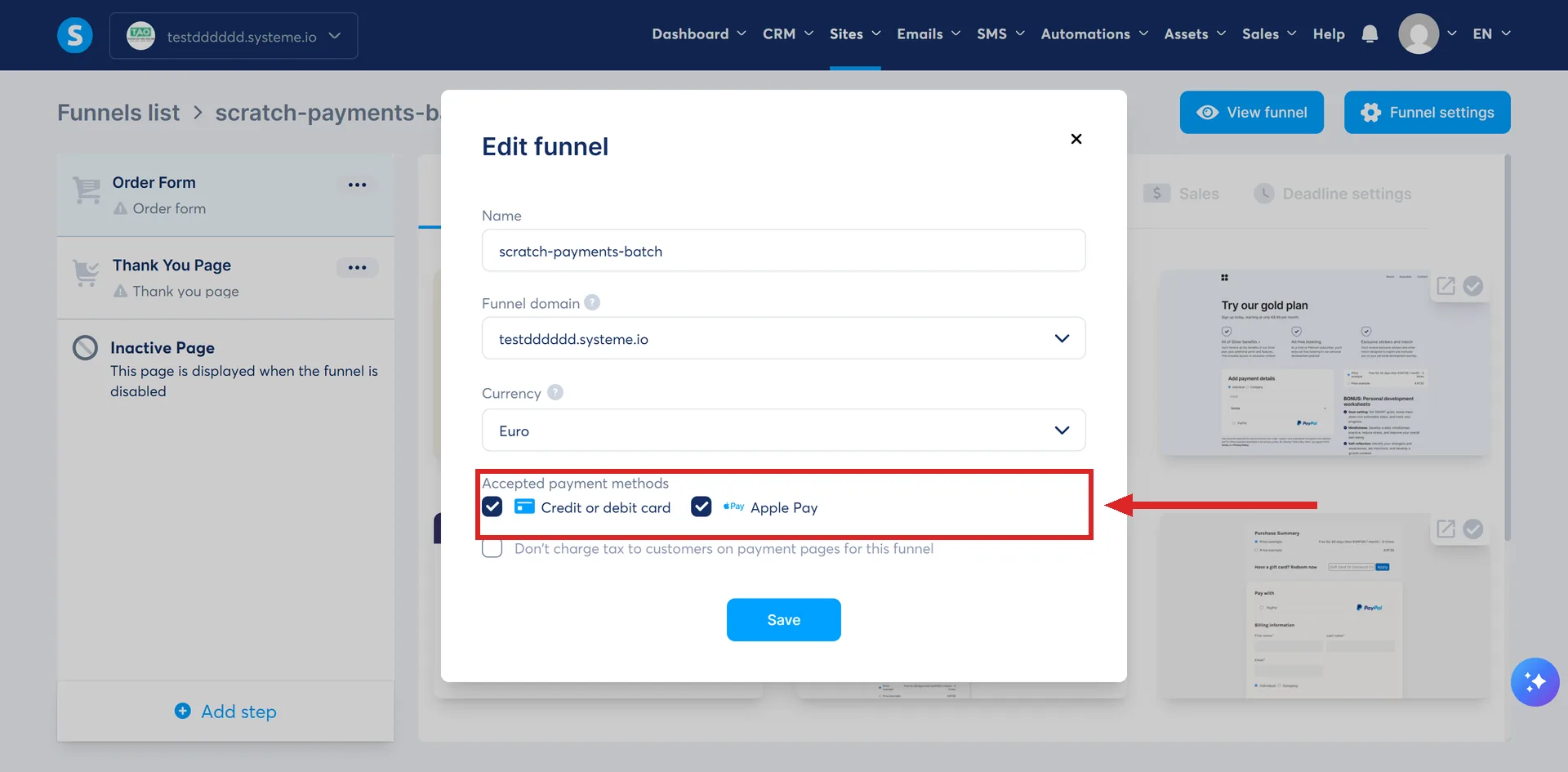
iDEAL and Bancontact only ever take EUR, and Multibanco is the same. Klarna's accepted currencies depend on where your own Stripe account is registered: only the local currency for merchants in the US, Canada, Australia or New Zealand, and a choice of nine currencies for merchants in the European countries systeme.io's Klarna article lists, the UK, Switzerland and Norway among them. Every separate gateway's integration page lists the currencies it supports. What none of them documents is what an unsupported currency actually does: hide the checkbox, raise an error, or let the payment fail without saying why.
The fields the order form has to carry
Eight of the methods name fields that have to be on the order form for the payment to work.
| Method | What the order form must include |
|---|---|
| Mollie | |
| GoCardless | |
| Bancontact | Email and first name |
| Klarna | Country |
| Razorpay | Email, first name, last name and phone number |
| Mercado Pago | Email, first name, last name, country and VAT number |
| Flutterwave | |
| Secure and Pay | Email, first name and last name |
systeme.io's own wording for several of these is direct: without the field, the gateway cannot process the transaction. iDEAL, Multibanco and Xendit document no extra field beyond the currency and enablement conditions above.
How I checked this answer
Nothing on this site is written from memory. These are the sources I checked to write this answer, and the date I checked them.
- How to integrate Mollie with systeme.iohelp.systeme.io, article 1965
- How to integrate GoCardless with systeme.iohelp.systeme.io, article 2146
- How to offer iDEAL and Bancontact payments in systeme.iohelp.systeme.io, article 1336
- How to offer Klarna payments in systeme.iohelp.systeme.io, article 10542
- How to offer Multibanco payments in systeme.iohelp.systeme.io, article 11046
- How to integrate Razorpay with systeme.iohelp.systeme.io, article 1752
- How to integrate Flutterwave with systeme.iohelp.systeme.io, article 1810
- How to integrate your Mercado Pago account with systeme.iohelp.systeme.io, article 2096
- How to integrate Xendit with systeme.iohelp.systeme.io, article 2225
- How to integrate Secure and Pay with systeme.iohelp.systeme.io, article 2967
Checked on
Did this answer your question?
Keep reading
- What happens when a customer's subscription payment fails? Three more attempts, then cancellation. Who decides the timing is the part nobody expects.
- Why is the wrong email address on my Apple Pay orders? What the buyer had already typed into the fields filled from Apple Pay does not count. The Apple Pay details overwrite it.
- What happens to my automation rules when I delete a tag? The rule vanished along with the tag. A second, untouched rule proves that was a real deletion, not a page that failed to load.