Home / Categories / Payments
Why does my order form show the wrong currency?
Because the currency lives on the funnel, not on the account. The default currency you set in Payment settings only applies to funnels created after that change, so a funnel built earlier keeps the currency it already had until it is changed on its own settings screen.
Where the currency actually lives
On the funnel, not on the account. Every sales funnel carries its own currency, and it stays as it is until you change it in that funnel's own settings.
The setting that looks like a fix, and is not one
Click your profile picture, then Settings, then Payment settings. A Default currency field sits there, used whenever a new price plan is created.
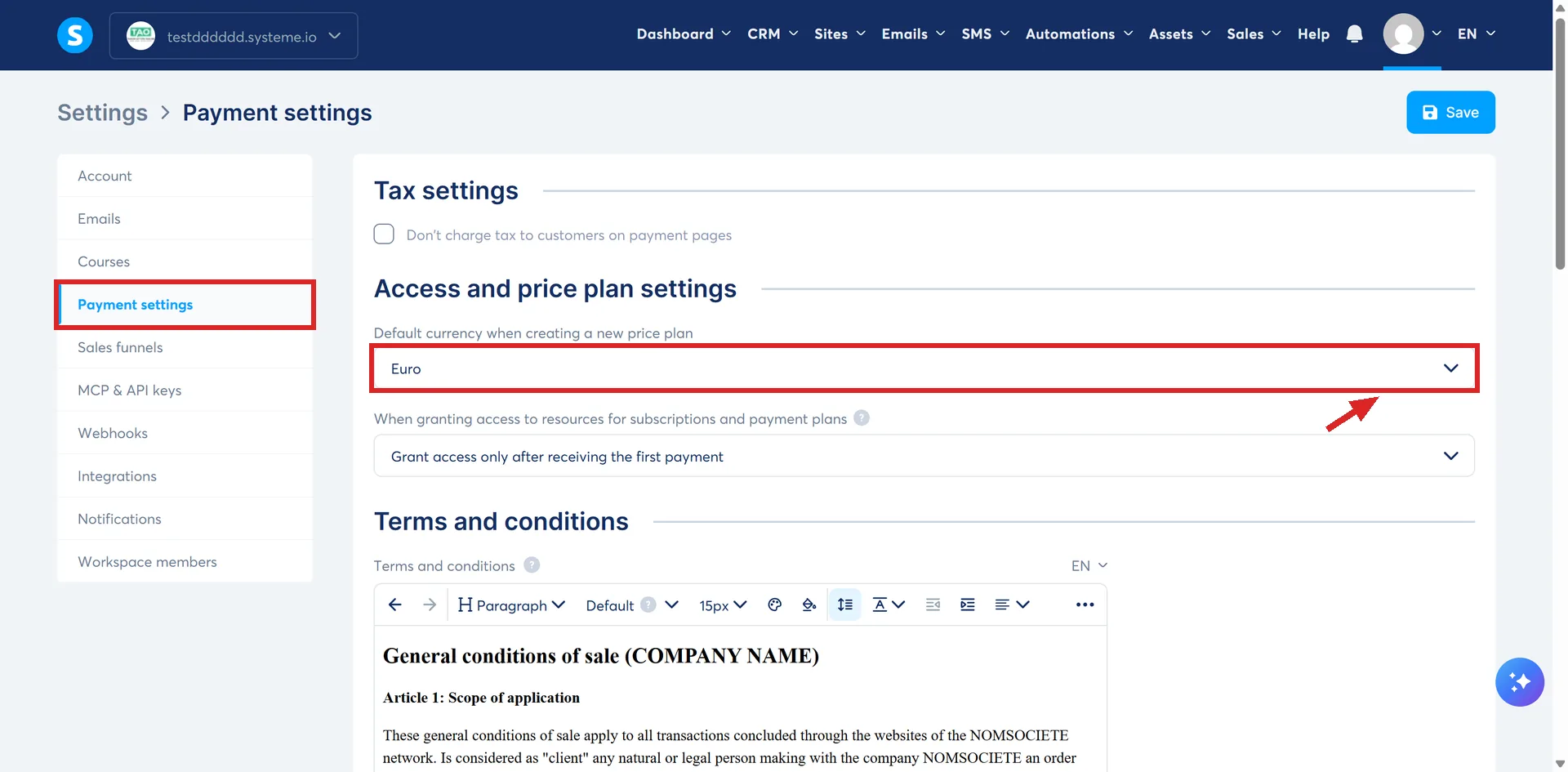
systeme.io's article marks this as important: the new default currency applies to any new funnels you create, and existing funnels are not affected.
So changing that field and reopening a funnel built last month is why the order form still shows the old currency. The setting did exactly what it says. It was never going to reach back into a funnel that already existed.
Where the real fix is
Open the funnel and click Funnel settings. A Currency dropdown sits in the popup that opens. Pick the currency the order form should show and click Save.
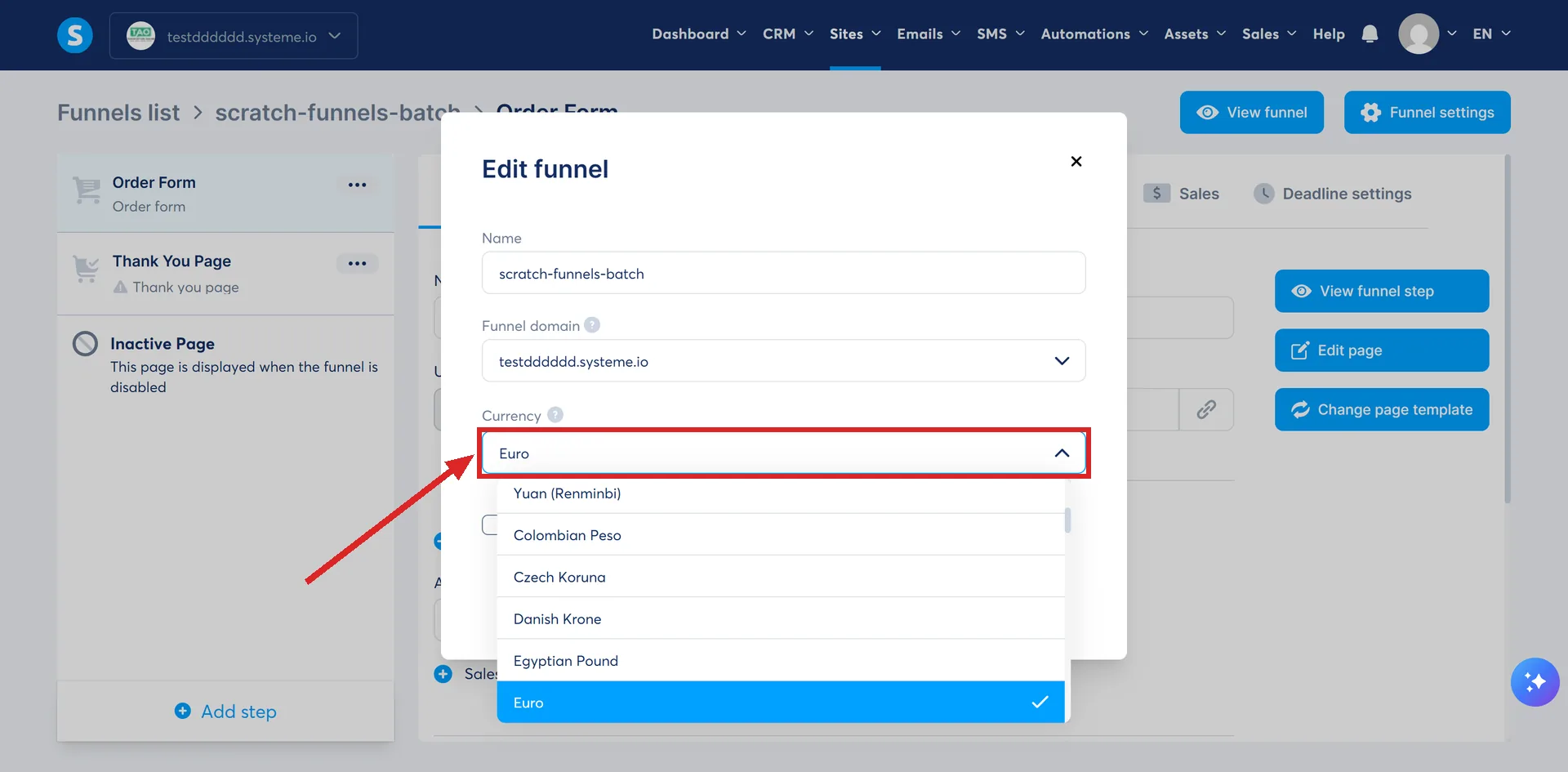
What that fix costs
systeme.io states plainly that changing an existing funnel's currency disconnects every product, coupon and price plan already attached to its order form, upsell and downsell pages. Each one has to be reconnected by hand afterwards.
What that reconnection involves for each one, and what a buyer part-way through a purchase would see if it happened while they were on the page, is a bigger question than this page answers. The short version is that the currency field is not a cosmetic setting.
How I checked this answer
Nothing on this site is written from memory. These are the sources I checked to write this answer, and the date I checked them.
- How to change the default currency of your offershelp.systeme.io, article 267
- How to change the currency of an existing sales funnelhelp.systeme.io, article 1969
Checked on
Did this answer your question?
Keep reading
- Why is the payment method I switched on missing from my checkout? Eleven methods, ten help articles, two shared conditions and a third for most. None of the conditions is the checkbox itself.
- Why is the wrong email address on my Apple Pay orders? What the buyer had already typed into the fields filled from Apple Pay does not count. The Apple Pay details overwrite it.
- Why has my systeme.io AI connection stopped working? The key carries a built-in expiry date, and one AI tool's own guide names the second cause.