Home / Categories / Editor
Why doesn't my consent checkbox work on my order form?
It depends what "work" means. A checkbox on an order form can be made mandatory, and ticking it can feed systeme.io's own consent record for that purchase. What it cannot do is fire an automation rule: rules attached to a checkbox only run on five page types, opt-in, thank-you, inline form, popup form and sales page, and order form is not one of them.
Two different systems, one checkbox
A checkbox on a page can do two separate jobs, and only one of them reaches an order form.
| Job | Works on an order form |
|---|---|
| Being required before checkout | Yes |
| Triggering an automation rule when ticked, such as adding a tag | No |
What already works on an order form
Drag the Checkbox element onto the page from the panel on the left. Its settings switch it between mandatory and optional, and set the message shown if it is left unticked.
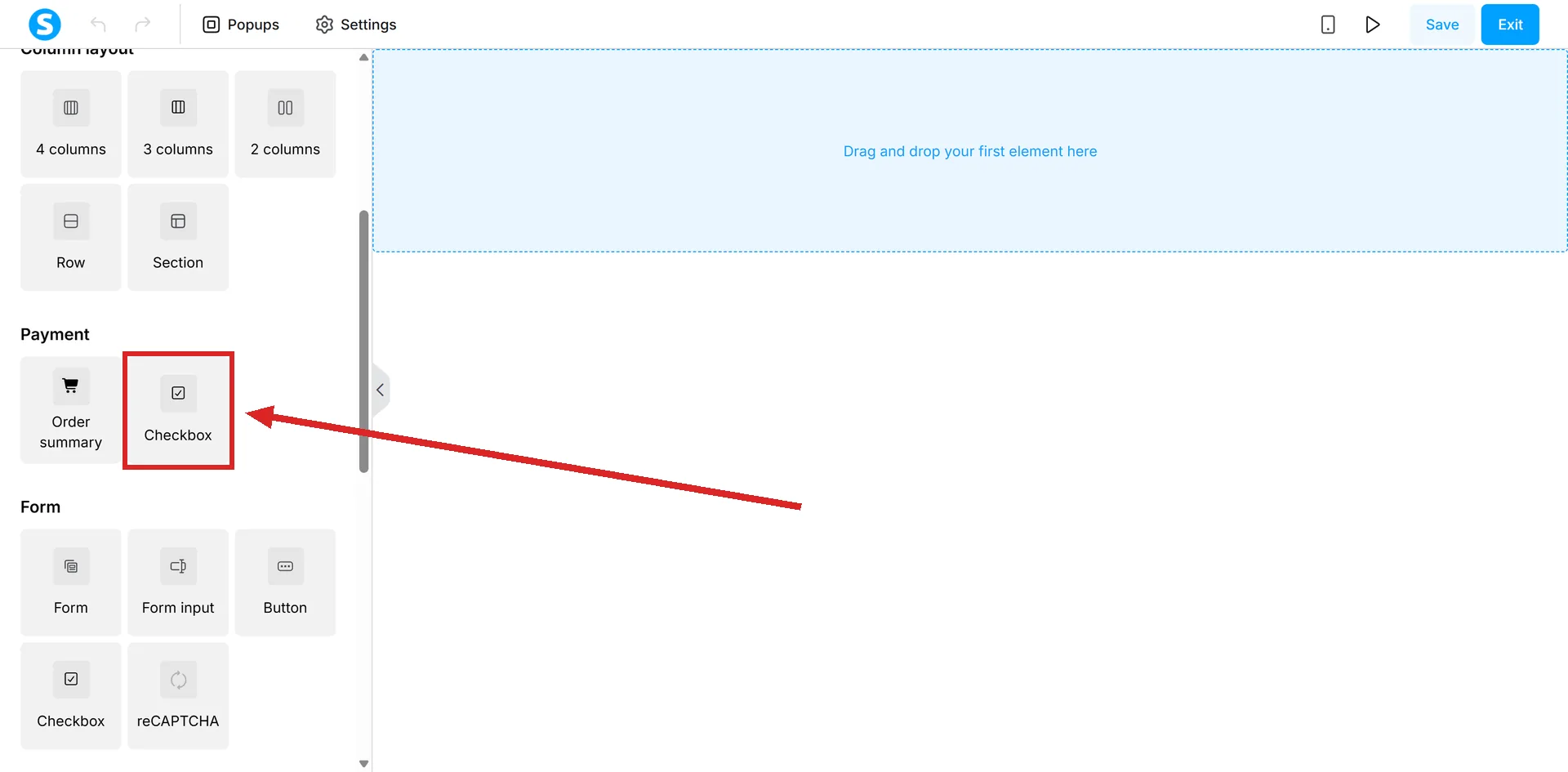
systeme.io states that when a checkbox is mandatory and the button's action is Submit form, the visitor cannot proceed without ticking it. That rule is not restricted to certain page types, so it applies to an order form the same as anywhere else.
Separately, ticking a mandatory checkbox on an order form is also what can feed systeme.io's own proof-of-consent record for that purchase, stored against the transaction rather than against the page.
What does not work: an automation rule on the checkbox
The checkbox can also carry its own automation rule, running an action such as adding a tag the moment it is ticked. systeme.io restricts that specifically to five page types.
- Opt-in page
- Thank-you page
- Inline Form
- Popup form
- Sales page
Order form is not on the list. A checkbox built to tag a contact the moment they consent will still tick, will still block the button if it is mandatory, and will still feed the consent record. The automation rule itself never runs, with nothing on the page to say so.
What that means for a consent checkbox specifically
If the goal is proof that a buyer agreed to something, the checkbox already does that job on an order form with no automation rule needed. If the goal is also to tag the contact or start a sequence the moment they tick it, that needs a page type from the list above, which an order form is not.
How I checked this answer
Nothing on this site is written from memory. These are the sources I checked to write this answer, and the date I checked them.
- How to add a checkbox to your pagehelp.systeme.io, article 324
- How to view and download customer consent recordshelp.systeme.io, article 11433
Checked on
Did this answer your question?
Keep reading
- Why isn't my reCAPTCHA showing up on my form? One cause is a missing element. The other is two settings pointing at different domains.
- Why does Facebook show the wrong image when I share my page? The setting is per page, not per funnel, and that alone explains most of these.
- Why can't I find the Google Sheets action in my automation rule? It is not missing. It only exists one step up, inside a Workflow.