Home / Categories / Editor
Why isn't my reCAPTCHA showing up on my form?
A reCAPTCHA that does not show has two documented causes. Outside the Contact us template, the reCAPTCHA element does not appear on its own and has to be dragged onto the page by hand. Where it is present but still fails, the domain selected for that funnel step has to match the exact domain that was registered with Google when the keys were generated, or the widget does not work.
Cause one: the element was never added
Only the Contact us page template comes with reCAPTCHA already in place. Every other registration form needs the element added by hand: open the page editor, find reCAPTCHA in the panel on the left, and drag it onto the page.
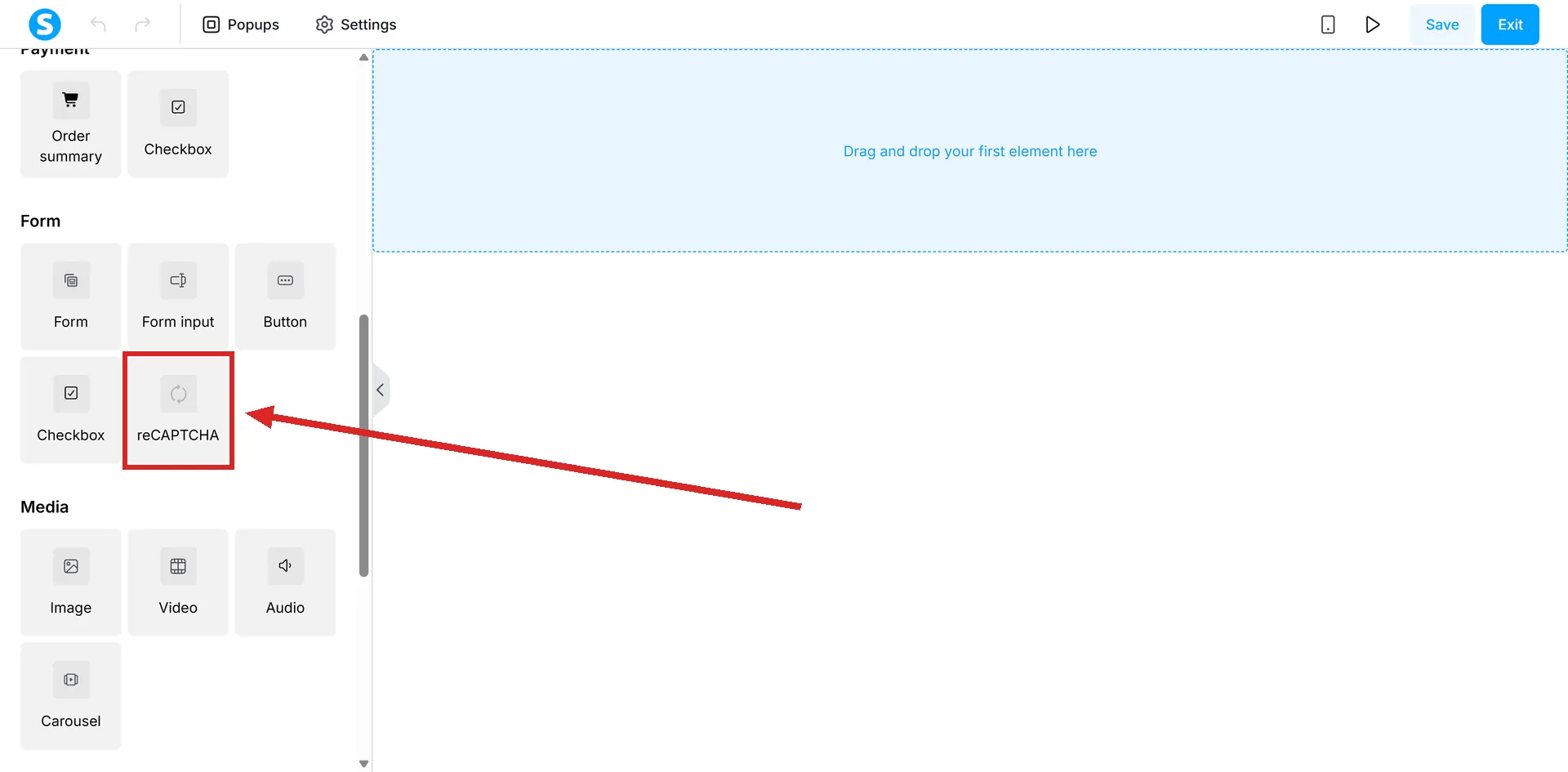
systeme.io recommends placing it right after the form's input fields and before the submit button.
Before any of it works: keys from Google
A reCAPTCHA also needs two keys generated outside systeme.io, at Google's reCAPTCHA site. Registering a site there asks for a label, the reCAPTCHA type, which systeme.io's own walkthroughs set to Challenge (v2) with the "I'm not a robot" checkbox, and the domain the form will run on.
Google then issues a Site key and a Secret key. Those get pasted into systeme.io, not into the page itself: your profile picture, then Settings, then Custom domains, the three dots next to the domain, then Settings, then the reCAPTCHA Settings section, then Save.
The keys sit on the domain, not on the page or the funnel step. Every page using that domain shares the same pair.
Cause two: two domains that do not match
systeme.io states this condition twice, once for each version of the setup: the domain name connected to the funnel, or selected for the funnel step, has to match the domain that was registered in the Google reCAPTCHA console when the keys were generated.
A form running on a domain that was never registered with those specific keys is the second documented reason the widget fails, even when the element is sitting on the page and the keys are saved.
A different failure: an error instead of nothing
A visible message reading "reCAPTCHA verification error, please try again" is a separate, later problem. systeme.io attributes it to the free quota for reCAPTCHA Enterprise being used up, fixed by adding an active billing account in the Google reCAPTCHA console. That is not the same fault as the widget never appearing at all.
How I checked this answer
Nothing on this site is written from memory. These are the sources I checked to write this answer, and the date I checked them.
- How to add a CAPTCHA to a Contact us pagehelp.systeme.io, article 1673
- Secure your registration forms with reCAPTCHAhelp.systeme.io, article 10921
Checked on
Did this answer your question?
Keep reading
- Why doesn't my consent checkbox work on my order form? Two separate systems share one checkbox, and only one of them reaches an order form.
- Why does my survey force people to give an email address? Not a setting you switched on by mistake. It is how answers get linked to anyone at all.
- Why does my order form show the wrong currency? One setting looks like the fix. It only ever applies to funnels that do not exist yet.