Home / Categories / General
Why can't I find the Google Sheets action in my automation rule?
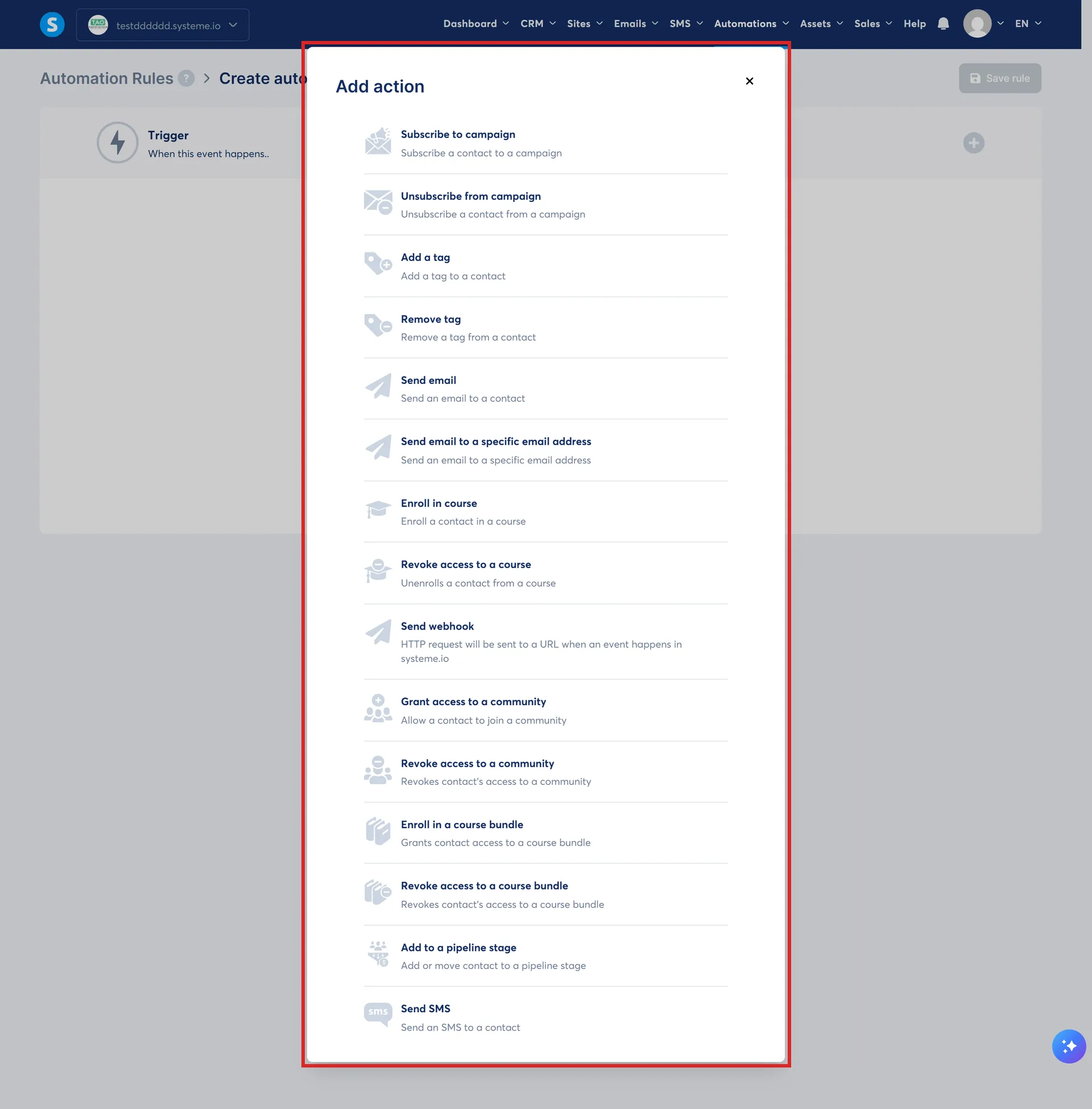
The Google Sheets action is not there to find. systeme.io's own article says the Add a new row to a Google Sheet action only exists inside Workflows, and states plainly that a plain automation rule cannot do this.
It is not hidden, it only exists one step up
systeme.io's article on the Google Sheets integration says so directly. The action Add a new row to a Google Sheet is only available inside Workflows, and it is currently not possible to do this with a plain automation rule.
systeme.io's own workflow guide lists that same action among the ones a workflow step can run, in the same list as sending an email or adding a tag. Its automation rule guide, covering the same kind of step, never mentions it. The two articles agree with each other without either one saying so directly.
Two things have to be true before the action even works
First, a Google account has to be connected. Profile picture, then Settings, then Integrations, then Google Sheets, then Connect, then choose the account and allow systeme.io to see, edit, create and delete only the specific Drive files used with it. More than one Google account can be connected at once.
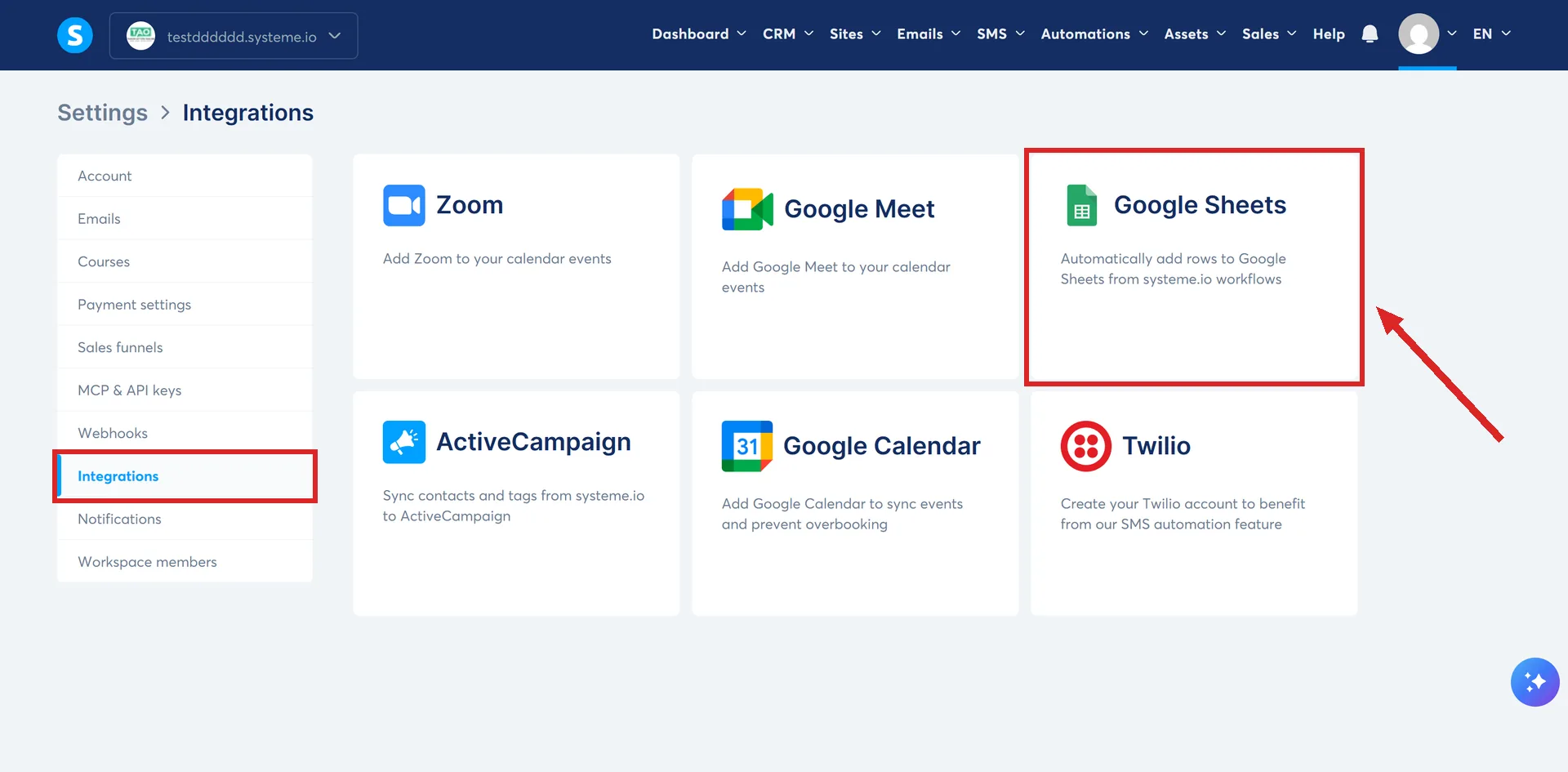
Second, the worksheet needs its column headers already in place before you pick it. systeme.io states plainly that the current integration cannot create a brand new Google Sheet from scratch, only add rows to one that already exists with headers.
Where to actually build it
Automations, then Workflows, then + Create. Add a trigger from the + Add a trigger box, add a step, and choose Add a new row to a Google Sheet as the action. Pick the connected drive, then the specific sheet, then the worksheet inside it, then map each piece of data to a column. Two different fields, first name and surname for instance, can be mapped into the same column.
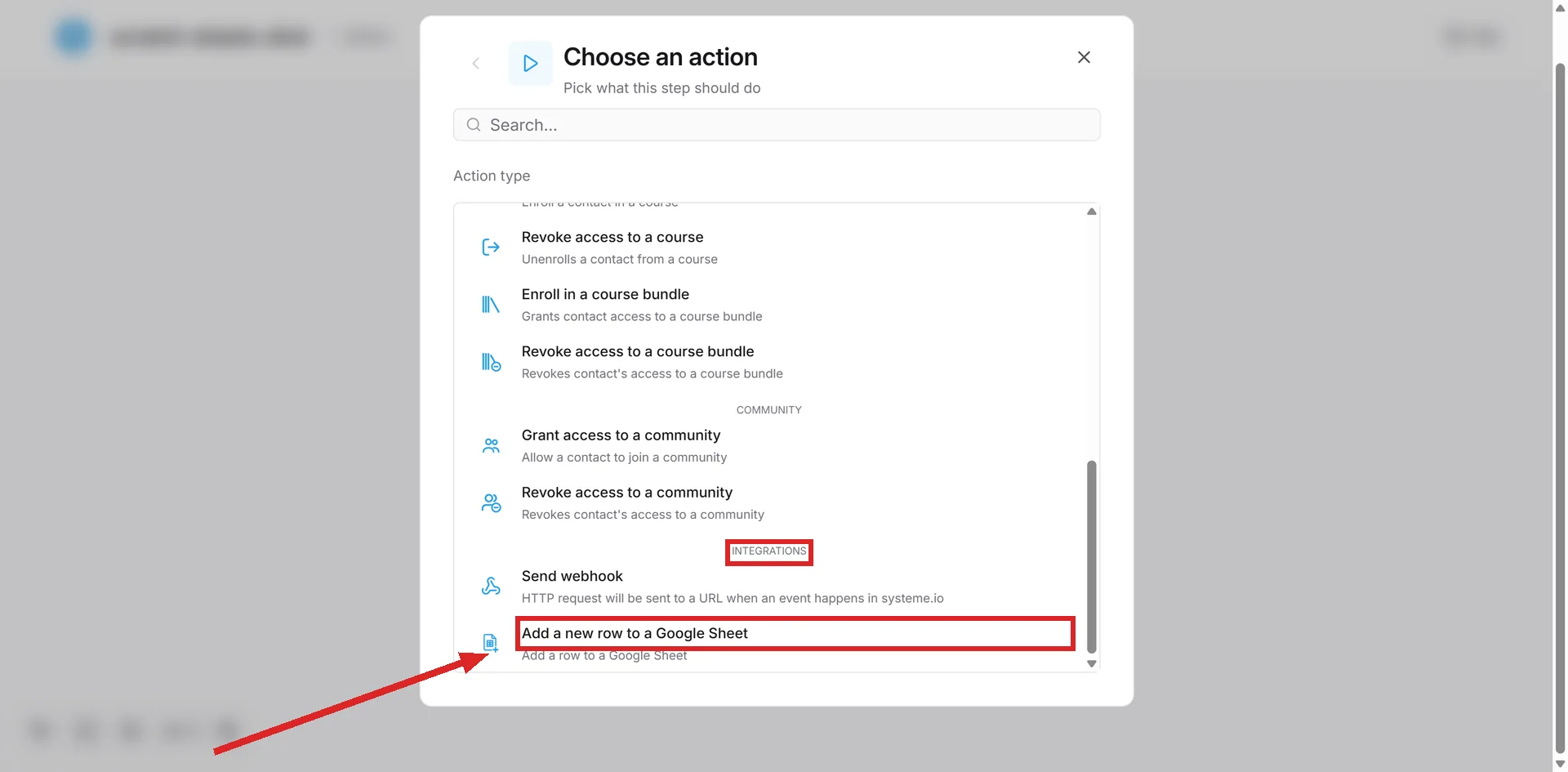
Run the test in the Tests section before trusting it. systeme.io's own example shows a fresh row landing in the sheet after the test runs.
One more restriction, if someone else runs part of the account
Only the account owner can create or edit this integration. systeme.io states the change is disabled for Workspace assistants specifically, for what it calls better security and exclusive control over the connection.
How I checked this answer
Nothing on this site is written from memory. These are the sources I checked to write this answer, and the date I checked them.
- How to integrate Google Sheets with systeme.iohelp.systeme.io, article 3739
- How to create workflows in systeme.iohelp.systeme.io, article 1542
- How automation rules workhelp.systeme.io, article 140
Checked on
Did this answer your question?
Keep reading
- Can I move a funnel or a course from one of my accounts to another? There is a Share button, not a Move one. That difference is most of the answer.
- Is a file I upload to systeme.io private? No login, no expiry, tested with zero authentication on the address. What actually protects the file, and what this does not tell you about paid content.
- Is the systeme.io blog good enough to replace WordPress? What its own twelve help articles say the blog does, and the parts they never mention.