Home / Categories / Emails
Classic editor or visual editor: which should I write my emails in?
Which email editor to use depends on what the email is for. Newsletters and campaigns can use either the classic or the visual editor. An email attached to an automation rule cannot: only the classic editor is available there, with no choice to make.
Where there is actually a choice
Newsletters and campaign emails offer both editors, picked from a dropdown when the email is created. Automation rule emails do not. systeme.io states plainly that for those, only the classic editor is available. If the email being written sends off the back of a trigger rather than a newsletter or a campaign, this question already has its answer.
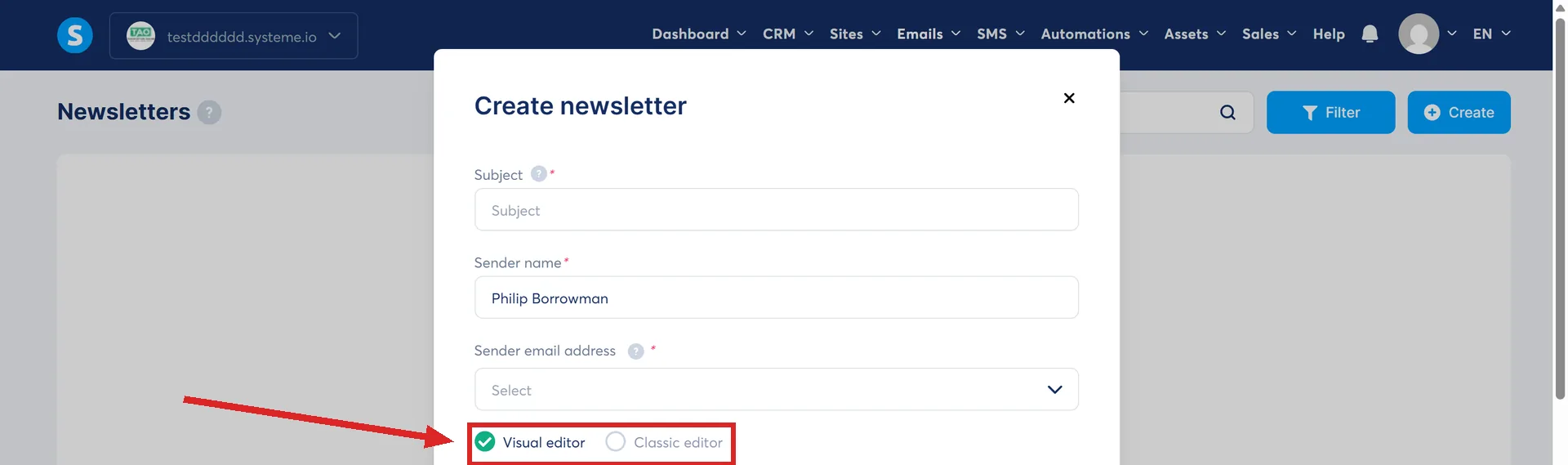
What the visual editor adds
A drag and drop canvas, similar to the page editor used for funnel pages. A template to start from, content elements, layout sections and columns, and a toggle to preview the email as desktop or mobile as you build it.
It also lets a single element be set to show on desktop only, mobile only, or both. Nothing in the classic editor offers that kind of per-device control.
What the classic editor is
systeme.io calls it a simple email built with traditional editing tools. There is no template step and no drag and drop canvas, only a plain text and formatting area.
What is identical either way
Attachments, personalisation variables, the two font behaviours added for dark mode (Mailbox Default and Adaptive), and the delay settings on a campaign email all work the same regardless of which editor wrote it.
The one way to lose your work
Changing editors while an email is still being written throws away everything typed in the one being left. systeme.io says this plainly, so the choice is worth making before the first word, not partway through.
The weight nobody names directly
systeme.io's own guidance on setting up a campaign lists text, fonts, font colours, images, emoticons and layouts as the elements that get coded into an email's HTML, and warns that overusing them weighs the email down. A heavy email, it says, is harder for receiving servers to deliver, and more likely to be marked as spam or rejected outright.
That warning is not aimed at either editor by name. But most of that list (fonts, font colours, layouts) is exactly what the visual editor's sections, columns and templates are built to add. The classic editor, being plain text and formatting, produces far less of it by design.
Picking one
An automation rule email decides this for you. For a newsletter or a campaign, reach for the visual editor when the layout itself matters: different content for desktop and mobile, a template to reuse, several images in one email.
Reach for the classic editor when a plain, text-led email is the actual goal. There is less in it that can go wrong, and less that can add weight.
How I checked this answer
Nothing on this site is written from memory. These are the sources I checked to write this answer, and the date I checked them.
- How to use the email editorhelp.systeme.io, article 1335
- How to set up an email campaignhelp.systeme.io, article 367
Checked on
Did this answer your question?
Keep reading
- I deactivated the last emails in my campaign. Does it count as completed? Nothing completes, so the tag does not fire. It has to be added another way.
- How many emails can I send on the free plan? Unlimited. Sending is not what the plans are priced on.
- What happens to my products and buyers if I change a funnel's currency? Everything gets disconnected at once. What is not documented is what a visitor sees, and what an existing subscriber pays.