Home / Categories / Blog
Can I put an opt-in form inside a blog post?
Yes, through a Raw HTML block. The form itself is built as an Inline Form or Popup Form step inside a sales funnel, and its script is pasted onto the blog page.
Why it takes two steps
The form is not built on the blog. It is built as a step inside a sales funnel, and only the finished form is carried across to the blog page as a script.
That is systeme.io's documented route and there is no shorter one in its blog articles.
Step one, build the form
-
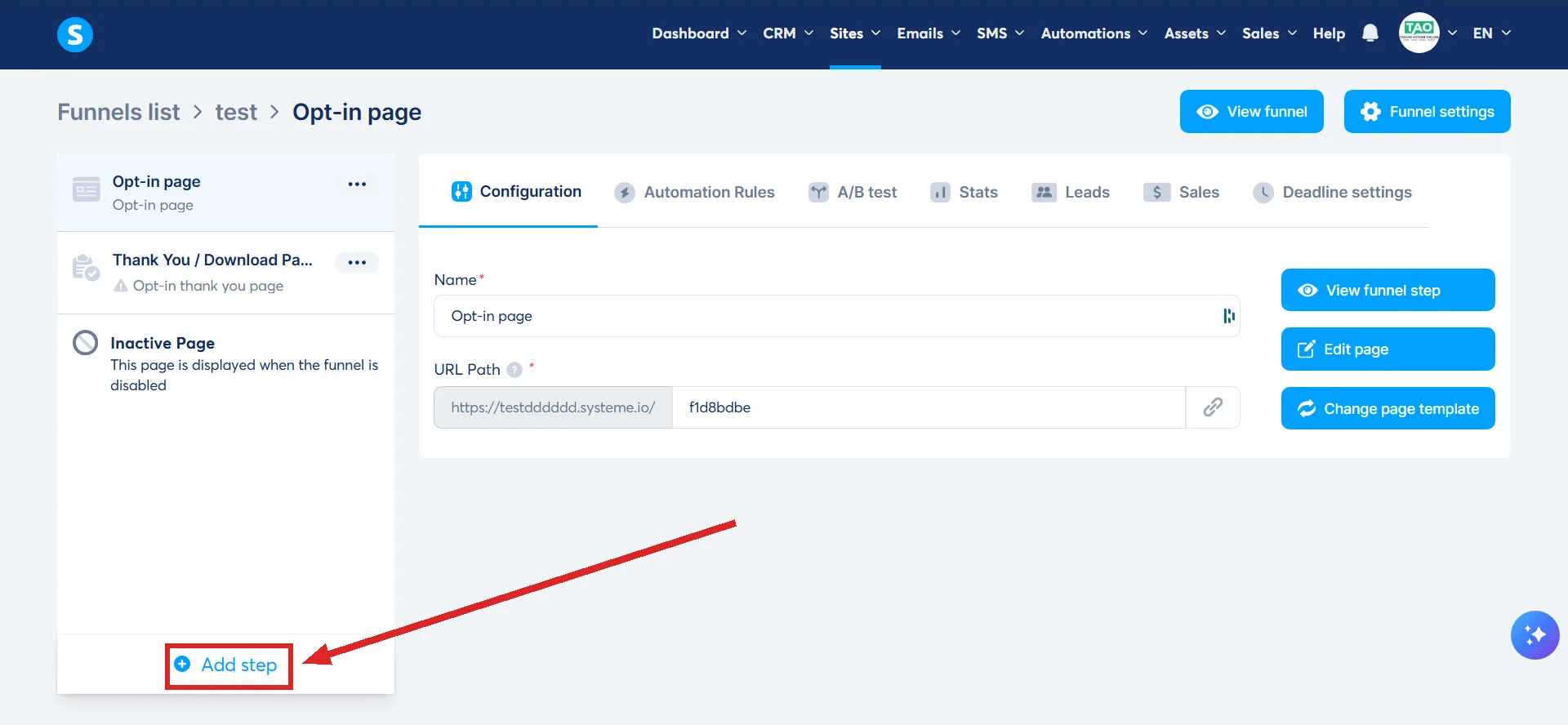
Open a sales funnel and click Add step, at the foot of the step list on the left.
-
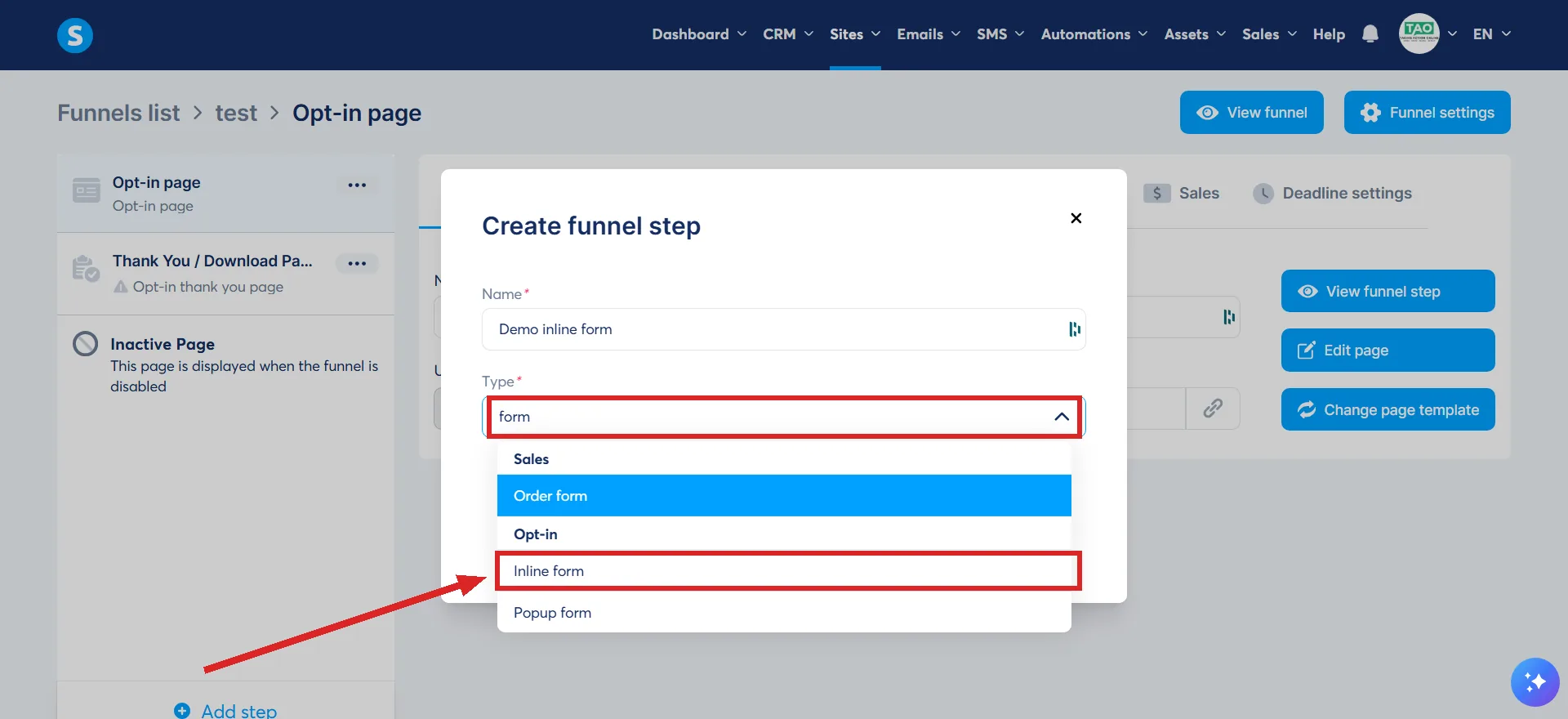
A box headed Create funnel step opens. Give the step a name, then open the Type list and pick Inline form for a form that sits in the page, or Popup form for one that opens over it. Both form types sit under the Opt-in heading in that list.
-
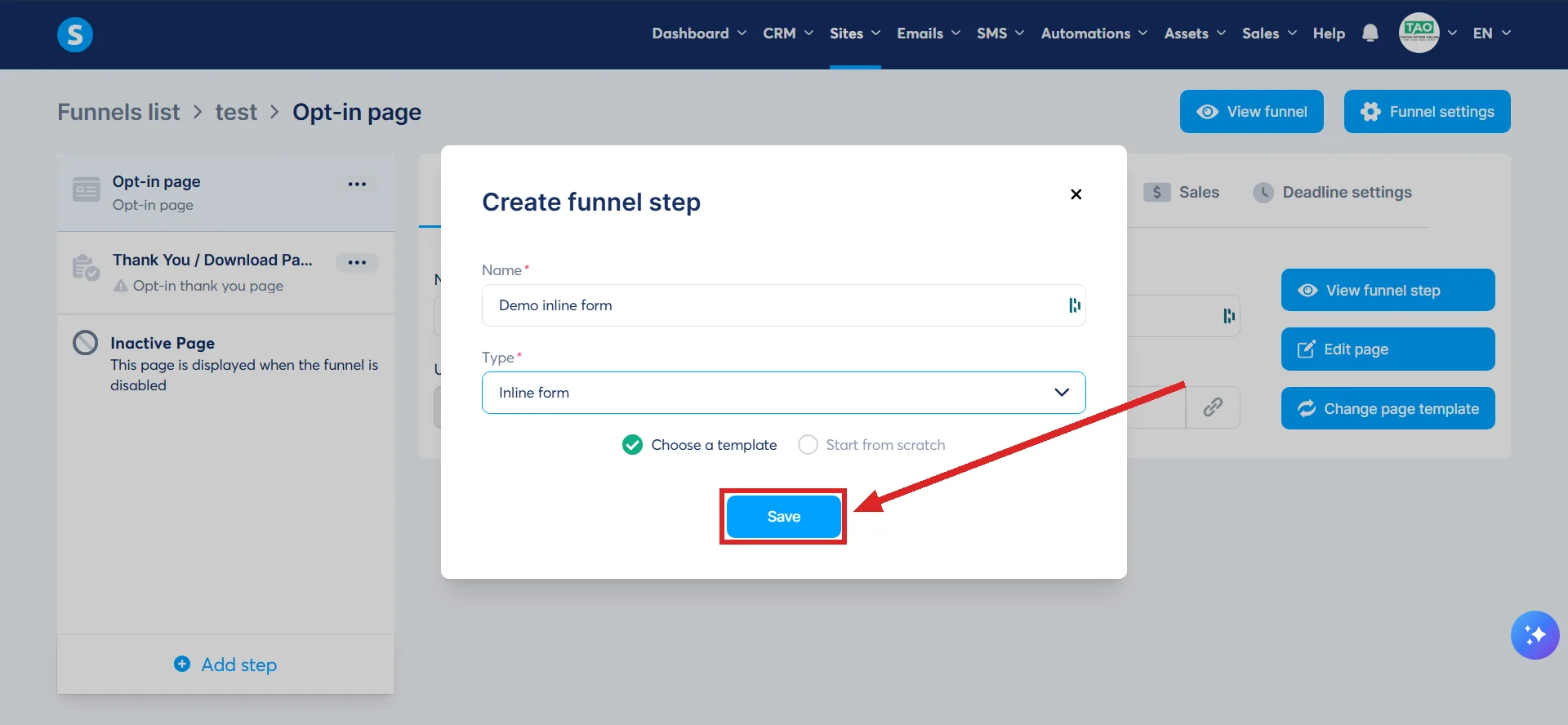
Leave Choose a template selected rather than Start from scratch, click Save, then pick a template and open the page editor. Save stays greyed out until the name and the type are both filled in.
-
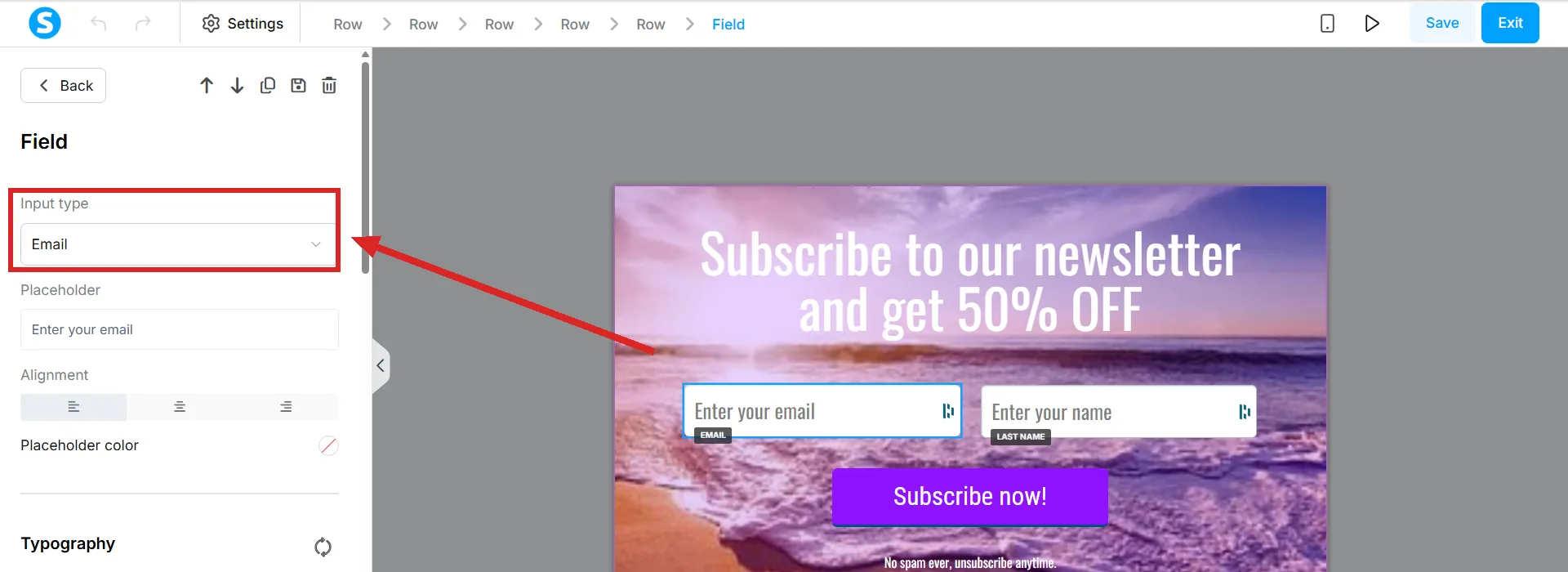
Drag a Form input element in and set its Input type. Add as many fields as the form needs. Input type is the first setting in the Field panel on the left.
-
Set what the button does when it is submitted, then save changes. It is the first setting in the Button panel, Action when button clicked, and it should read Submit form.
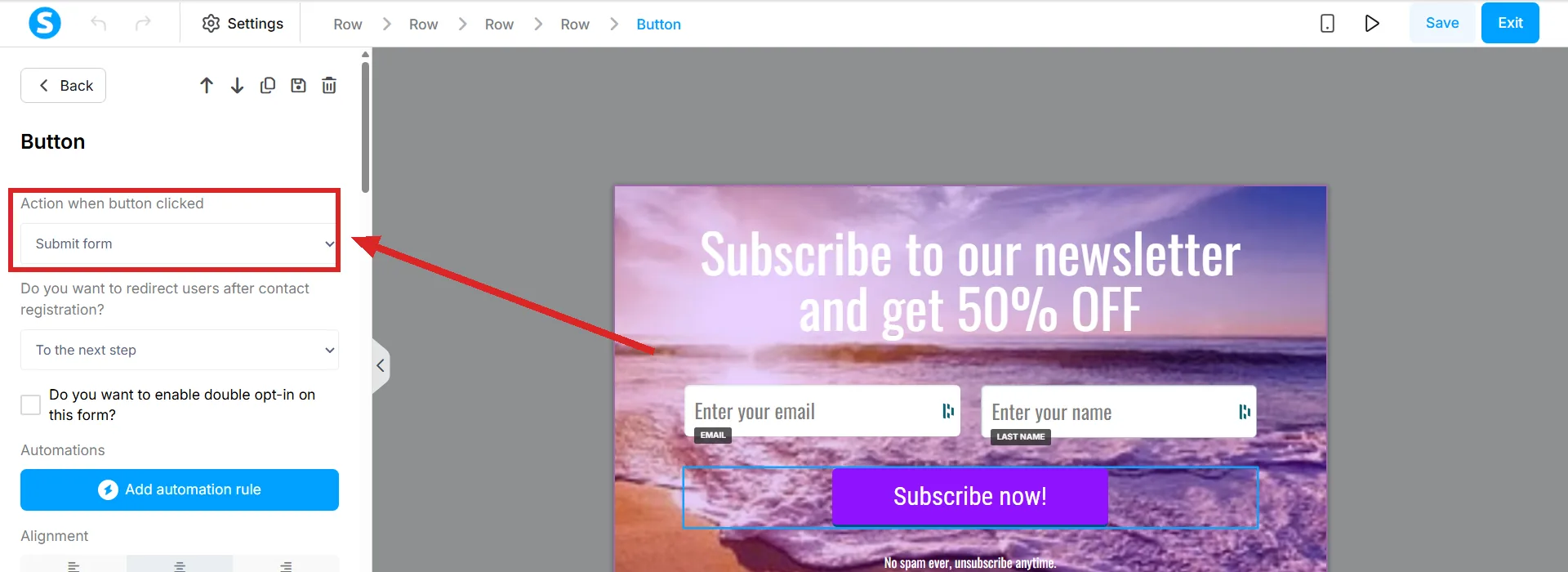
The name of that first button is worth knowing before you go looking for it. The step list calls it Add step, and the box it opens is the one place the name, the type and the template choice are all set, in one go rather than one screen after another.
A form has to hold at least one Form input. For it to capture anybody at all, one of those inputs has to be an Email field and the button's action has to be Submit form.
Step two, put it on the blog
-
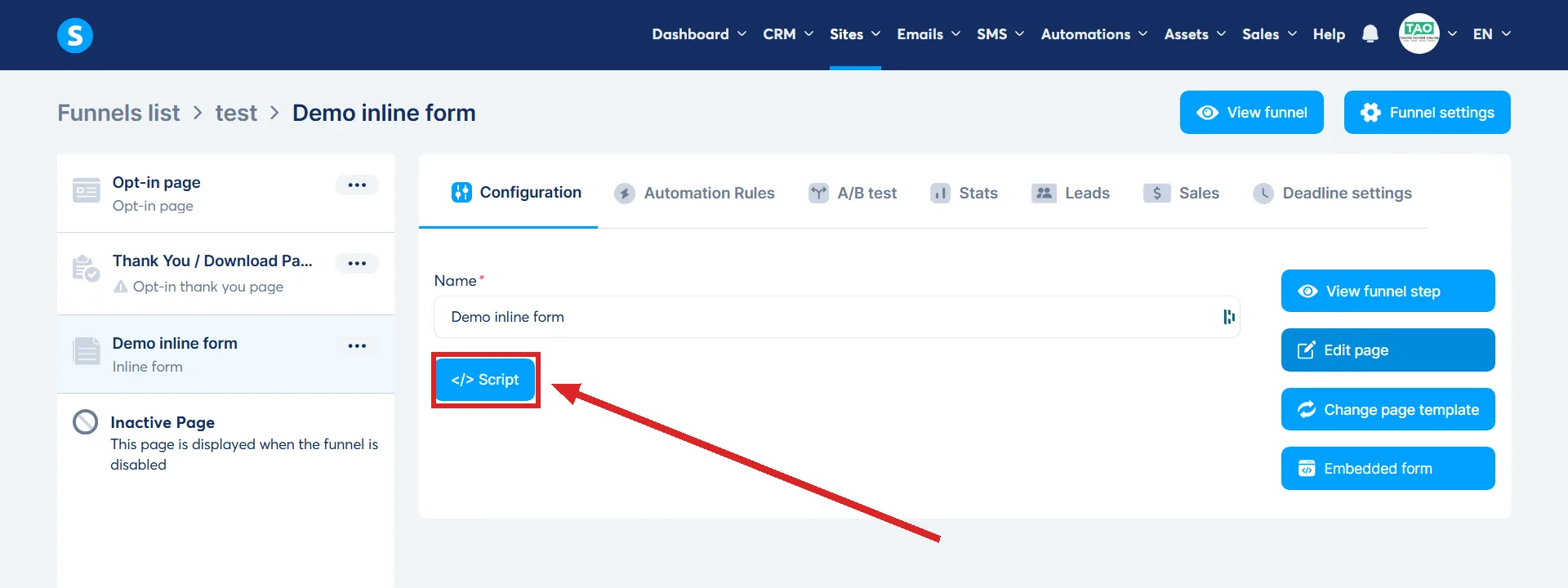
Go back to the step configuration of the form and click Script. It is a small button under the step's name, set apart from the blue buttons on the right.
-
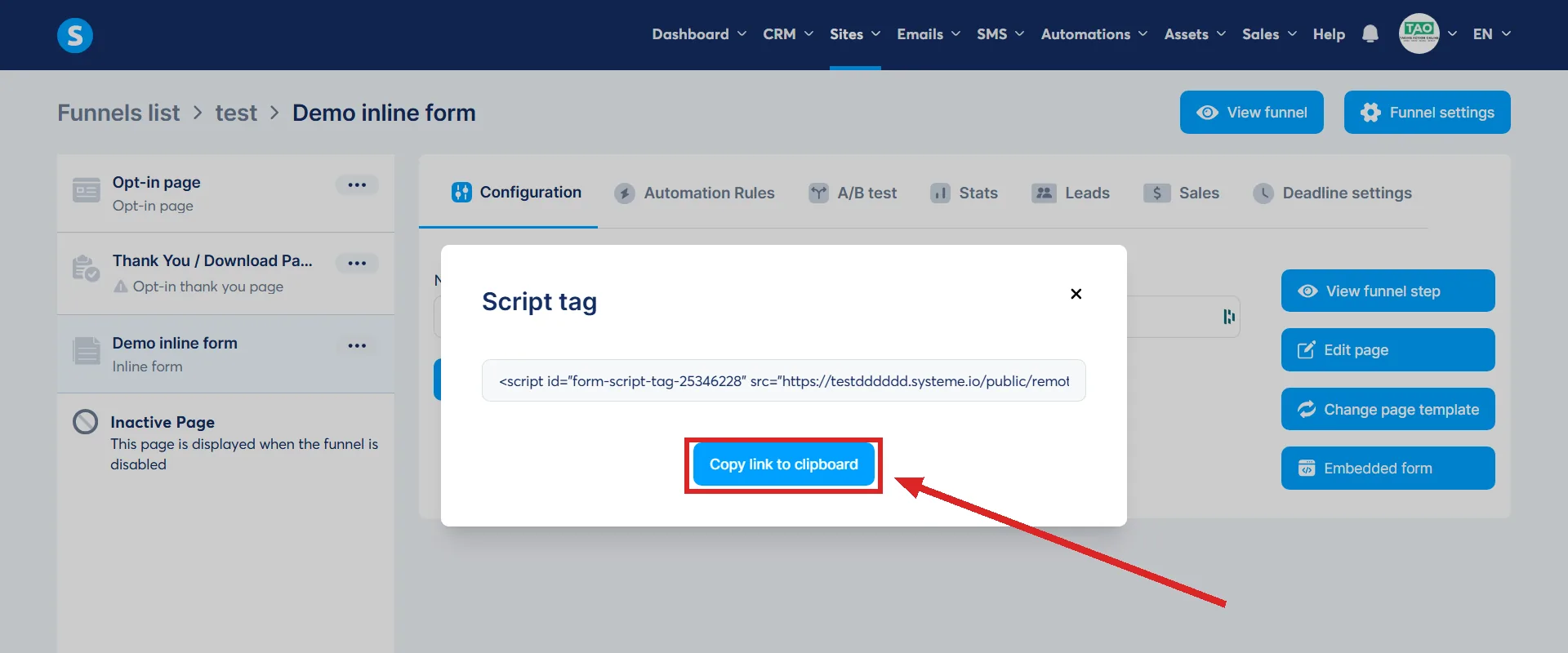
Click Copy link to clipboard. The code itself does not need editing.
-
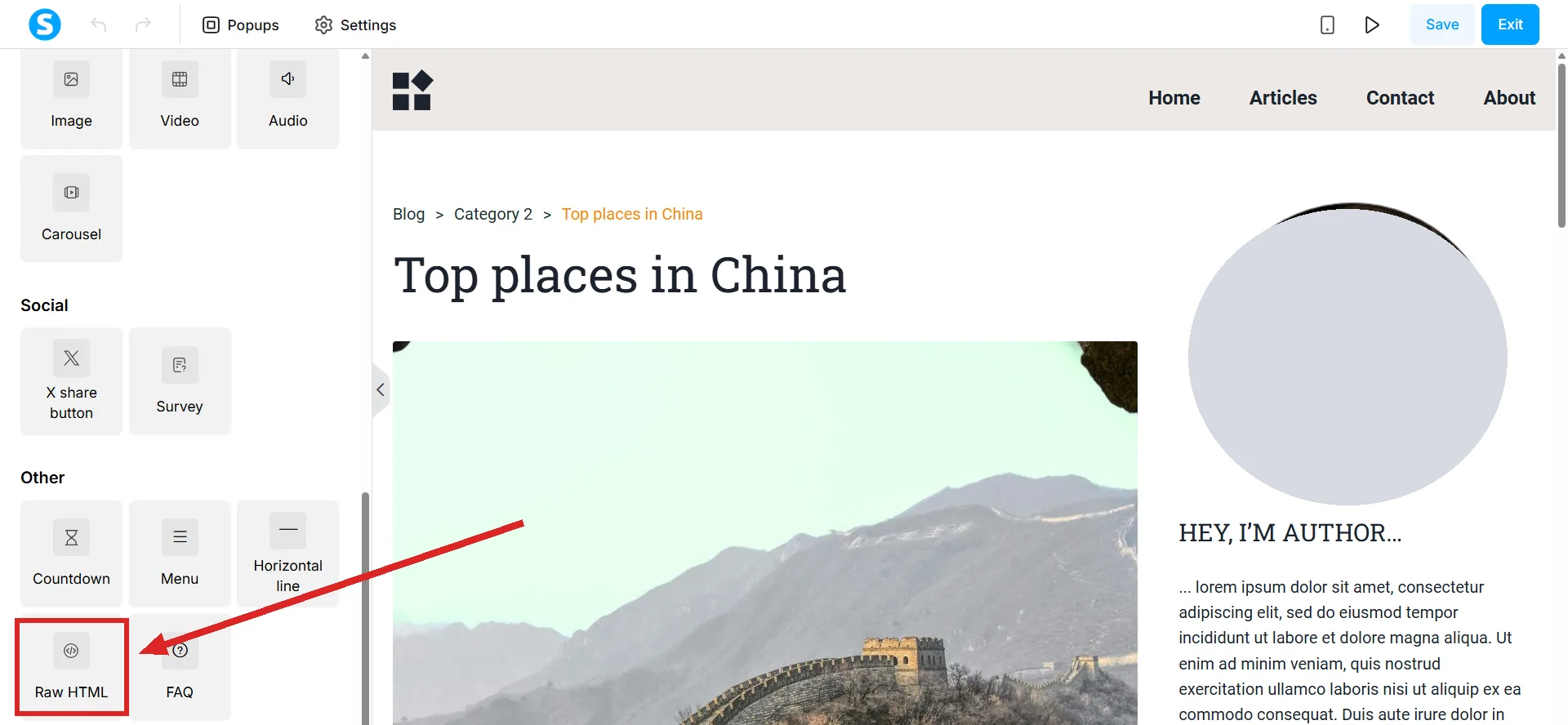
Open the blog page in the editor and drag a Raw HTML element to the spot the form should occupy. It is under the Other heading in the left sidebar. Clicking it instead of dragging drops it at the foot of the page.
-
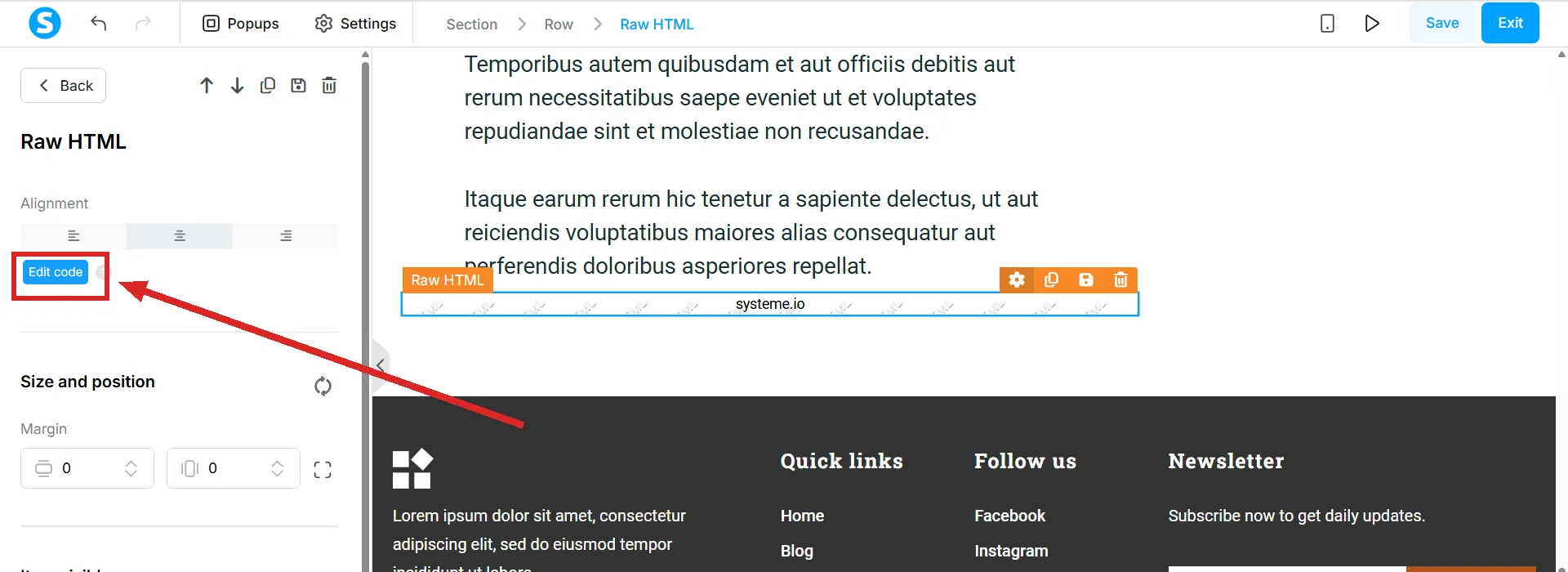
Open its settings, click Edit code, paste, and click Save. Edit code is a small blue button in the Raw HTML panel on the left. A new element already holds placeholder code to replace.
-
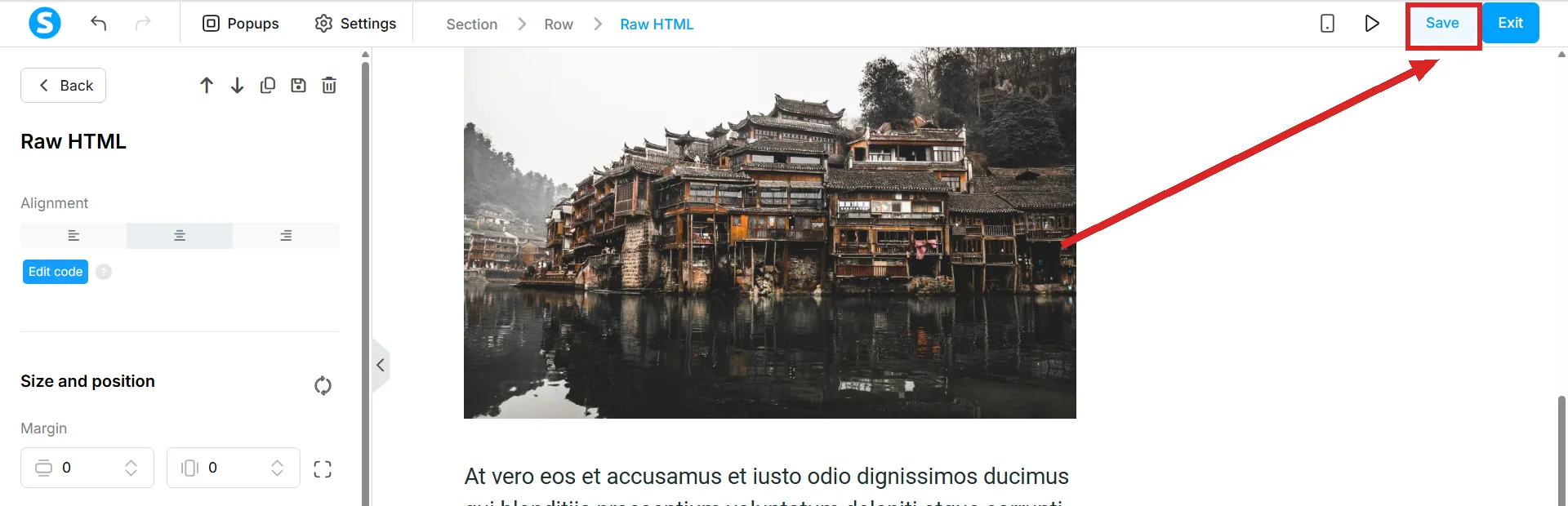
Save changes in the editor before leaving the page. It is at the right of the top bar, and nothing is live until it is clicked.
The popup version
A popup form reaches the blog the same way, and can be shown two ways.
- Automatically, after a delay set in the editor in seconds. The blog side of it is identical to an inline form: copy the script, paste it into a Raw HTML element.
- On a click. The step configuration offers Create a Link instead. Type the words that should be clickable, copy the link to the clipboard, and paste that into a Raw HTML element on the blog page.
Putting one under every post at once
Adding the Raw HTML block to a single post puts the form on that post alone. The post layout is the master template for posts, and anything added there appears on every one of them, so the block belongs there if the form is meant to be permanent.
To reach it: Sites, then Blogs, then the blog's name, then Posts, then Post Layout. The editor that opens already holds four dynamic elements, the post's categories, title, image and content, and the Raw HTML block is dragged in beside them.
The blog layout does the same job for every blog page as well as every post. The trade is that an element added to a layout can only be edited back inside that layout's own editor.
The rule that catches people out
Raw HTML does not render in Preview mode. It appears on the live page only, so a blank gap where the form should be is not evidence that anything failed.
Article 414 muddies that, because it shows the form appearing in a preview of the blog page. This answer follows article 306, which states the rule outright rather than showing one screenshot of one case.
How I checked this answer
Nothing on this site is written from memory. These are the sources I checked to write this answer, and the date I checked them.
- How to add a form or a popup on your systeme.io bloghelp.systeme.io, article 414
- How to build your contact list using a funnelhelp.systeme.io, article 1602
- How to manage the blog post layouthelp.systeme.io, article 1689
- How to manage a blog's layouthelp.systeme.io, article 700
- Is it possible to insert HTML, CSS, or JS code?help.systeme.io, article 306
- The Add step button and the Create funnel step box, opened and read on 5 September 2026A live systeme.io account
Checked on
Did this answer your question?
Keep reading
- How many blogs can I have? One number is written down, and it is the free plan's. Where to look for the others.
- What happens to the posts in a category if I delete the category? The posts survive. The category's own page does not, and the warning mentions neither one.
- What counts as a contact against my plan? The four numbers, what creates a contact, and what happens on the fourth day after you pass one.