Home / Categories / Editor
Can I paste in my own HTML, CSS or JavaScript?
Yes. Code goes in three places: the header and footer boxes in a page's Tracking settings, one account-wide field that covers every funnel, and the Raw HTML element you drag onto a page.
The three places code goes
| Destination | Where to find it | What it covers |
|---|---|---|
| Header code | Page editor, Settings, then the Tracking section | That one page |
| Footer code | Page editor, Settings, then the Tracking section | That one page |
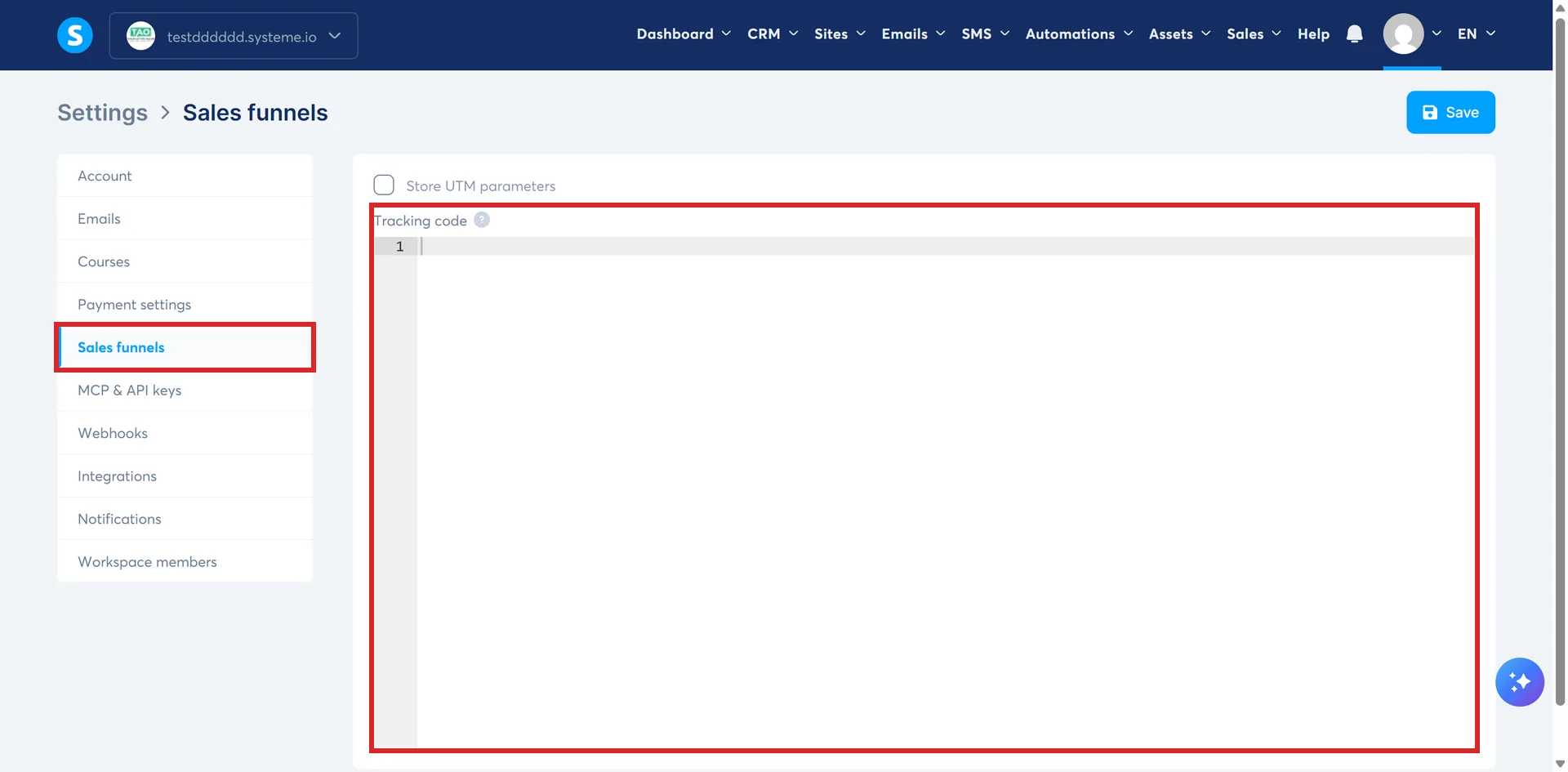
| Tracking code field | Profile picture, Settings, then Sales Funnels | Every funnel in the account |
| Raw HTML element | Dragged onto the page like any other element | The spot you dropped it |
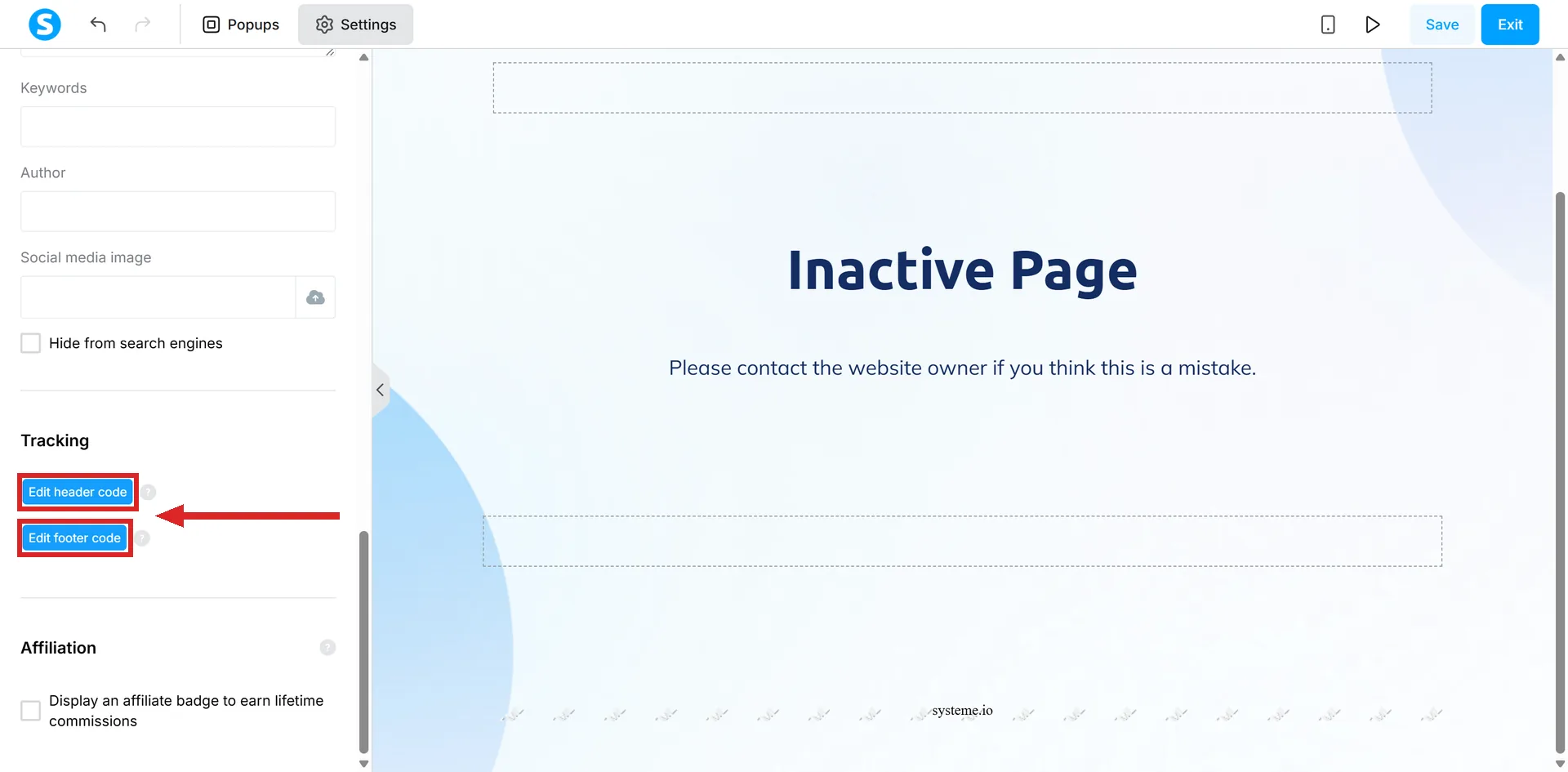
Getting to the first two: open Sites, then Sales funnels, then the funnel holding the page. Pick the page from the list on the left, click Edit page, then Settings in the upper left corner of the editor, and scroll down to Tracking.
Header or footer?
The header box takes any code that needs to sit between a page's head tags. The footer box takes any code intended for the document object model.
systeme.io's worked example for this pair is a Facebook tracking code, added through the Tracking section of a page's Settings.
The account-wide field
Some code, tracking in particular, has to be on every funnel. Rather than pasting it page by page, go to your profile picture, click Settings, then Sales Funnels, paste it into the Tracking code box, and save.
It then applies across all funnels automatically.
The four tags to leave out
When adding code to the header, footer, tracking or Raw HTML boxes, systeme.io says not to include any of these.
- <head> and </head>
- <footer> and </footer>
- <html> and </html>
- <body> and </body>
The page already has all four. What goes in the box is the fragment that sits inside them.
What a Raw HTML block actually holds
systeme.io's worked example is a video embed, and it publishes the right version and the wrong one side by side.
| What goes in the box | |
|---|---|
| Correct | <iframe src="link to your video"></iframe> |
| Incorrect | <div> <iframe src="link to your video"></iframe> </div> |
The wrapper is the whole difference between them. An iframe needs no extra tags around it.
What each language is for
systeme.io's own framing: CSS for custom style, JavaScript for animations such as a hover or click state on a button, HTML for titles, text, tables and divisions on the page.
Using the Raw HTML element
The Raw HTML element puts custom code into the body of most pages: sales pages, order forms, thank you pages and the like.
-
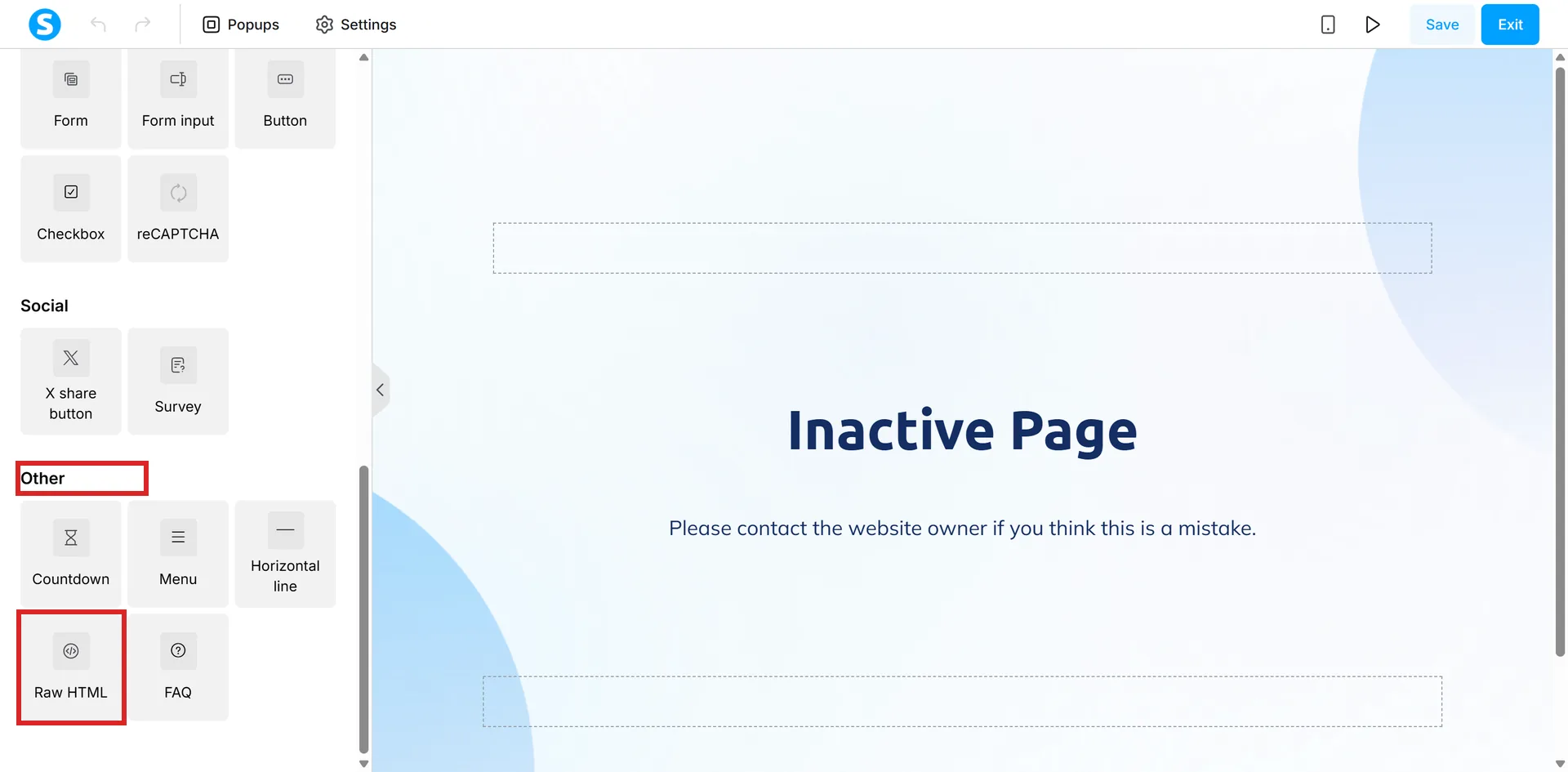
Drag the Raw HTML element to the part of the page you want. It is at the foot of the element panel, under the Other heading, next to FAQ.
-
Click it to open its settings on the left.
-
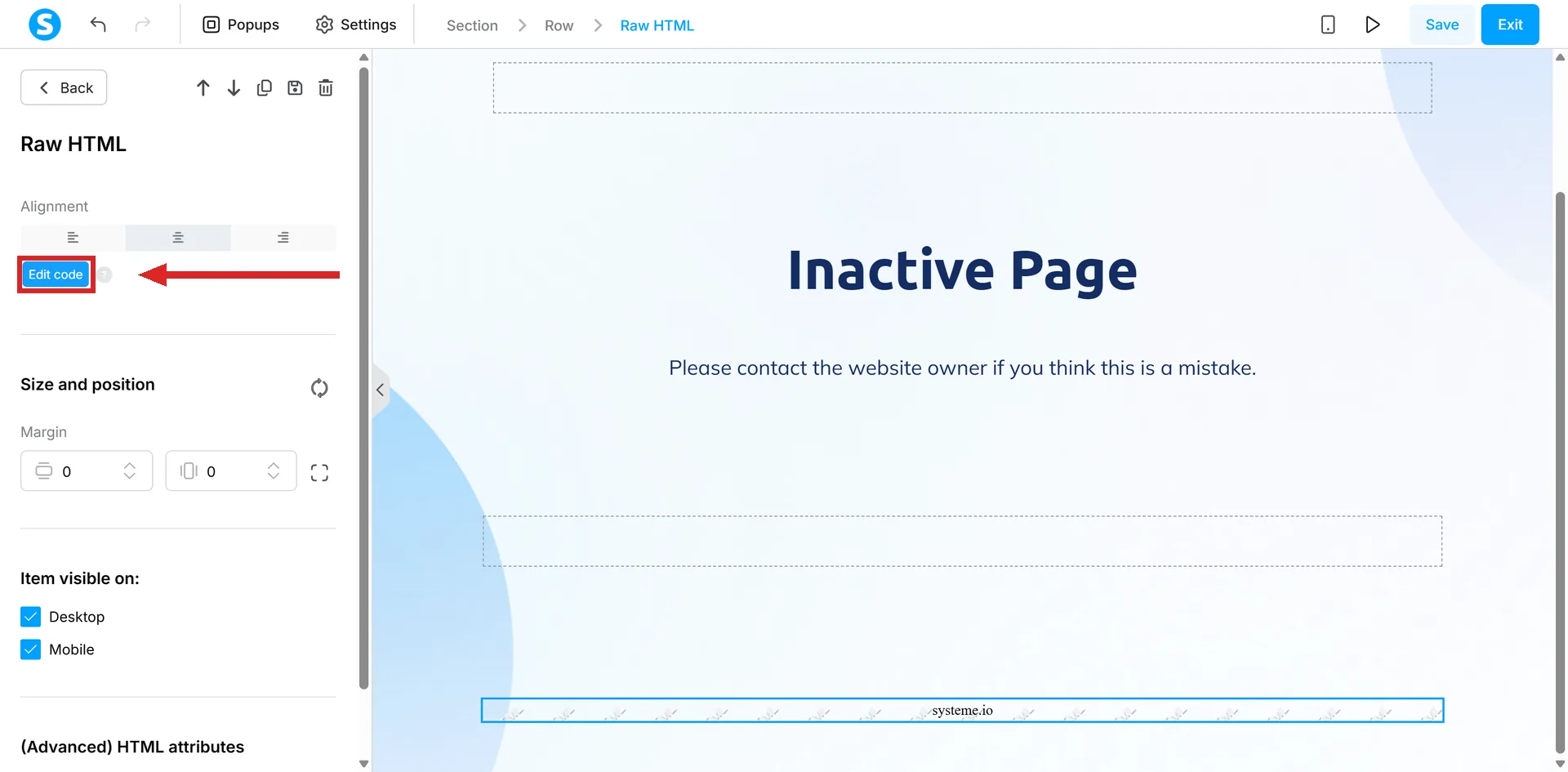
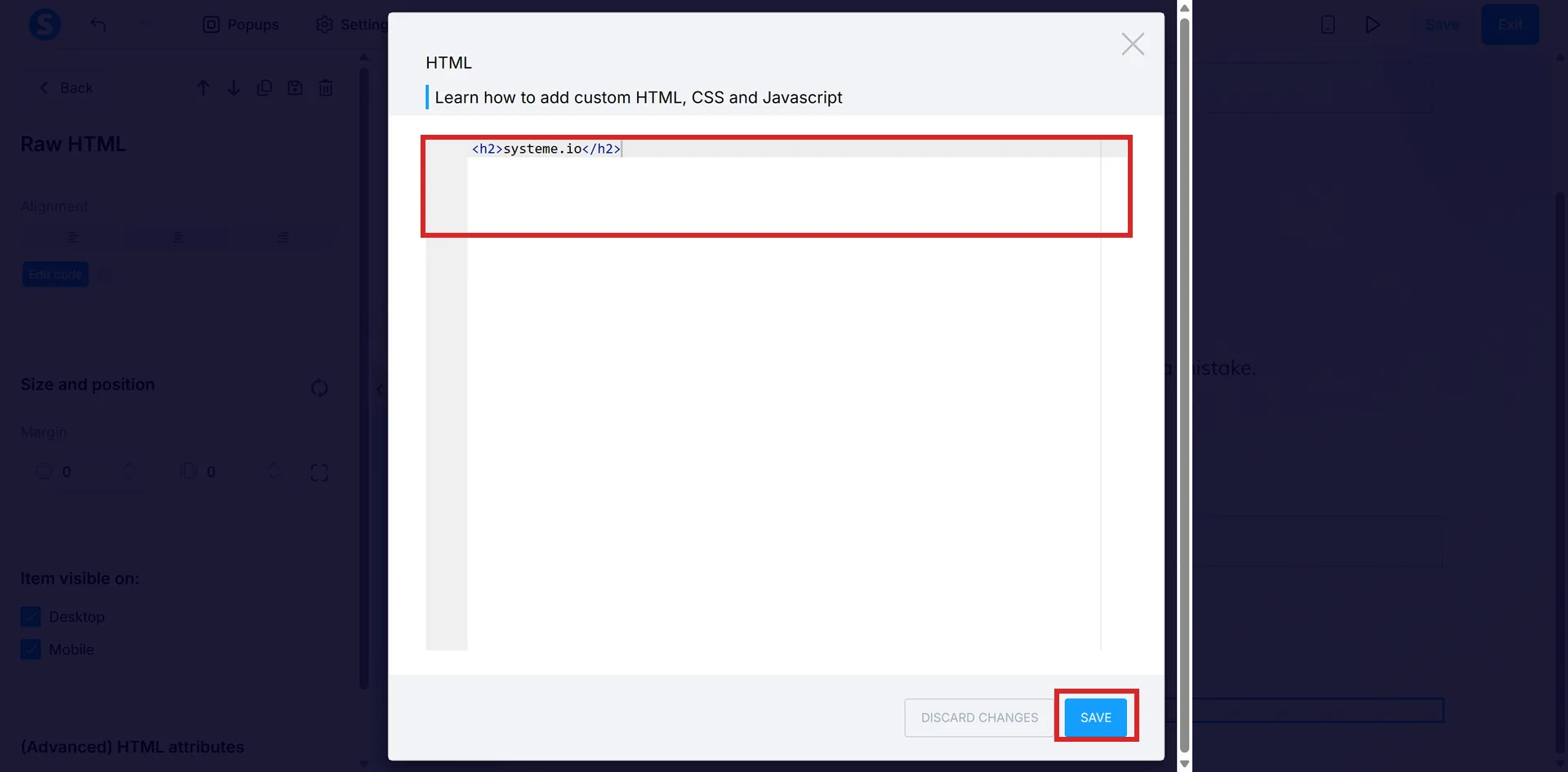
Click Edit code. It is the blue button near the top of the Raw HTML settings panel.
-
Paste the code into the box and click Save. The box already holds placeholder code to replace, and Save is at the bottom right, next to Discard changes.
Two things about Raw HTML that look like faults
It is not available on info pages. If the element is missing from the side panel, check which page type you are editing before assuming something is broken.
It does not appear in Preview mode either. Raw HTML shows on the live page only, so an empty gap in preview is not evidence that the code failed.
The step that cannot be undone
Save before leaving the editor. Once changes are saved, the old version of the page cannot be restored.
How I checked this answer
Nothing on this site is written from memory. These are the sources I checked to write this answer, and the date I checked them.
- Is it possible to insert HTML, CSS, or JS code?help.systeme.io, article 306
Checked on
Did this answer your question?
Keep reading
- What is the SEO section of the editor actually for? Six fields, one of which decides whether the page is allowed into Google at all.
- What size should my images be? No published page-image size anywhere. The two numbers that do exist are for a favicon and for email.
- What is a sender address and why does it matter so much? The From line on everything you send. One setting, and it decides whether anything arrives.