Home / Categories / Editor
Why does my survey force people to give an email address?
A survey asks for an email address by design, not by accident. The survey element's Final step includes an Email input field that systeme.io marks as strictly required, because that email address is what links the answers already given to a contact record. No article on the element describes a way to make it optional or remove it.
What the Final step is
The Survey element has two parts: the questions themselves, and a Final step where the visitor's contact information is collected. Click Final step in the survey's settings to see it.
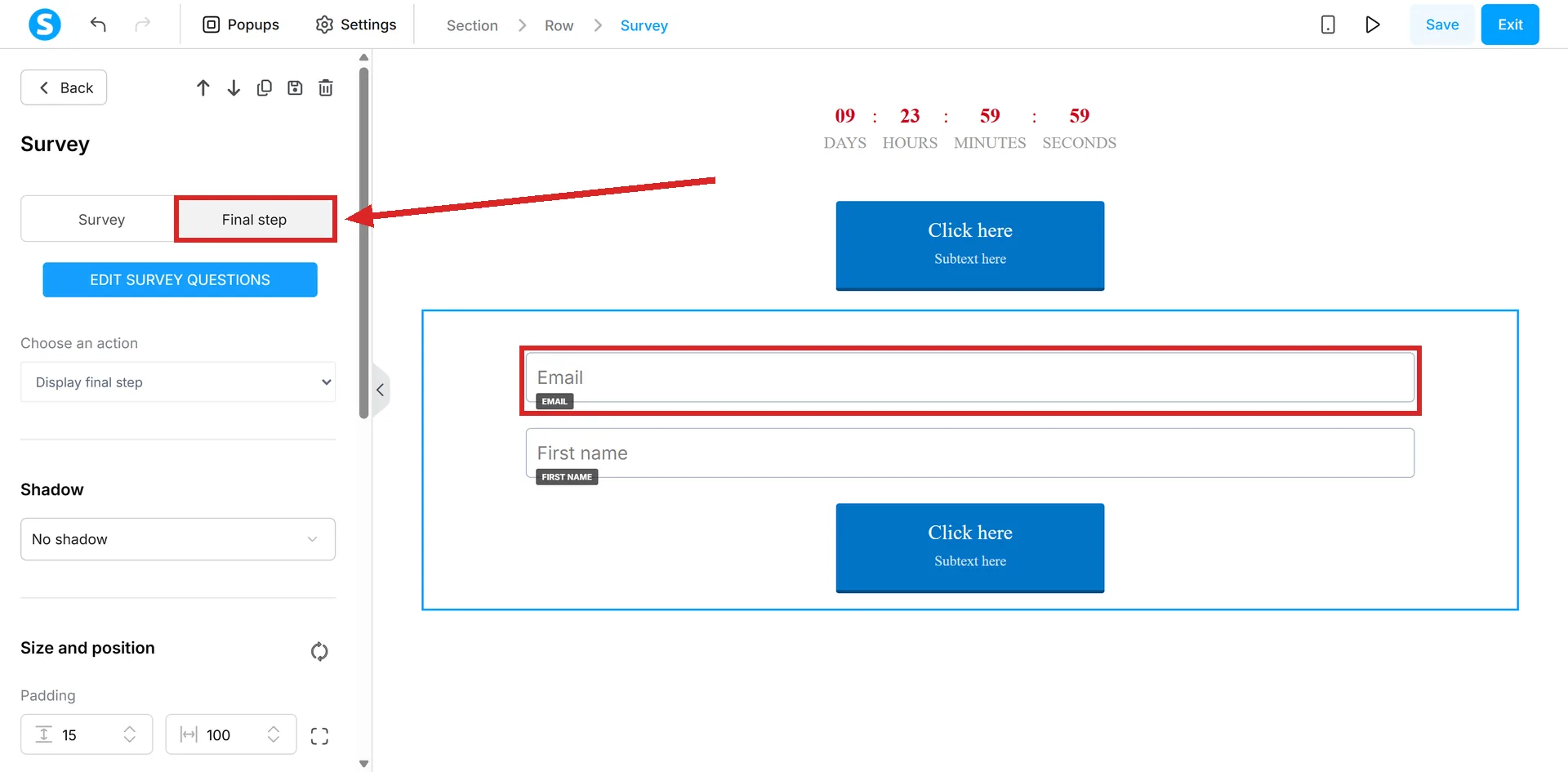
By default, that step includes an Email input field, and systeme.io calls it strictly required.
Why it cannot just be an anonymous poll
The order matters: a visitor answers the questions first, then gives an email address on the final step. systeme.io's own reasoning is that this is the only way the system can record their answers and link them to a contact profile.
No article on the survey element describes a way to remove that field, make it optional, or collect answers without it.
What that buys you afterward
Because every response is tied to an email address, answers become part of that contact's own record. Go to CRM, then Contacts, click the contact's email address, and scroll to the Surveys section to see what they picked.
Each answer can also carry its own tag, assigned separately per answer rather than per question, which is what lets an automation rule react to a specific choice rather than to the fact that the survey was completed at all.
The one answer type that cannot be tagged
Open-ended answers, where Open-ended answer is ticked and the visitor types their own response instead of picking one, cannot have a tag assigned. Tagging only works on the fixed answers written in beforehand.
Where a survey can be used
systeme.io limits the element to two places: a sales funnel page, or a blog. For a course, the documented route is to build the survey on a funnel page and link to it from inside the course, rather than adding the element to a lecture directly.
How I checked this answer
Nothing on this site is written from memory. These are the sources I checked to write this answer, and the date I checked them.
- How to add a survey to your pagehelp.systeme.io, article 1398
Checked on
Did this answer your question?
Keep reading
- My custom field isn't showing up in the form editor. systeme.io makes these on the contacts page. You open somebody's record to create one.
- Block, element, section: what is the difference? Three of these are parts of a page. The fourth is a saved copy of one.
- Why is the payment method I switched on missing from my checkout? Eleven methods, ten help articles, two shared conditions and a third for most. None of the conditions is the checkbox itself.