Home / Categories / Editor
Can I get an older version of my page back after saving?
No. systeme.io's page editor keeps no version history and does not auto-save. The moment Save is clicked, the version before it is gone. The only recovery tool documented anywhere in the editor is a per-setting Reset, which reverts one style choice on one element, not the page.
What Save actually does
The page editor has one save action, the Save button in the top right corner. Open a page first: Sites, then Sales funnels, then the funnel, then the page, then Edit page.
systeme.io repeats the same warning on more than one of its own editor articles, whatever the article is actually about: once the changes are saved, the old version of the page cannot be restored.
Nothing is quietly protecting the page before that point either. A separate systeme.io article on the page editor states plainly that it does not have auto-save. There is no draft sitting behind the scenes and no history to step back through, only the page as it stood the last time Save was clicked.
The one control that does revert something
Reset is not an undo button for the page. It reverts a single setting on a single element, and only for certain kinds of settings.
Click the element, open a setting such as typography, colour or size and position in the panel on the left, and a small circular arrow, the Reset icon, sits next to that setting's name. Clicking it reverts changes made to that one setting.
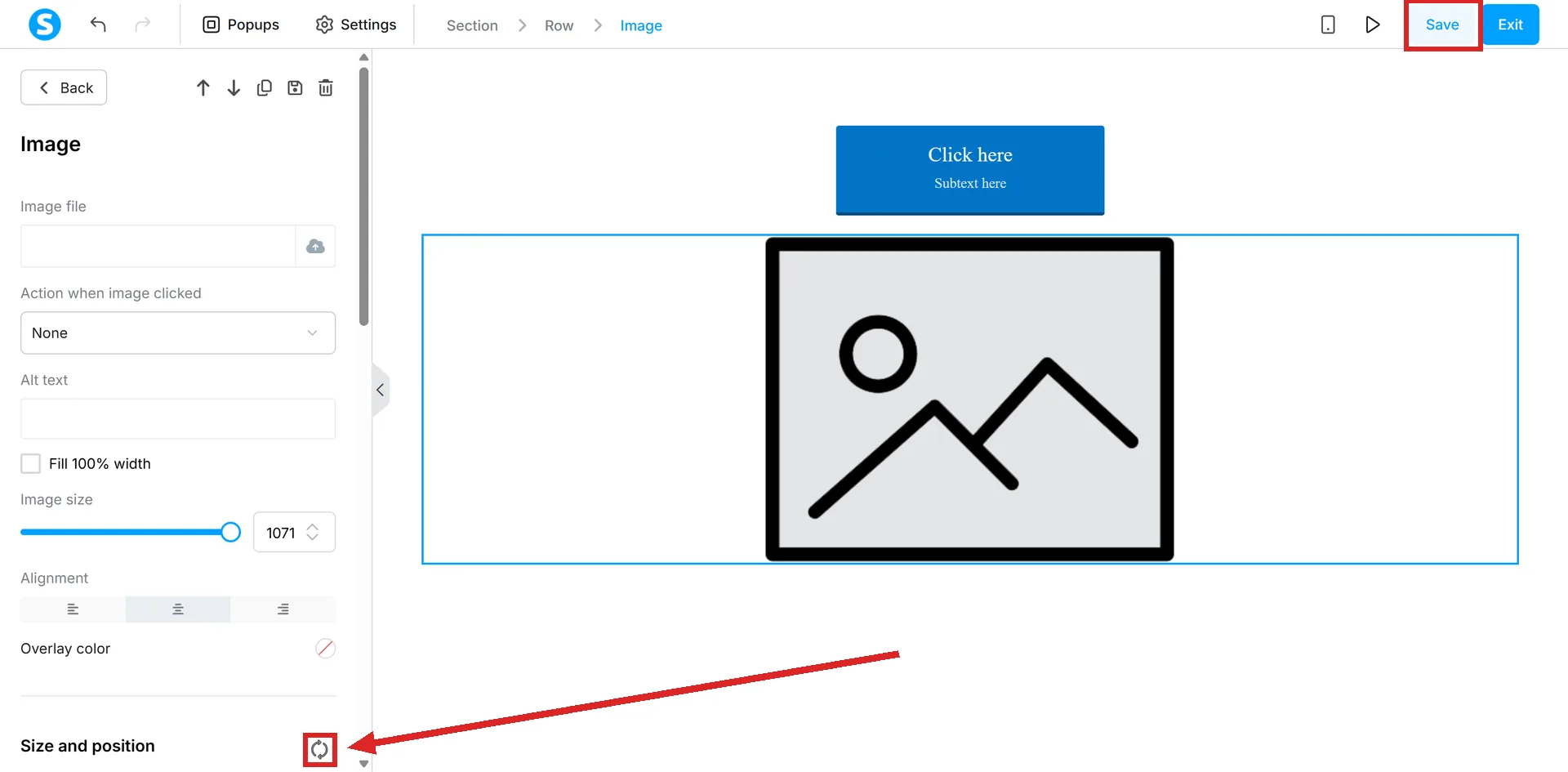
It does not touch the element's content, does not undo a deletion, and does not step back through a series of earlier edits. It resets whichever single style control it sits beside.
What that means in practice
Treat every save as final before clicking it. There is no version to fall back to afterward, whether the change was a paragraph of deleted text, a section dragged into the wrong place, or a page rebuilt from a template by mistake.
The Reset icon is worth knowing about for exactly what it is: a way to back out of one style change on one element while still inside that setting, not a safety net for anything else on the page.
How I checked this answer
Nothing on this site is written from memory. These are the sources I checked to write this answer, and the date I checked them.
- How to create and sell a physical product with systeme.iohelp.systeme.io, article 292
- How to create a custom page using systeme.iohelp.systeme.io, article 168
- How to add the X share button to a pagehelp.systeme.io, article 1664
- How to create a funnelhelp.systeme.io, article 147
Checked on
Did this answer your question?
Keep reading
- Why can't I find the Contact us element in my editor? It is not hidden. It only exists on certain kinds of pages.
- Why doesn't my consent checkbox work on my order form? Two separate systems share one checkbox, and only one of them reaches an order form.
- What can I actually export out of systeme.io? Six real export buttons, and one of them only the account owner is allowed to press.