Home / Categories / General
Can I use systeme.io without knowing any code?
Yes. Pages are assembled by dragging elements onto them. Code is optional, and where it turns up it is usually a snippet from another tool that you copy into a box.
How a page is actually built
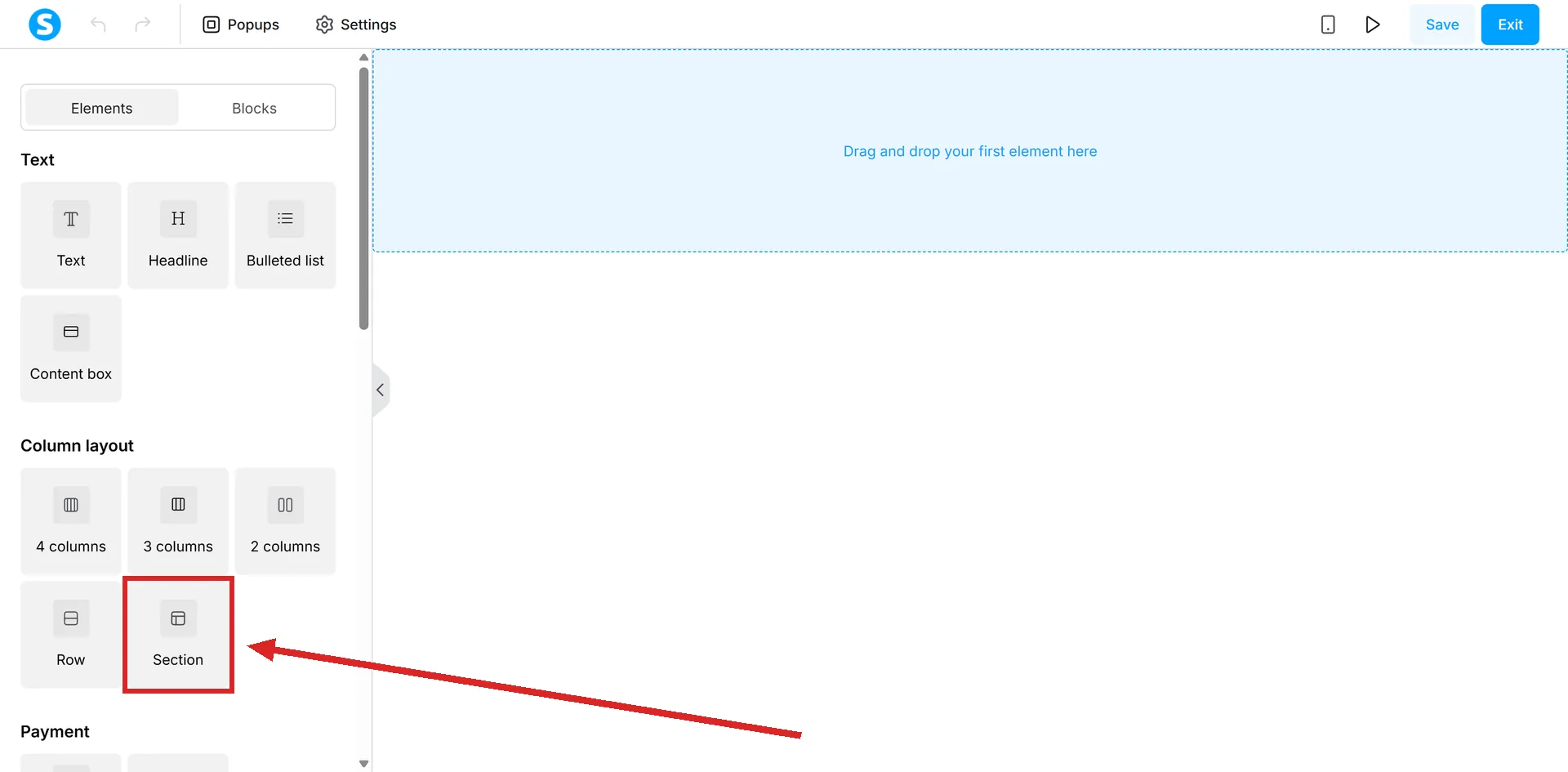
You start from a template or from a blank canvas, then work in three layers. Drag a Section onto the page. Sections hold rows and columns. Columns hold elements such as text, an image or a video.
Clicking an element's settings icon opens its options on the left: typography, colour, size, position. A Reset icon beside a setting puts it back the way it was.
The whole route to a first page
systeme.io's own walkthrough, start to finish:
- Sales funnels, then Create.
- Choose Custom, then Save.
- Inside the funnel, click Add step.
- Enter a name for the page and pick its page type.
- Pick a template from the designs offered, or start from scratch.
- Drag elements in and click each one to style it.
Adding a section brings a row and a column with it, so the three layers are not three separate jobs. More columns come from dragging the Column element inside a section.
Where code can go if you ever want it
There are boxes for it. A page's Settings has a header and a footer field under Tracking, one account-wide field applies code across every funnel, and a Raw HTML element can be dragged onto most page types like any other element.
None of them is required to build a working page, and a beginner can go a long way without opening any of them.
The technical step that is not code
Connecting a domain. That means creating two CNAME records in your registrar's DNS zone and, on most hosts, a redirection from the bare domain to the www address.
If that sentence is the reason you are stalling, systeme.io support does it for you at no charge on any plan, and issues the SSL certificate automatically once it is connected. The request is made from the page at systeme.io/free-dns-setup.
How I checked this answer
Nothing on this site is written from memory. These are the sources I checked to write this answer, and the date I checked them.
- How to create a custom page using systeme.iohelp.systeme.io, article 168
- Is it possible to insert HTML, CSS, or JS code?help.systeme.io, article 306
- How to add Facebook Pixel and setup eventshelp.systeme.io, article 1632
- How to connect your domain to systeme.iohelp.systeme.io, article 135
- How to request a free DNS setup from systeme.io supporthelp.systeme.io, article 10278
- The free DNS setup pagesysteme.io/free-dns-setup
Checked on
Did this answer your question?
Keep reading
- Why does my page look fine on desktop and broken on mobile? There are two views of the page and you have been editing one of them.
- What is a subdomain, and do I need one? Every account already has one. Connecting your own follows a different guide from a whole domain.
- Stripe or PayPal: which should I connect first? Both can run at the same time. One of them needs a step by hand that the other does not.