Home / Categories / Sales funnels
What is a thank you page for, beyond saying thank you?
The page a funnel ends on, whatever the buyer accepted or declined on the way. It is where the order gets confirmed and where the thing bought can be handed over.
Every route ends there
systeme.io links the pages after an order form on its own. In the sequence it documents, a validated payment sends the buyer to the upsell page. Accepting takes them to the thank you page. Declining sends them to the downsell, and then to the thank you page.
Funnels without any of that end there too. The Sell funnel type arrives preset with two pages, an order form and a thank you page, and no upsell anywhere in it.
There is one whether you build it or not
systeme.io states that if a funnel has no custom thank you page, the system displays the default version.
The choice is not whether the buyer sees a thank you page. It is whether they see yours.
Confirming what was bought
The page can show the order back to the customer through the Order Summary element, dragged from the left panel of the editor and dropped where it should appear.
The whole route, from the top: Sites, then Sales funnels, then the funnel, then Add step in the left-hand menu. Pick Thank you page from the Sales category, click Select on a template, then Edit page. The element is in the panel on the left.
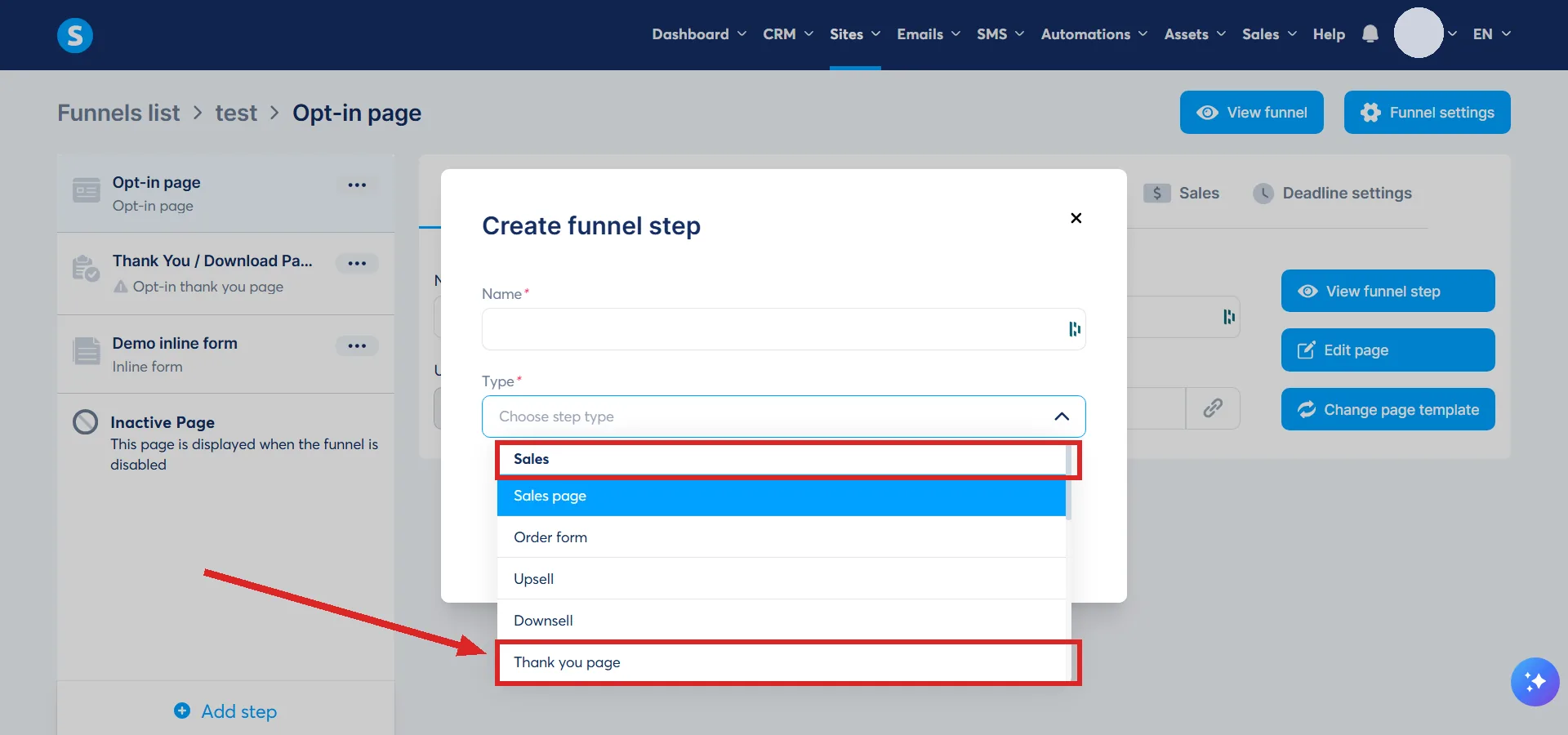
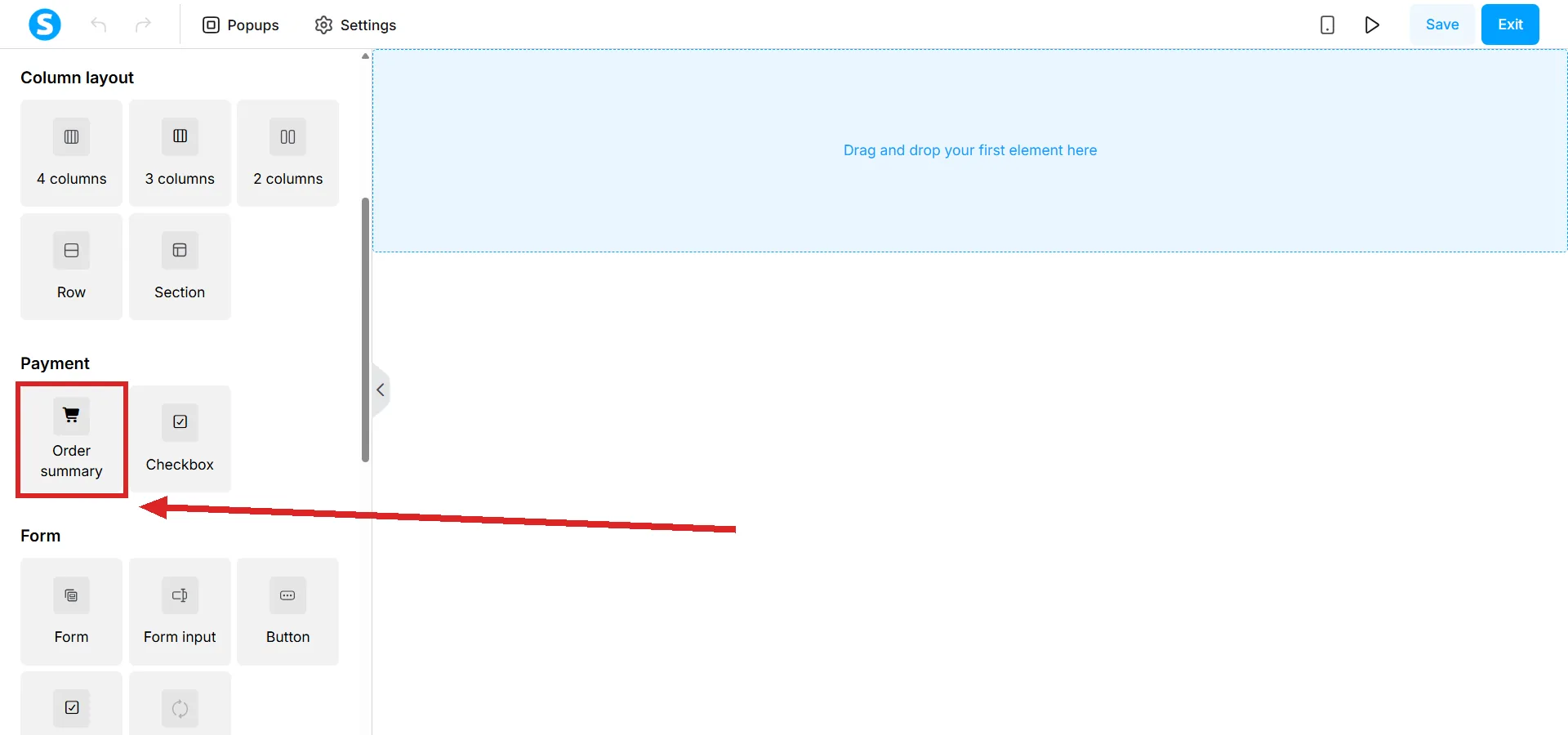
systeme.io restricts where it goes: an order summary can be added to a Sales thank you page and cannot be added to an Opt-in one.
The rule that catches people out
The summary is an element, not a property of the page. Choosing the right page type is the permission. Dragging the element on is the act.
A thank you page showing nothing about the order is a page that element never reached.
Handing over the thing
It is an ordinary editor page, so the file itself can sit on it. There are two documented routes.
- A button whose Action when button clicked is set to Download file, with the file chosen through the upload icon in its settings.
- A text link. Select the text, click the link icon, and upload a file or pick one already stored in the account, then Insert and Confirm.
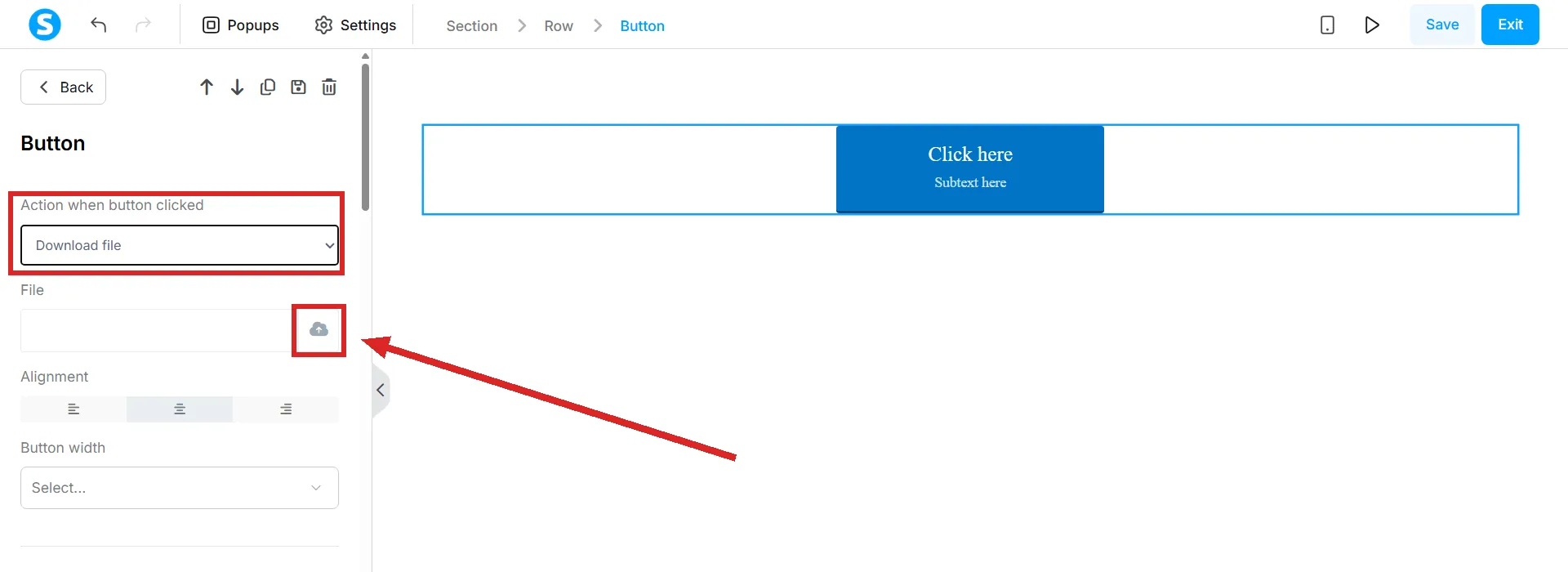
systeme.io's own check on this is worth copying: save the page, open the preview, and click the link to watch the file download.
It is not only for buyers
A form button set to Submit form saves the visitor as a contact and sends them to the next step in the funnel. The Build an Audience funnel type arrives with two pages of its own: an opt-in page and a thank you page.
So a page of this kind closes a free sign-up as readily as a paid order. What it hands over changes. The job does not.
For the version that hands over a free download, the lead magnet funnel guide builds the opt-in page and the thank you page as one funnel, then tests the whole thing.
How I checked this answer
Nothing on this site is written from memory. These are the sources I checked to write this answer, and the date I checked them.
- How to configure links between funnel pageshelp.systeme.io, article 330
- How to add the order summary to the "Thank You" pagehelp.systeme.io, article 352
- How to create a thank you pagehelp.systeme.io, article 321
- How to configure a buttonhelp.systeme.io, article 170
- How to add a downloadable filehelp.systeme.io, article 340
- How to create a funnelhelp.systeme.io, article 147
Checked on
Did this answer your question?
Keep reading
- What is an A/B test, and how long before the result means anything? Two variants, one goal page, and the number systeme.io never publishes.
- What does deactivating a funnel do to links already out there? Old links do not break. What loads instead, and the one thing deactivation does not switch off.
- Does a quiz stop a student moving on to the next module? Two gates are documented. Whether the quiz itself is part of either one is not.