Home / Categories / General
Can somebody else work in my account without my password?
Yes. Invite them by email under Settings, then Workspace members. They sign in with an account of their own and never see your password.
How the invite works
Profile picture, then Settings, then Workspace members, then Invite. You enter their email address and send it.
They get an email titled Invitation to join a systeme.io workspace and click the link inside. If they already have a systeme.io account they are sent to the login page. If not, they are asked to create one by setting a password of their own.
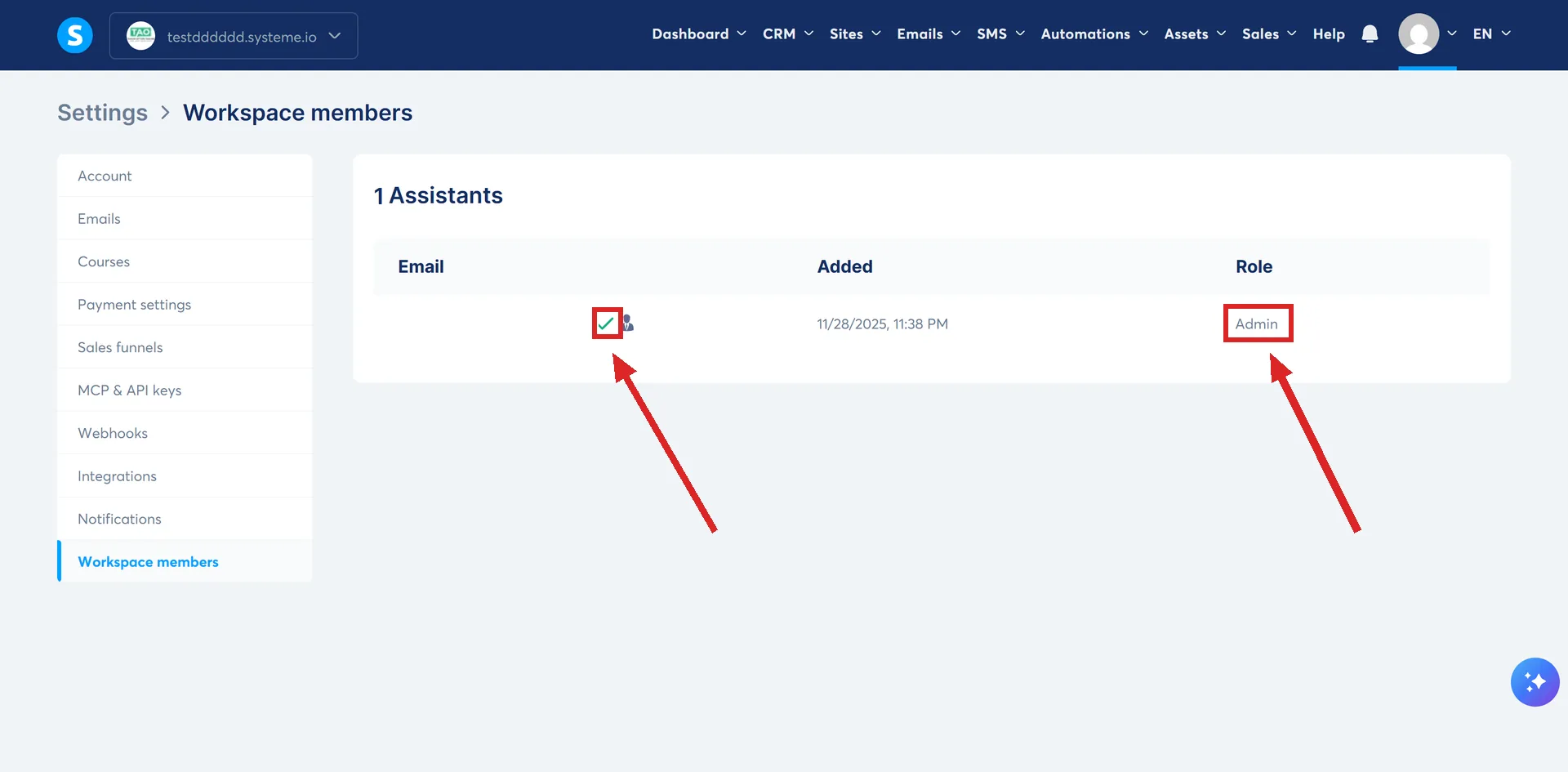
Once in, they move between workspaces from the top left menu of their dashboard. The list shows accepted invitations as Confirmed with a green tick and the rest as Not confirmed.
What an assistant can reach
Most of the building side of the account, with full rights to create, read, update and delete. Sales funnels, blogs, the creator store, newsletters, campaigns, email statistics, automation rules, workflows, courses, course bundles, communities, coupons, physical products, files, orders, tags, pipelines and the calendar.
Three things are deliberately narrowed. Contacts, transactions and subscriptions can only be searched by email address. The full lists are not visible to an assistant.
The Admin role
Set from the three dots beside their name, then Edit Role, then Admin.
Admins keep everything an assistant has and add the sensitive material: revenue, the full contact list, transaction history, students and affiliate invoices. They can also manage payment and tax settings, invoice footers, public API keys, webhooks, notifications, integrations, and workspace members.
One line is held even at admin level. Admins can view the contact list but cannot export it. Only the account owner can do that.
What stays with the owner whatever role you hand out
- Profile
- My plan
- Payment gateway
- Shipping settings
- Affiliate program
- Custom domains
- Affiliate commissions payouts
The settings page that lists and cancels subscriptions is owner only as well, whether the subscription is to systeme.io or to another vendor.
So an assistant can build the funnel and write the emails, and cannot change the plan, touch the payment gateway or move a domain.
Taking access away
The three dots beside their name, then Delete.
Doing the same on a sub-account
Log in to the sub-account first, then Settings, then Workspace Members, then Invite, and pick Assistant or administrator there. The invitation works the same way.
How I checked this answer
Nothing on this site is written from memory. These are the sources I checked to write this answer, and the date I checked them.
- How to invite an assistant to your systeme.io accounthelp.systeme.io, article 1709
- How to create a sub-account on systeme.iohelp.systeme.io, article 4243
Checked on
Did this answer your question?
Keep reading
- What is UTM tracking and is it worth setting up? Tag the link, tick one box, read it in an export. It stops short of purchases.
- How do I test a funnel works before sending real traffic at it? Opt in as a stranger, buy at a dollar, refund yourself. Plus the timing rule that fakes a failure.
- What is an order bump, in plain English? A tick box on the order form. What it can sell, and the step that stops it showing.