Home / Categories / General
What is a workflow, and how is it different from an automation rule?
A workflow is a sequence with waiting and branching inside it. A rule is a trigger and the actions it sets off, with nothing in between them.
The two step types a workflow adds
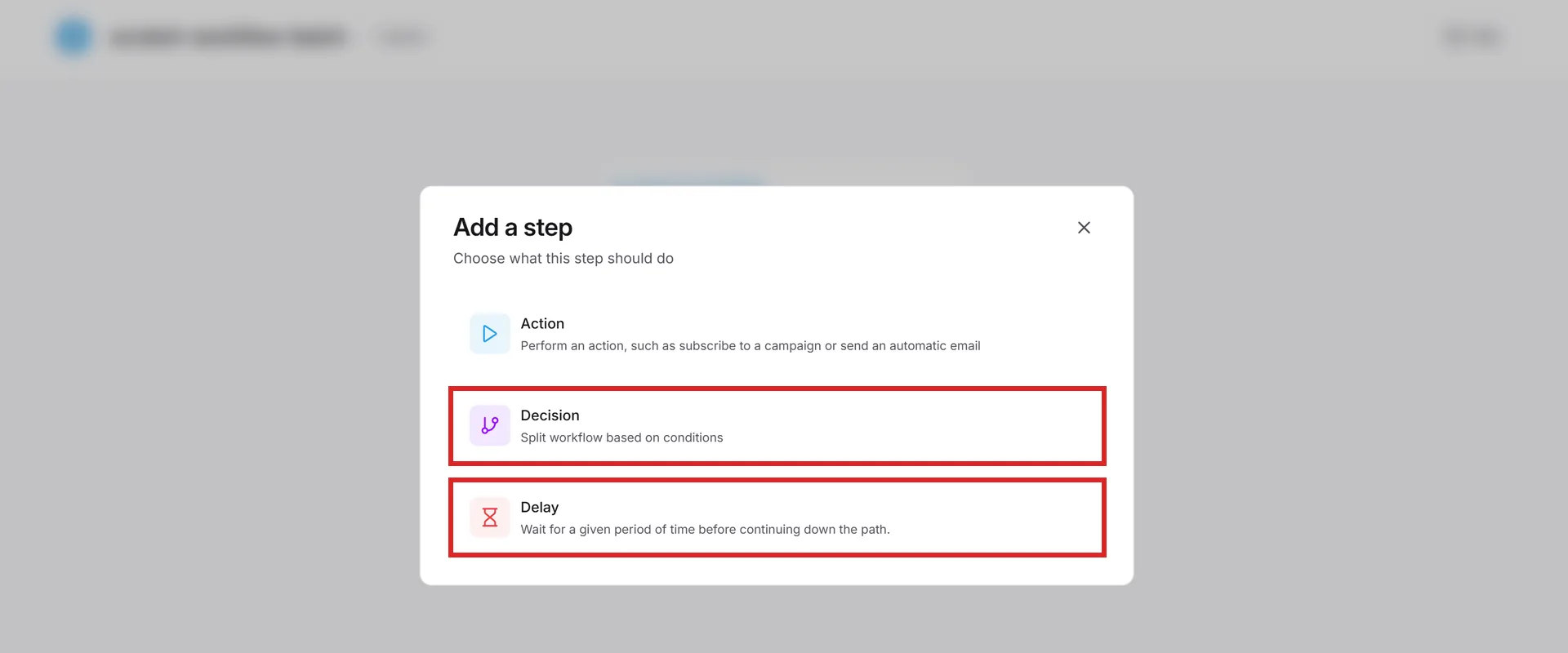
After a workflow's trigger, each step you add is one of three kinds. An Action, which a rule also has. Then two more:
- Decision. Splits the workflow into a yes path and a no path based on the contact's information, filtering on contact fields, tags, email activity, registration dates, contact state or overall activity.
- Delay. A waiting period before the next step, set in minutes, hours or days, or as an exact date. Pick the exact date type and a timezone selector appears beside the field, defaulting to the account's timezone and applying to that delay step only.
Side by side
| Automation rule | Workflow | |
|---|---|---|
| Menu | Automations, then Rules | Automations, then Workflows |
| What you build | A trigger and its actions | A trigger, then a sequence of steps |
| Step types | Actions | Action, Decision, Delay |
| Starts running | The moment it is saved | Only once you activate it |
| History kept | One month | One month |
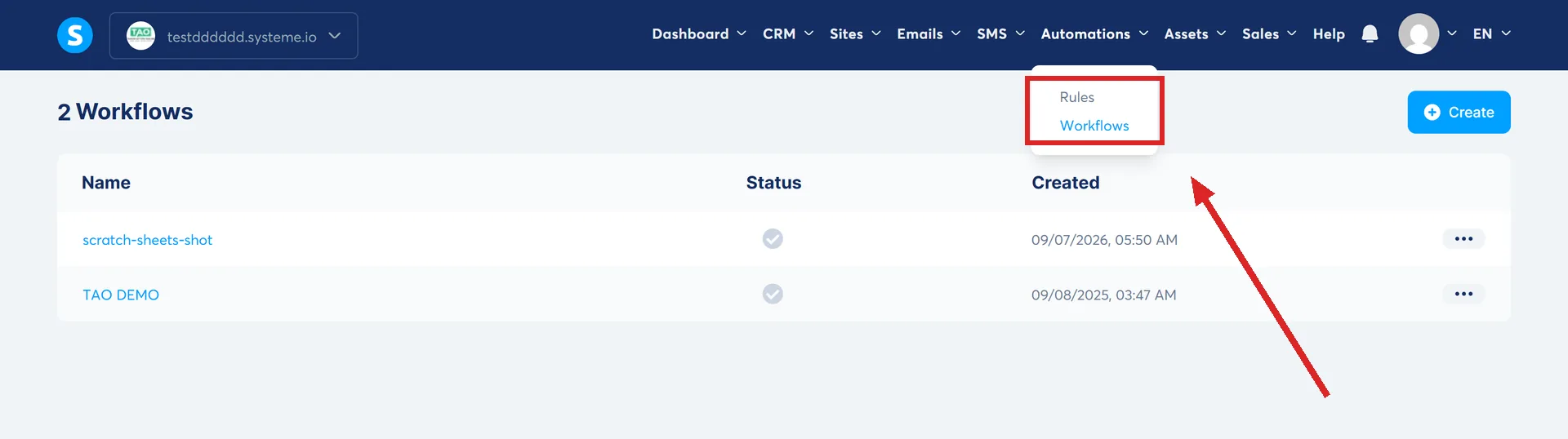
A workflow will sit there doing nothing until you switch it on
Activation is separate from saving. systeme.io's wording is that workflows are inactive by default, and one is switched on from the Workflows list, on the three dots beside it, then Activate.
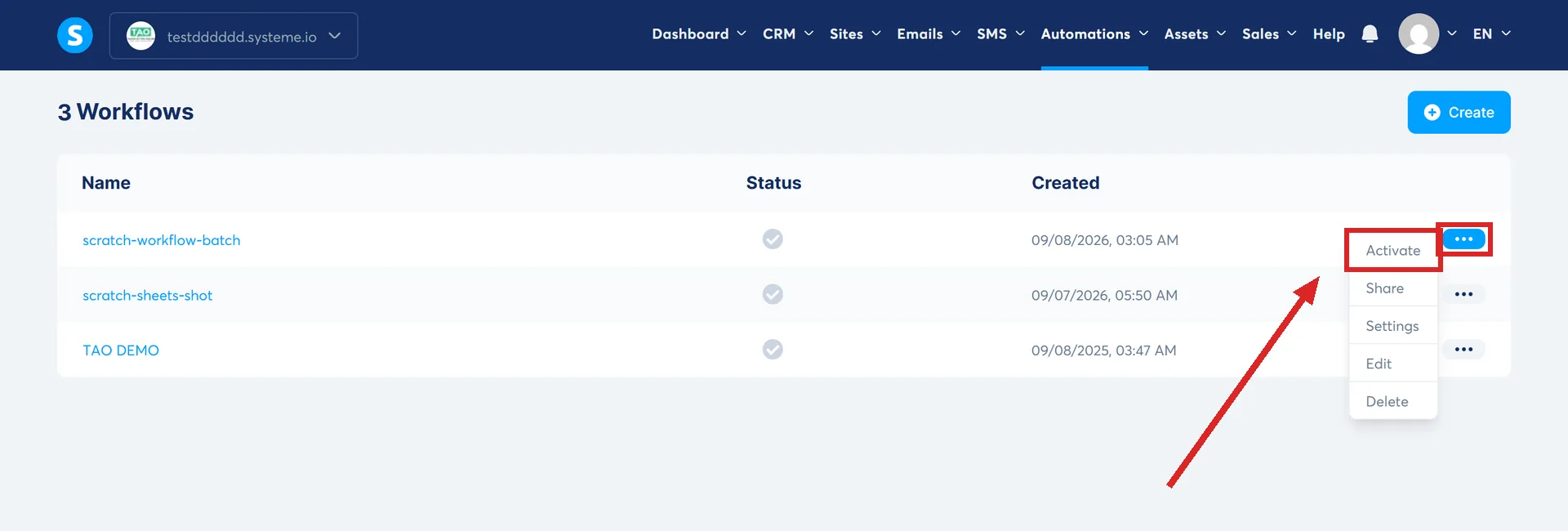
Actions only run if the trigger happens after activation. Tags added or removed before the workflow was switched on are not counted.
A trigger is not optional either. systeme.io's wording is that a trigger is necessary, as it is the event that starts the workflow.
Switching one off has two answers
Deactivate offers a choice. Deactivate workflow stops new contacts entering, but contacts already inside carry on progressing normally. Deactivate workflow and cancel related scheduled tasks prevents any further scheduled actions from being executed.
Editing a delay does not affect people already waiting
Edit a delay's duration and it only affects new contacts entering that step. The ones already waiting complete the delay they started on.
The note is written about a delay step without distinguishing the types, and the only delay it refers to is one measured in days, so whether it covers the Exact date type is not spelled out.
What is not documented is whether editing a Decision step's filters afterward changes anything for a contact who already passed through that branch earlier in the same run, the way an edited delay leaves people already inside it untouched.
One thing a rule does that a workflow cannot
Picking a specific link inside an email. A rule lets you choose the email and then the individual link. systeme.io says that selecting a specific link is currently not possible in a workflow, so the pattern there is the Email link clicked trigger followed by a Decision using Email clicked.
What both share
- The same 20 activations per contact ceiling. What passing it switches off is not settled: systeme.io names the trigger, rules and workflows in one breath without saying whether it is that one trigger or everything for that contact.
- The same one minute cooldown on Email link clicked.
- The same one month of history, after which past tasks are cleaned away.
A workflow can be handed to another account
The three dots offer Share, which produces a link. What arrives is a template of the workflow, and systeme.io does not say which connected assets come with it.
Four things do not travel. The Blog page form subscribed and Creator store form subscribed triggers, and the Add a new row to a Google Sheet and Send webhook actions.
Which one do I want?
- Something has to happen immediately after an event: a rule.
- Something has to wait, or take a different path depending on what the contact did: a workflow.
How I checked this answer
Nothing on this site is written from memory. These are the sources I checked to write this answer, and the date I checked them.
- How to create workflows in systeme.iohelp.systeme.io, article 1542
- How automation rules workhelp.systeme.io, article 140
- How to trigger automations after contacts click links in an emailhelp.systeme.io, article 2927
- How to automatically send an email when a lead subscribeshelp.systeme.io, article 280
Checked on
From my own use
The first workflow that saved me real time was a filter on the tags people already had. Old leads kept opting in to lead magnets they had forgotten they already owned, which dropped them back into the old funnel and sent them the same emails again. The workflow checked the tags they already carried and stopped both.
Did this answer your question?
Keep reading
- Can I use systeme.io without knowing any code? Yes. The nearest you get is pasting somebody else's tracking snippet into a box.
- Why does my page look fine on desktop and broken on mobile? There are two views of the page and you have been editing one of them.
- What actually moves when you migrate, and what does not? Six categories, copied by hand. And the one word in the answer that does the real work.