Home / Categories / Courses & memberships
Why can't my students see the lecture I just added?
A lecture students cannot see is probably still a draft. systeme.io saves every new lecture as inactive by default, and a draft never reaches students, or shows up in your own preview, until you activate it. A duplicated or moved lecture arrives inactive the same way.
The default is off
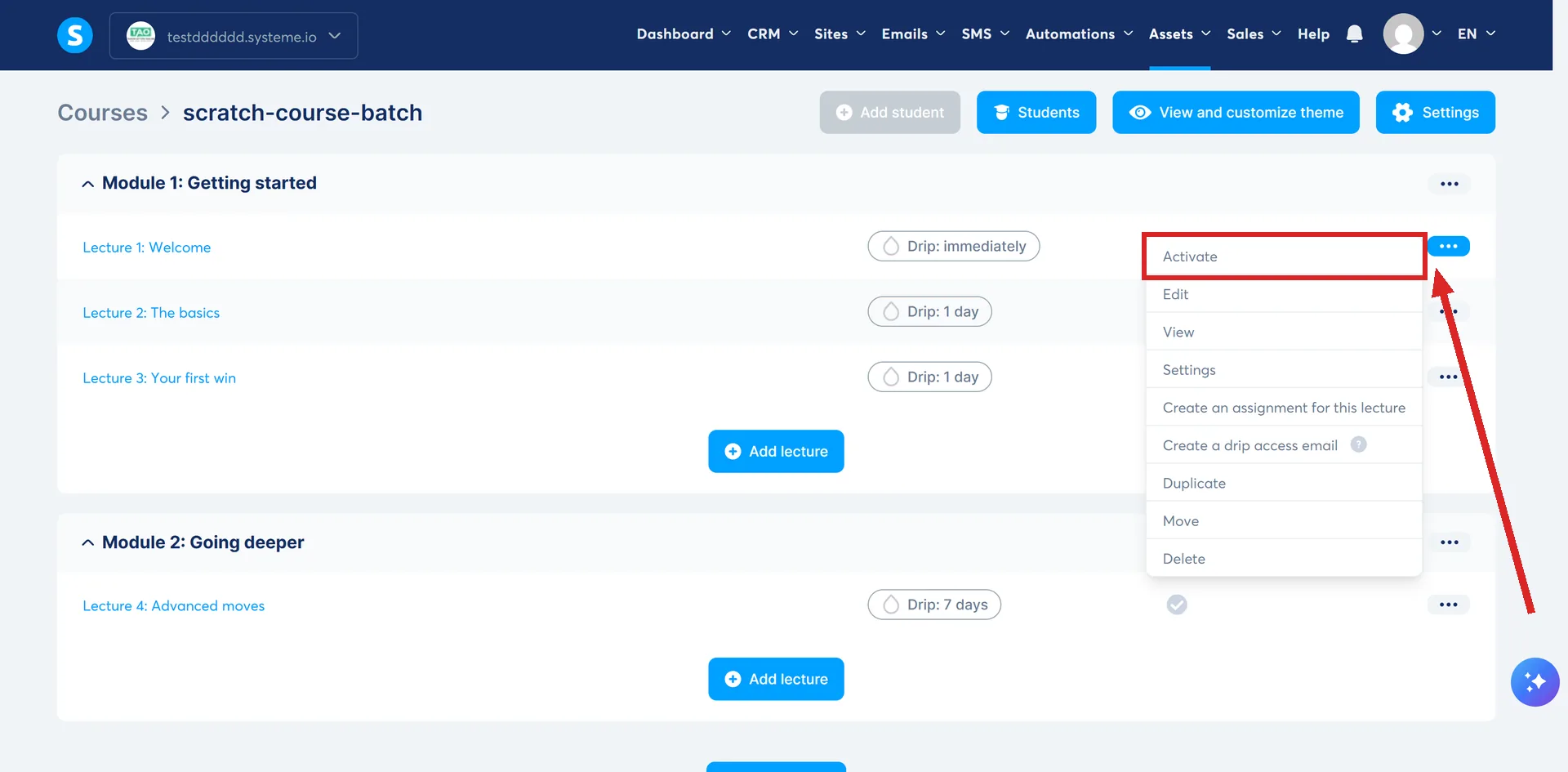
Open Assets, then Courses, then the course. A brand new lecture is saved as a draft automatically, and systeme.io is explicit about it: activate new lectures, or students cannot access them.
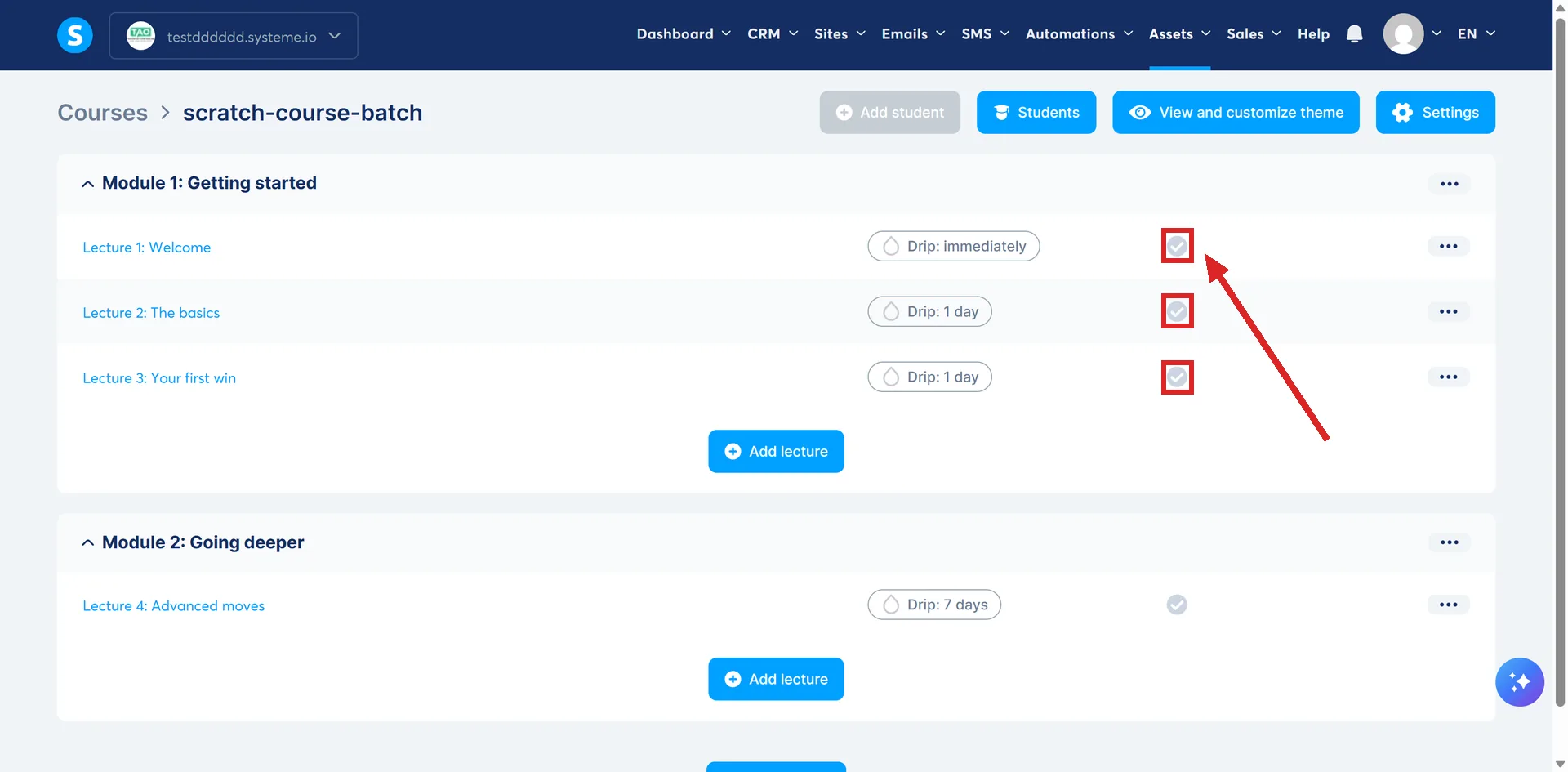
A draft lecture shows a grey icon next to its name in your own editor. Hover the three dots next to it and click Activate. The same three-dot menu sits next to every module and every lecture.
Three things can be inactive, not just the lecture
systeme.io's own course-building guide says the course itself also needs activating, using the same process as a lecture. That gives three separate switches on the way from created to visible: the course, the module it sits in, and the lecture.
A single missed switch anywhere in that chain is enough to hide the lecture. If the lecture itself already shows active and students still cannot see it, check the module and the course next, rather than activating the same lecture again.
The "No lectures yet" message
If a course has no active lectures at all, previewing it, or a student opening it, shows a message reading No lectures yet. That is what a brand new course looks like before its first lecture is turned on.
Once at least one lecture is active, that message stops appearing, whatever the state of the rest. So on a course that already has active content, adding one new inactive lecture will not bring the message back. It only leaves that one lecture missing from the list, marked with the grey icon on your own screen.
The second way a lecture arrives inactive
Duplicating or moving a lecture or module into a course has the same result as creating one from scratch. systeme.io states that anything duplicated or moved is automatically set to inactive in its new location, and has to be activated by hand.
So a lecture copied in from another course, not only one typed up fresh, is worth checking for the same grey icon.
What this is not
A lecture that is active but still will not open for one particular student is a different problem. Drip content delays access on a timer set per lecture, counted from the one before it, and that timer is a separate mechanism from activation. Check whether the course uses drip access before assuming an active lecture is broken.
How I checked this answer
Nothing on this site is written from memory. These are the sources I checked to write this answer, and the date I checked them.
- How to remove the "No lectures yet" message from your coursehelp.systeme.io, article 1727
- How to create a course using systeme.iohelp.systeme.io, article 164
Checked on
Did this answer your question?
Keep reading
- Can I change the email students get when they join my course? No. Every enrollment route fires the same fixed template, and there is no setting to change it.
- Why can't my student download their certificate of completion? Two switches, not one. Check your own course setting before assuming it is the student's progress.
- If I delete an email campaign, what happens to the people halfway through it? Interrupted at once, and everyone in it is unsubscribed from it for good.