Home / Categories / Blog
What is an RSS feed, and do I need one?
An RSS feed is a URL listing the newest posts, so readers can follow a blog in an app such as Feedly. systeme.io creates one with every blog automatically and it holds the 20 most recent posts.
What an RSS feed is
Really Simple Syndication. It is a dedicated URL that updates automatically with the details of each new thing published.
Somebody who follows that URL in a third-party reader, Feedly being the example systeme.io names, gets notified whenever a new post goes up. No email address changes hands.
The blog already has one
Every blog created in systeme.io generates its feed automatically, and it updates each time a post is published. There is nothing to switch on.
To find the URL: open the Sites tab, click Blogs, click the three dots next to the blog, choose Settings, and use the copy icon on the RSS Feed field.
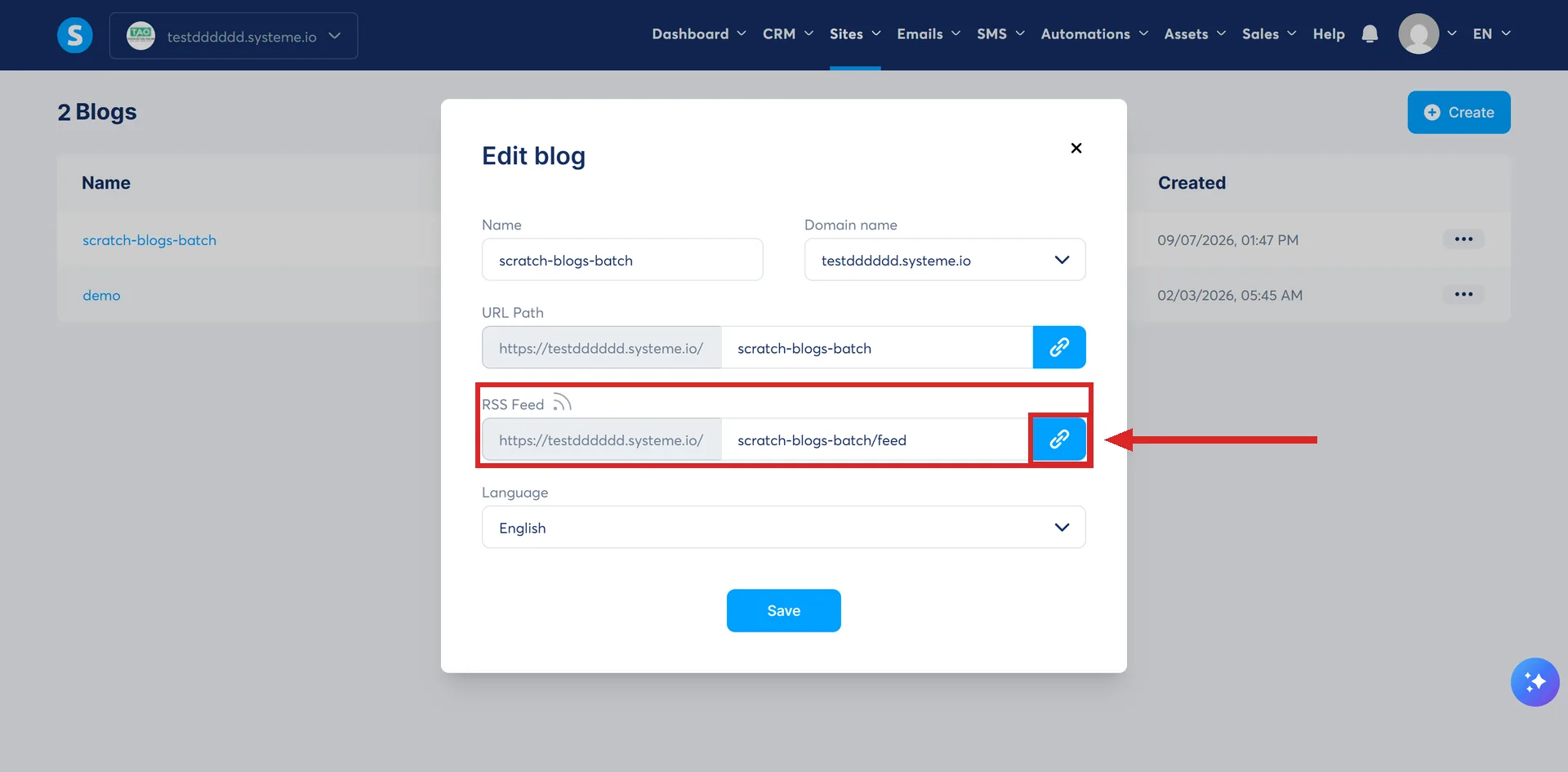
That is the same popup that holds the blog's name, domain, URL path and language, so the feed URL is two clicks from anywhere in the blog rather than buried in a separate SEO screen.
What is in it
The 20 most recently published posts, and no more. systeme.io describes that cap as deliberate, for performance, and as standard industry practice. Older posts stay fully available on the blog itself. They are absent from the feed and nowhere else.
What it will not carry
The feed is not suitable for podcast distribution, and media content is not supported. systeme.io states its purpose as regular blog content, search visibility and building a readership.
Anyone planning to host a podcast on the back of a blog feed needs a different tool for it.
Do you need one?
The feed exists whether or not anybody uses it, so the real question is whether to hand the URL out. systeme.io places no restriction on how the link is shared and names three ways of doing it:
- Paste it into a newsletter to the contacts already in the account.
- Put a button, a link or an RSS icon on the blog's own pages.
- Post it on social media.
For a blog nobody has asked to follow yet, the feed costs nothing and does nothing. It becomes worth pointing at once there is a run of posts behind it.
How I checked this answer
Nothing on this site is written from memory. These are the sources I checked to write this answer, and the date I checked them.
- How to use the RSS feed for your systeme.io bloghelp.systeme.io, article 11064
- How to create a blog with systeme.iohelp.systeme.io, article 175
Checked on
Did this answer your question?
Keep reading
- Can I put an opt-in form inside a blog post? The documented route runs through a funnel step and a script pasted into a Raw HTML block.
- What happens to the posts in a category if I delete the category? The posts survive. The category's own page does not, and the warning mentions neither one.
- What happens when someone cancels a booking? Both sides get an email, the slot cannot be brought back, and the money stays where it is.