Home / Categories / General
What is UTM tracking and is it worth setting up?
UTM parameters are short codes added to the end of a link so you can tell where a contact came from. systeme.io keeps them against the contact once the setting is switched on.
What a UTM parameter is
systeme.io's definition: short codes added to a URL to track which traffic sources lead to your pages. They have to be added by hand, one link at a time.
They hang off the end of the address, after a question mark, joined by ampersands. Nothing else about the link changes and the page opens as normal.
What a tagged link looks like
A link to an offer page, tagged for a paid Facebook campaign, reads like this:
| The tagged link |
|---|
| https://yoursite.com/offer?utm_source=facebook&utm_medium=paid&utm_campaign=spring-launch |
Three parameters are carrying the report. Google's documentation says to always use those three, and systeme.io's article marks the last two in the table as optional.
| Parameter | What it records | In the link above |
|---|---|---|
| utm_source | The referrer: where the click came from | |
| utm_medium | The marketing medium | paid |
| utm_campaign | Which campaign it belonged to | spring-launch |
| utm_term | A paid keyword. Optional | Not used |
| utm_content | Which of two creatives was clicked. Optional | Not used |
The same page linked from the weekly email would carry utm_source=newsletter and utm_medium=email, with the campaign name left exactly as it is. Keeping the campaign name identical across both links is what makes the two channels comparable afterwards.
Google warns that the values are case sensitive, and gives Meta and meta as two spellings that would be counted as separate sources. Its recommendation is lower case throughout.
Building one without typing it out
systeme.io's help centre points at Google's Campaign URL Builder, a free tool that assembles the address for you.
It asks for the page address, a Campaign Source such as Facebook, a Campaign Medium such as email or paid ads, and a Campaign Name, with Campaign Term and Campaign Content as optional extras. Those are the five parameters in the table above, under longer names.
The web address printed in systeme.io's article is an older one that now redirects. The tool it lands on is the same tool.
The setting that makes systeme.io keep them
Tick Store UTM parameters on the Sales funnel settings page.
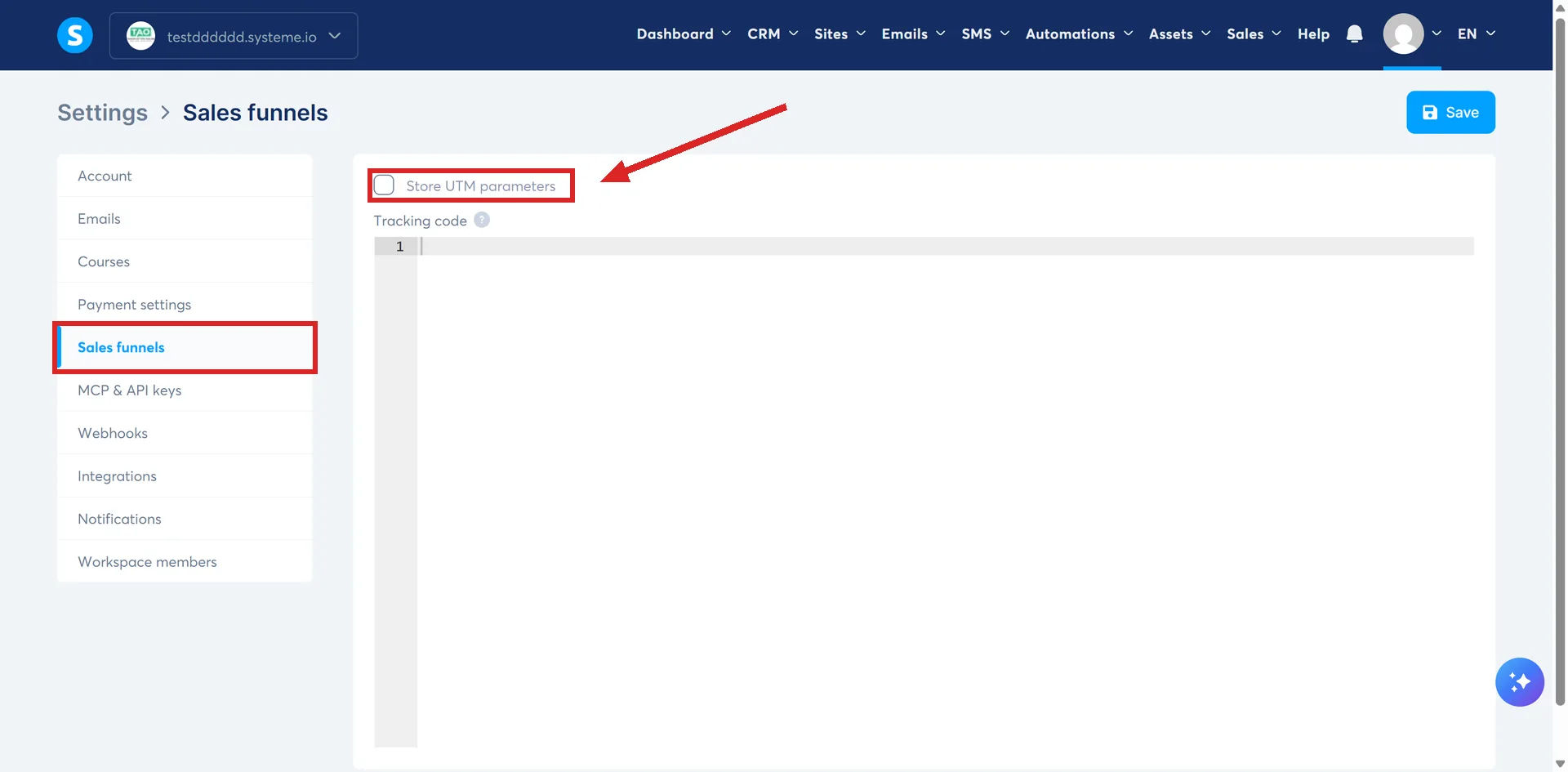
From then on, when somebody clicks a tagged link and opts in to one of your forms, the parameters are captured against that contact.
The opt-in is the moment that counts. A visitor who reads the tagged page and leaves without filling anything in leaves no record, because there is no contact yet to attach the codes to.
Getting the data back out
Open the contacts dashboard, select the contacts you want, click More actions at the bottom right, then Export. The export window lets you choose which UTM parameters to include, and they arrive as columns in the CSV.
What lands in the spreadsheet is one row per contact, with facebook, paid and spring-launch sitting in their own columns beside the email address. Sorting on the utm_source column is what tells you how many contacts each channel produced.
The limit worth knowing before you start
systeme.io states that it is currently not possible to track purchases with UTM parameters.
So the question this answers is which link produced a contact. It does not answer which link produced a sale.
The codes are held against the contact record and stop there. Joining them to money means exporting the contacts, then matching the email addresses by hand against Sales, then Transactions, which can be filtered by the customer's email address.
Is it worth setting up?
The cost is one checkbox and the discipline of building tagged links every time, which is the part that slips. A link posted without its tags arrives carrying nothing.
The return is telling two sources apart. With one place sending you traffic there is nothing to distinguish, and the box does nothing useful. With five, it is what tells them apart.
How I checked this answer
Nothing on this site is written from memory. These are the sources I checked to write this answer, and the date I checked them.
- How to set up UTM tracking in systeme.iohelp.systeme.io, article 2092
- How to refund your customerhelp.systeme.io, article 259
- URL builders: Collect campaign data with custom URLssupport.google.com/analytics, answer 10917952
Checked on
Did this answer your question?
Keep reading
- What is the Facebook Pixel and do I actually need it? Meta's code rather than a systeme.io feature. What has to exist before it works.
- How do I test a funnel works before sending real traffic at it? Opt in as a stranger, buy at a dollar, refund yourself. Plus the timing rule that fakes a failure.
- What is an upsell, and when does the customer see it? A second offer, on its own page, after the money has already changed hands.