Home / Categories / General
How do I test a funnel works before sending real traffic at it?
Opt in through the live page yourself, then make a real purchase at a low price and refund it. systeme.io says a test purchase is not possible through Stripe, so the money genuinely has to move.
Test the opt-in first
systeme.io's own advice is to register on your own opt-in page. If no email arrives, or the contact does not appear in your list, that is the moment to contact support rather than launch.
Two things have to be right for a sign-up to be captured. The button's action has to be set to Submit form, otherwise the contact is not captured and no automation rule fires. That action needs at least one Email field on the form, and saving the page without one shows the error that at least one email input is required.
Test the payment with real money
systeme.io states that a test purchase cannot be performed through Stripe, so the only way to know the funnel works is to buy from yourself and refund it afterwards.
Set the price low, around $1. systeme.io warns that a test purchase may incur additional fees and recommends a low price to keep third party fees down.
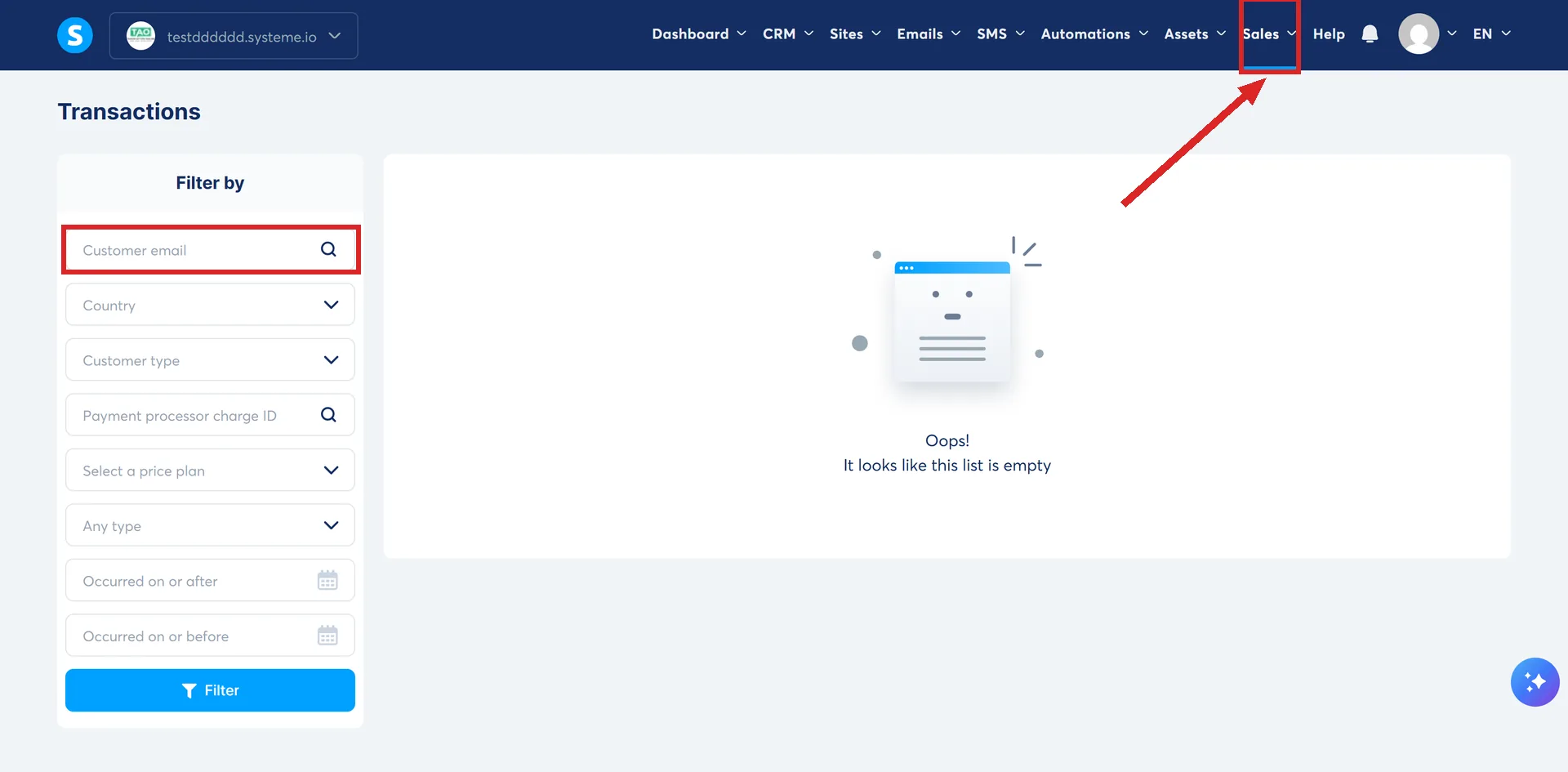
The record is under the Sales menu, at Transactions, with filters that include email address, price plan, date range, customer type and country. Refund from there once you have seen the order land.
Test the emails
The address for test emails is set at Settings, then Emails, in the Testing section, and it has to be confirmed by clicking a link before anything will send to it. A different address from your sending address is recommended, to keep deliverability clean.
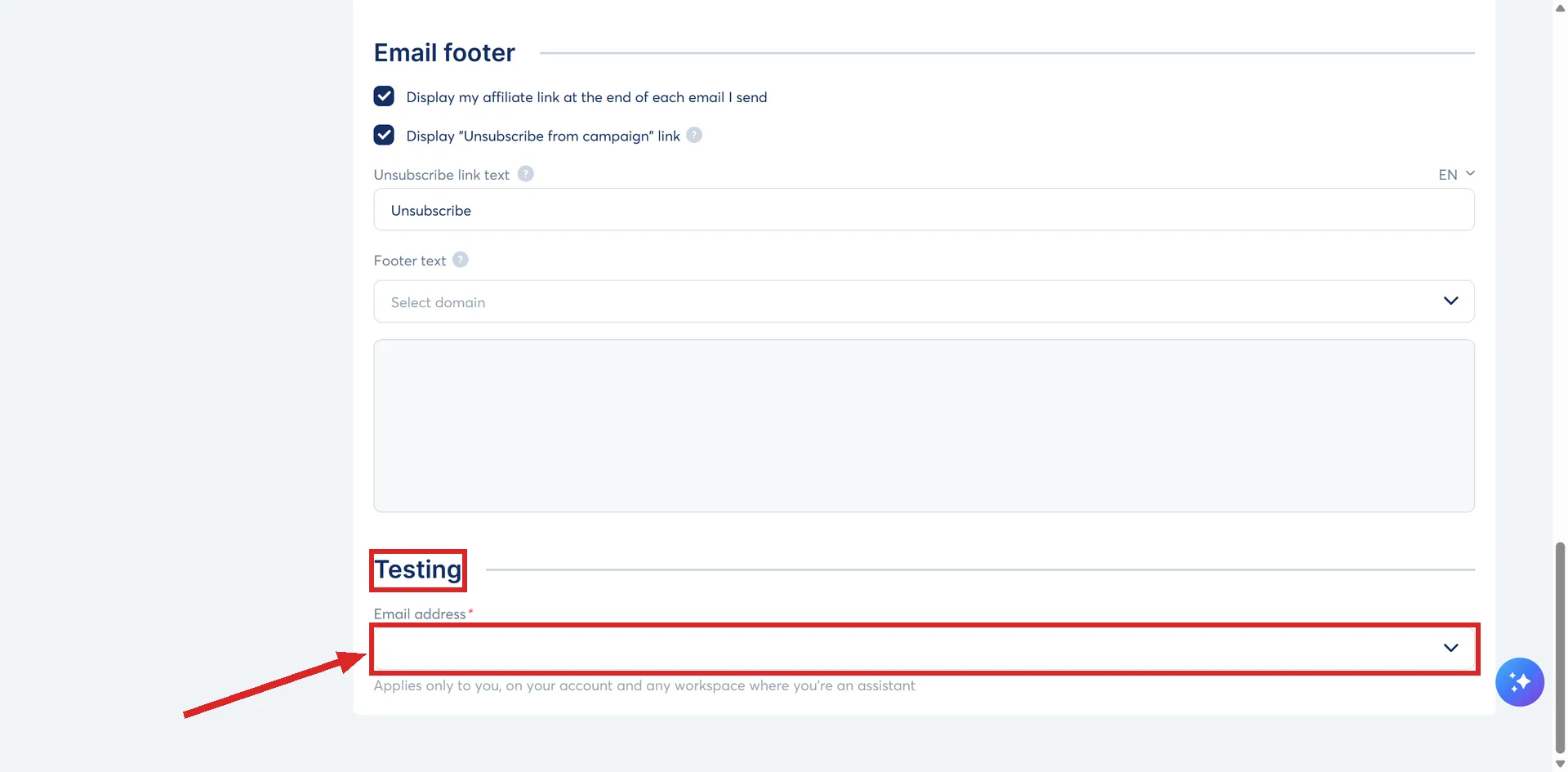
With that in place, Save and test appears on any newsletter and on any campaign email.
Three limits to plan around:
- Emails written inside an automation rule or a workflow cannot be test sent at all.
- Substitution variables stay blank in a test. To see a name or an order fill in properly, send a live email to yourself.
- You can add five new test addresses a week. Existing ones keep working after that, new ones wait.
The rule that catches people out
systeme.io says it for the Tag added trigger: a tag has to reach the contact after the rule exists. A workflow only acts on triggers that happen after it was activated.
So a contact tagged before the rule was built will not set it off, however many times you check the settings. Use a fresh email address for each run.
Check the funnel is actually live
Funnels have an inactive state. Filter the funnel list by Inactive to see whether yours is sitting there, and switch it on from the three dots beside it.
Check it on a phone
The preview toolbar at the top right of the editor switches between Desktop view, Mobile portrait view and Mobile landscape view. Check the portrait one before you spend anything on traffic.
How I checked this answer
Nothing on this site is written from memory. These are the sources I checked to write this answer, and the date I checked them.
- How to make a test purchasehelp.systeme.io, article 151
- How to refund your customerhelp.systeme.io, article 259
- How to automatically send an email when a lead subscribeshelp.systeme.io, article 280
- How to build your contact list using a funnelhelp.systeme.io, article 1602
- How to send a test emailhelp.systeme.io, article 290
- How to add a test email address to check your emailshelp.systeme.io, article 4246
- How automation rules workhelp.systeme.io, article 140
- How to create workflows in systeme.iohelp.systeme.io, article 1542
- How to activate a funnelhelp.systeme.io, article 277
- How to create a websitehelp.systeme.io, article 4526
Checked on
Did this answer your question?
Keep reading
- What is double opt-in, and should I turn it on? One extra click before a subscriber counts, and a 24-hour clock on the ones who ignore it.
- Free plan or free trial: which one am I actually on? Two different things sharing one word. Where to look, and what the phrase means in the menus.
- Order bump or upsell: which should I add first? One is a setting on a page you already built. The other is a whole page.