Home / Categories / Payments
How is a free trial actually billed?
No part of the price is taken at signup. The first payment is scheduled for the end of the trial and follows the interval set in the price plan, and a customer who cancels before the trial ends is charged nothing.
When the money is taken
At the end of the trial. The first charge is scheduled for the end of the trial period and follows the interval set in the price plan, rather than being taken at signup.
systeme.io defines the trial period as the length of time customers have free access before being charged. Nothing is collected while that clock runs.
What happens at signup
systeme.io collects no part of the subscription price at signup when a free trial is configured.
A payment gateway may still run a small verification against the card. That happens outside systeme.io and is not a charge for your offer.
Worth knowing before a buyer emails to ask why a figure appeared on their statement on the day they signed up for something free.
If the customer cancels during the trial
No scheduled charges are collected. The payment that was waiting at the end of the trial does not run.
Where the trial length is set
On the price plan, when the plan is created. A price plan is built from the order form: choose Digital product, click the plus icon to add the resource, then the plus icon again to configure the price plan.
Only two of the three price plan types take a trial at all.
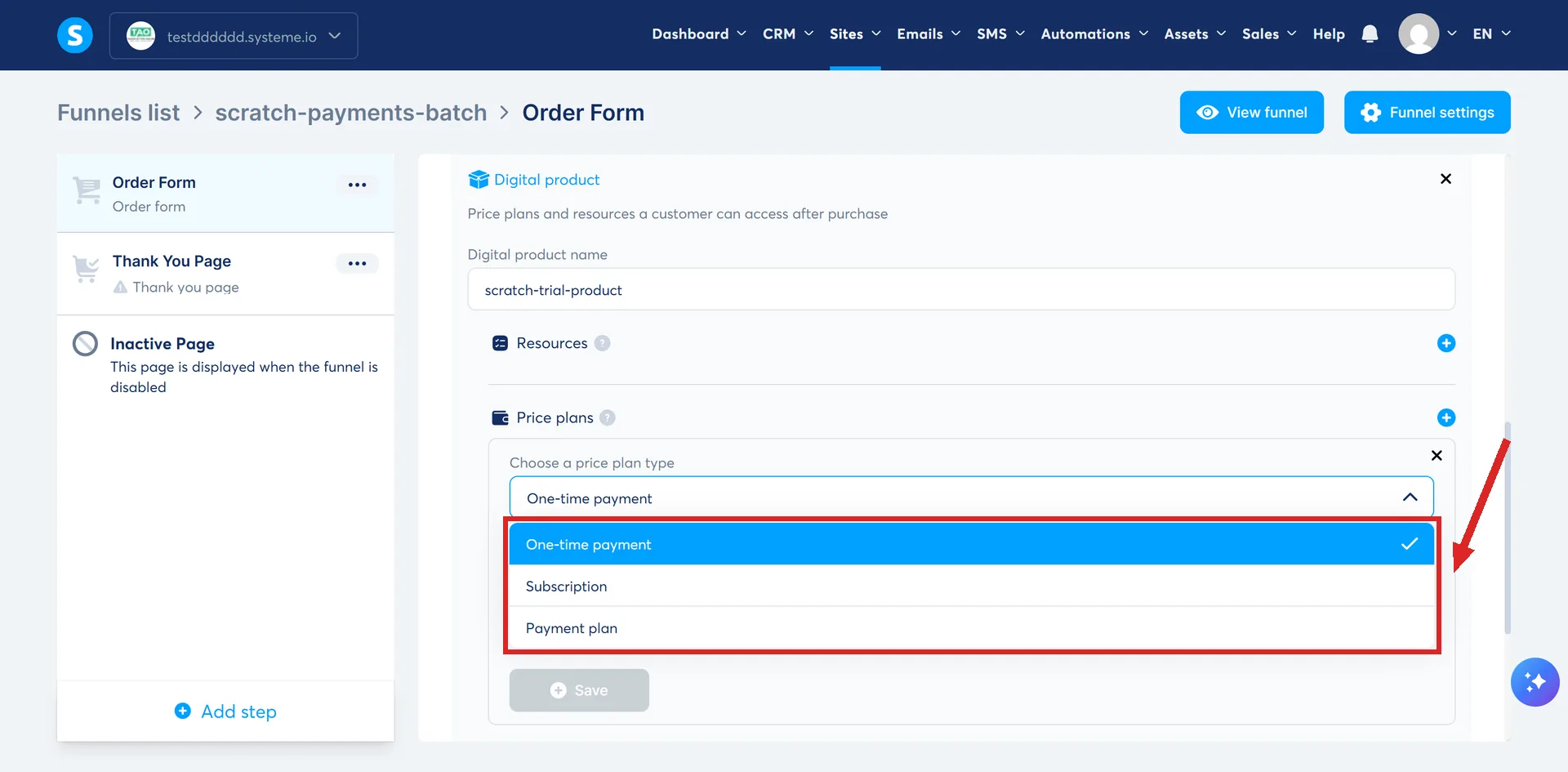
- Subscription. Enter a duration and pick a unit of days, weeks, months or years. Enter 0 for no trial. Then set the cost and the interval between payments.
- Payment plan. The same fields, plus the total number of payments the customer has to make.
- One-time payment. No trial period. It asks for an amount and a tax behaviour, and that is all.
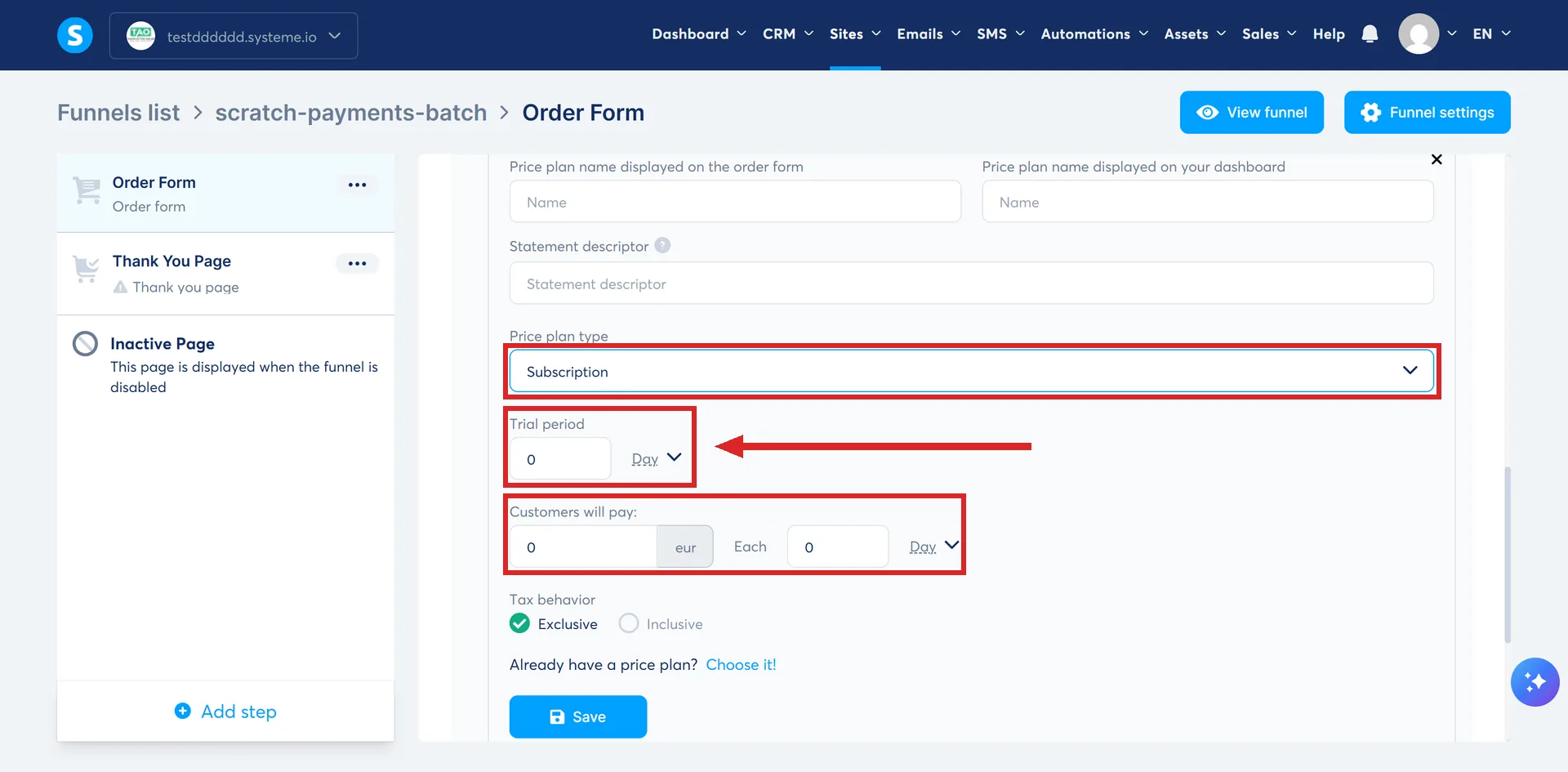
The trial and the payment count are separate settings
On a payment plan the number of payments is a field of its own. systeme.io's published example is a 7-week trial period with 5 scheduled payments, so the length of the free period and the number of charges that follow it are set independently of each other.
How to describe it to buyers
systeme.io's support team supplies wording a seller can use on a sales page or an order form:
"You won't be charged when you sign up. Your first payment of $X will be charged after your Y-day free trial ends. If you cancel before the trial ends, you won't be charged."
It answers the two questions buyers actually ask about a trial: what happens today, and what happens if they change their mind.
The step that stops a trial working
Saving, twice. systeme.io marks the first one Important: once the price plan is configured, it has to be saved with the Save button below the price plan.
The digital product settings then need the main Save as well. A trial length typed into a plan that was never saved is not a trial.
What the help centre does not cover
systeme.io explains how to set a trial up and defines what the trial period is. It says nothing about what happens to the buyer's card on the day they sign up.
That gap is why the section above draws on a reply from systeme.io support rather than a page you can open and read for yourself.
How I checked this answer
Nothing on this site is written from memory. These are the sources I checked to write this answer, and the date I checked them.
- A reply from systeme.io support, 4 September 2026, on free trial billing and deleting contactssysteme.io support
- How to set up a free trialhelp.systeme.io, article 902
- How to create and configure a price planhelp.systeme.io, article 153
Checked on
Did this answer your question?
Keep reading
- Why does my order form show the wrong currency? One setting looks like the fix. It only ever applies to funnels that do not exist yet.
- Why is the payment method I switched on missing from my checkout? Eleven methods, ten help articles, two shared conditions and a third for most. None of the conditions is the checkbox itself.
- What is a thank you page for, beyond saying thank you? The page a funnel ends on, whichever answers the buyer gave. What belongs on it.