Home / Categories / General
What is the difference between a page, a funnel and a website?
A page is one screen. A funnel is an ordered group of pages. A website is a feature of its own that builds a multi-page site with a menu, utility pages and shared styling.
A page
One screen. It is assembled in the editor out of three layers: sections are the building blocks, rows and columns sit inside sections, and elements such as text, images and video sit inside columns.
Every page carries a name and a URL path. On a funnel page the path saves itself automatically, and it cannot contain uppercase letters.
A funnel
A named group of pages, in order. Each page is a step.
The funnel owns settings the pages inherit. Changing the domain in funnel settings applies the new domain to every page in that funnel at once.
A website
Its own feature, under the Sites tab at Websites. Creating one asks for a Name, a Domain name, a Home page URL path and a Language.
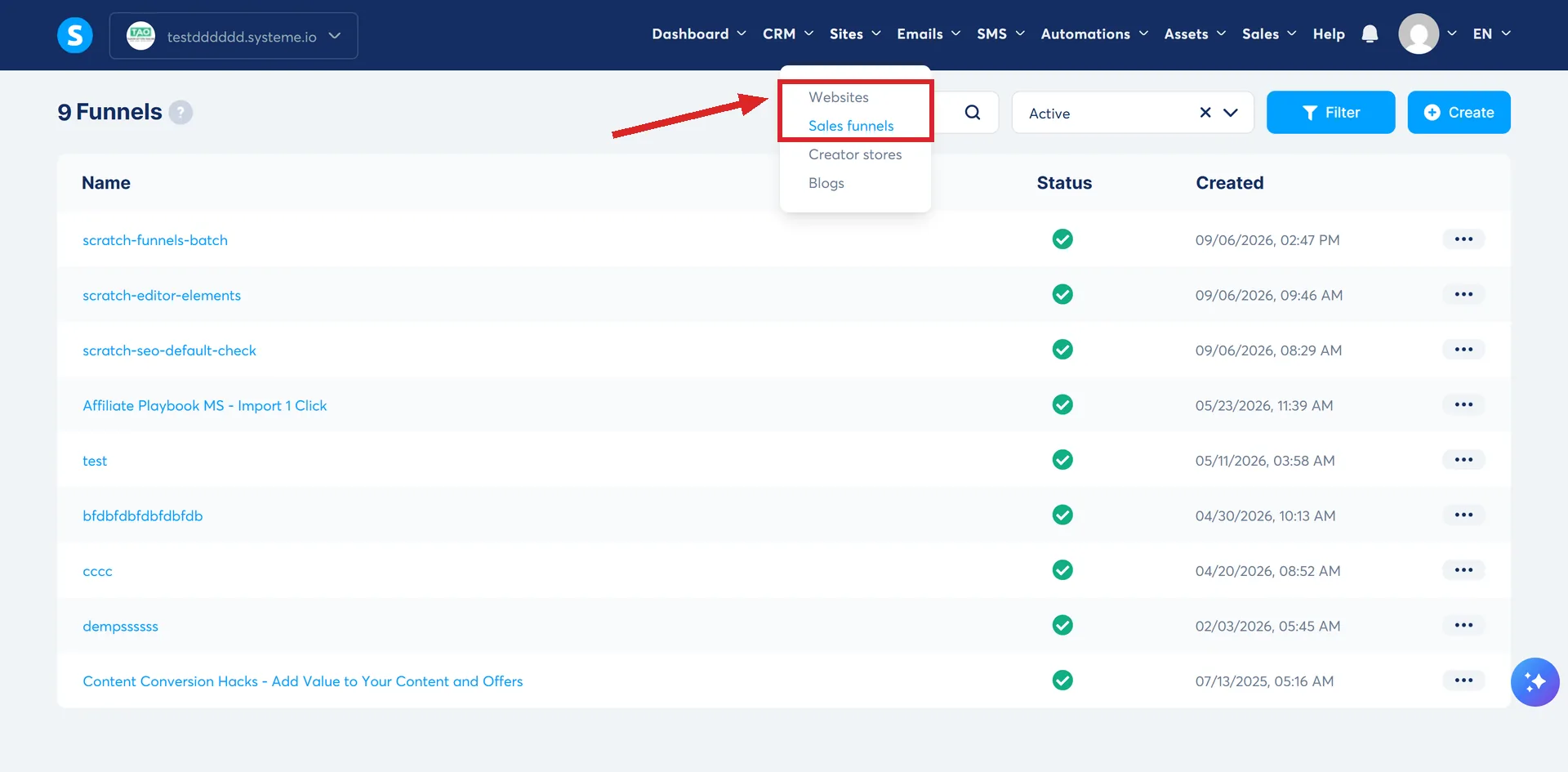
What it adds on top of a stack of pages:
- A navigation menu. New pages are added to it by a toggle that is on by default.
- Utility pages built for you: Log in, Contact Us and Search.
- A Style tab that sets typography, colours, buttons and form fields across every page at once.
- Website popups, which show on all pages, as opposed to page popups, which show on one.
The website editor uses the same page builder as the sales funnel feature, so the editing itself works identically.
The rule that catches people out
A domain can only be assigned to one website at a time. If the domain you want is already linked to another website, you have to remove it there first.
Removing a domain from a website deactivates that website. It stays unreachable until another domain is assigned to it.
Which holds which
| Thing | Where it lives | What it holds |
|---|---|---|
| Page | Inside a funnel, a website or a blog | Sections, rows, elements |
| Funnel | Sites, then Sales funnels | Steps, in a fixed order |
| Website | Sites, then Websites | Pages, a menu, global styles |
Where publishing happens
Inside a website, new pages arrive in Draft mode. They go live through the three dot menu beside the page name, then Publish, and come down the same way.
A deactivated website page still shows in the menu while you are in the editor and in preview. Visitors to the live site do not see it.
How I checked this answer
Nothing on this site is written from memory. These are the sources I checked to write this answer, and the date I checked them.
- How to create a custom page using systeme.iohelp.systeme.io, article 168
- How to change a page's URL pathhelp.systeme.io, article 322
- How to create a funnelhelp.systeme.io, article 147
- How to change a funnel's domain namehelp.systeme.io, article 345
- How to create a websitehelp.systeme.io, article 4526
- What are the different methods to create a website?help.systeme.io, article 1596
Checked on
Did this answer your question?
Keep reading
- Should I build my website with a funnel or a blog? There is a third option, and it is the one their own help centre buries.
- What does an automation rule actually do? Trigger on the left, action on the right. Plus the per-contact cap nobody mentions.
- Is the free migration actually free? Free of a fee, not free of a subscription. Which plans qualify, and what the team rebuilds.