Home / Categories / Blog
What is a blog category for?
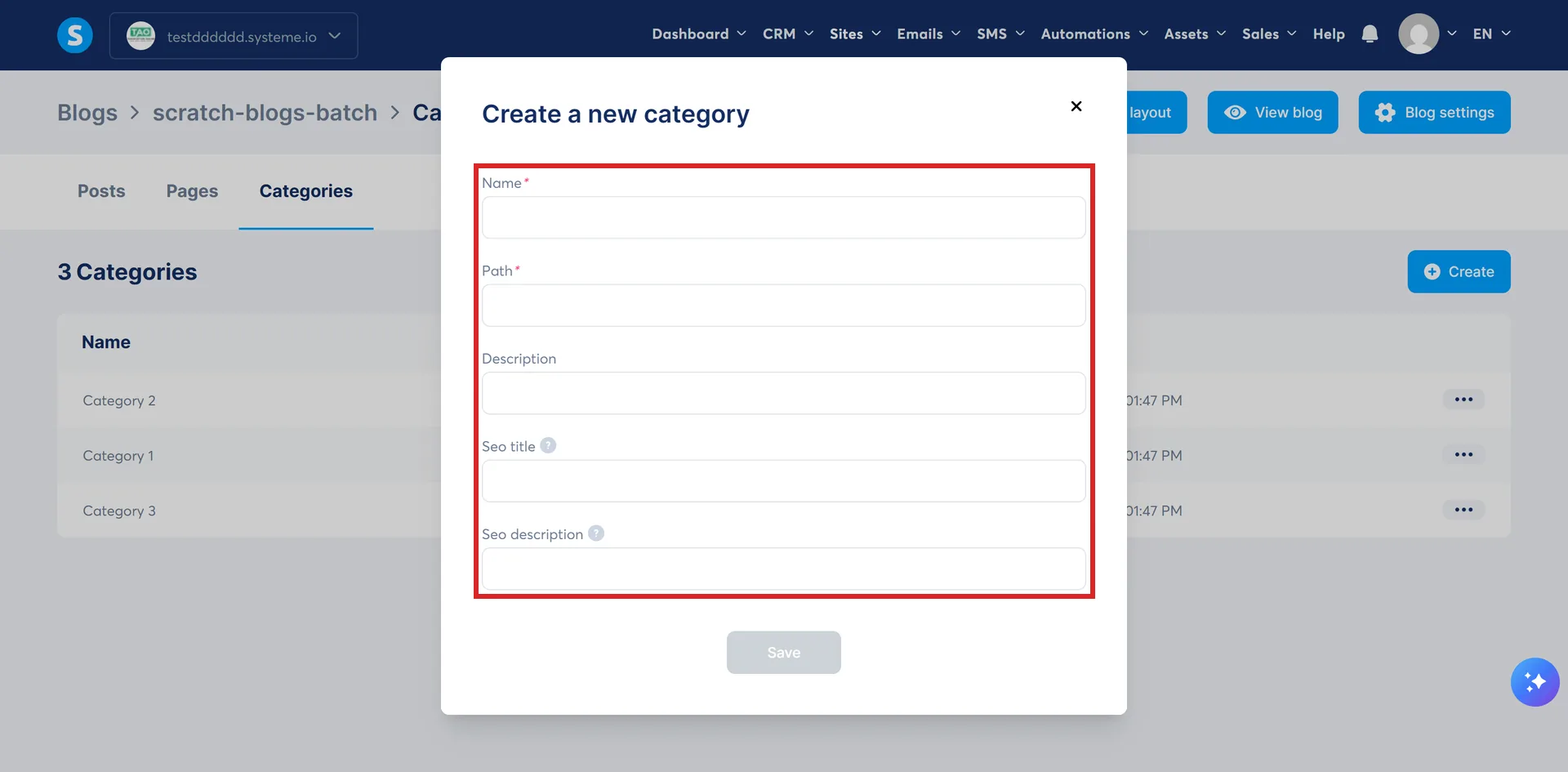
A blog category gives a group of posts a page of their own. Each category holds a name, a URL path, a description, an SEO title and an SEO description.
What a category actually produces
A page. The blog's Post list page carries a Category title element and a Category description element, and both are replaced by whichever category a visitor is looking at.
So a category is not only a way of labelling a post. It is a URL of its own, with a heading and an introduction that can be written for it.
The five fields
| Field | Where it shows up |
|---|---|
| Name | The title of the category page |
| Path | The URL. Generated from the name with dashes between the words, editable, and it does not have to match the name |
| Description | On the category page itself |
| SEO title | Browser tabs, and social media when the category page is shared |
| SEO description | Search engine results and social media previews |
The three that arrive with the blog
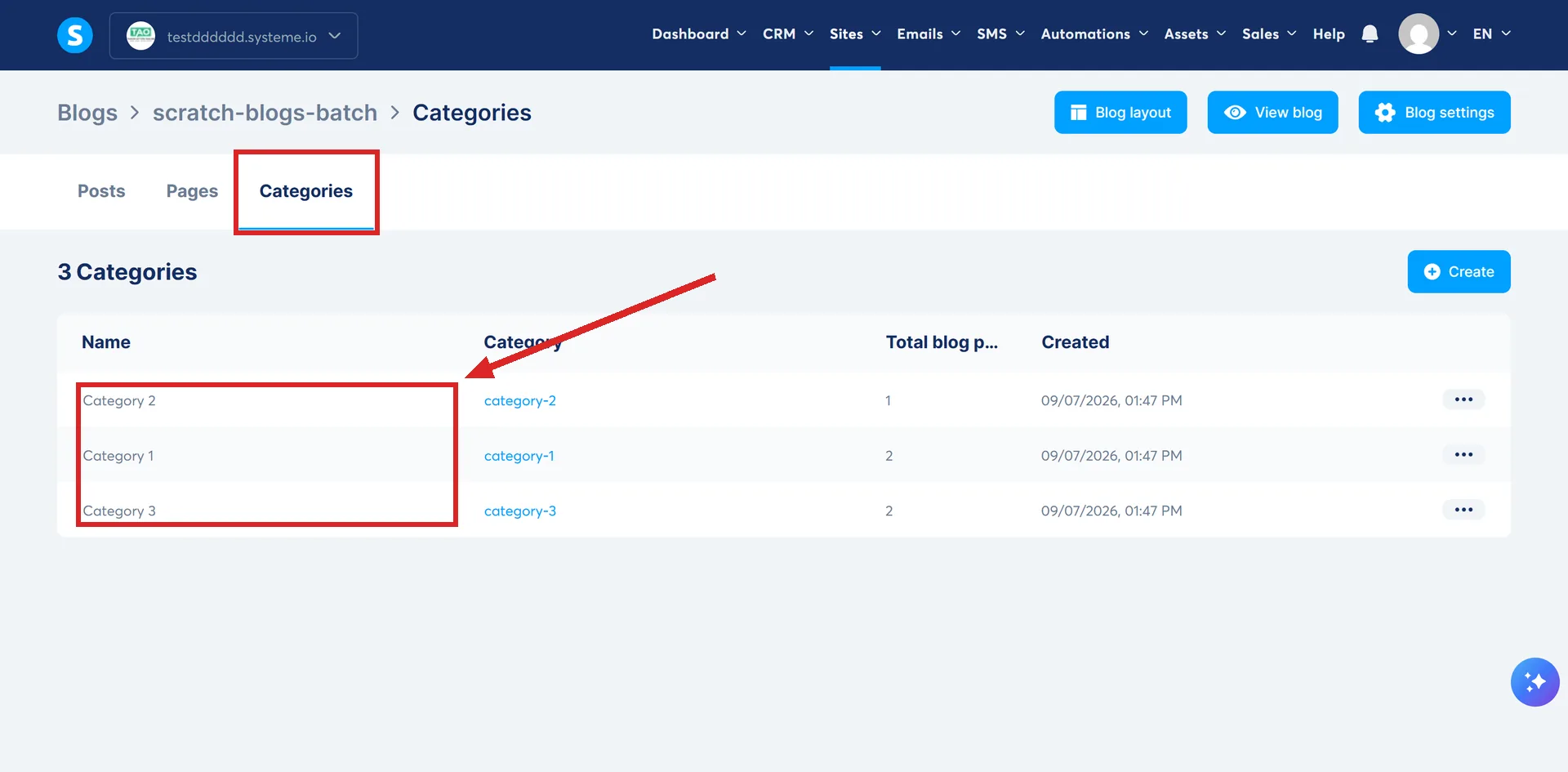
Creating a blog creates three categories automatically, with default names. Rename one through the three dots, then Settings. Delete one through the three dots, then Delete.
All of it happens in one place. Open the Sites tab, click Blogs, click the blog's name, then Categories in the blog's own menu. New ones come from the Create button on that screen.
systeme.io's own example of a category name is Category 4-Tips, which is what shows as the title of the category page.
Putting a post in one
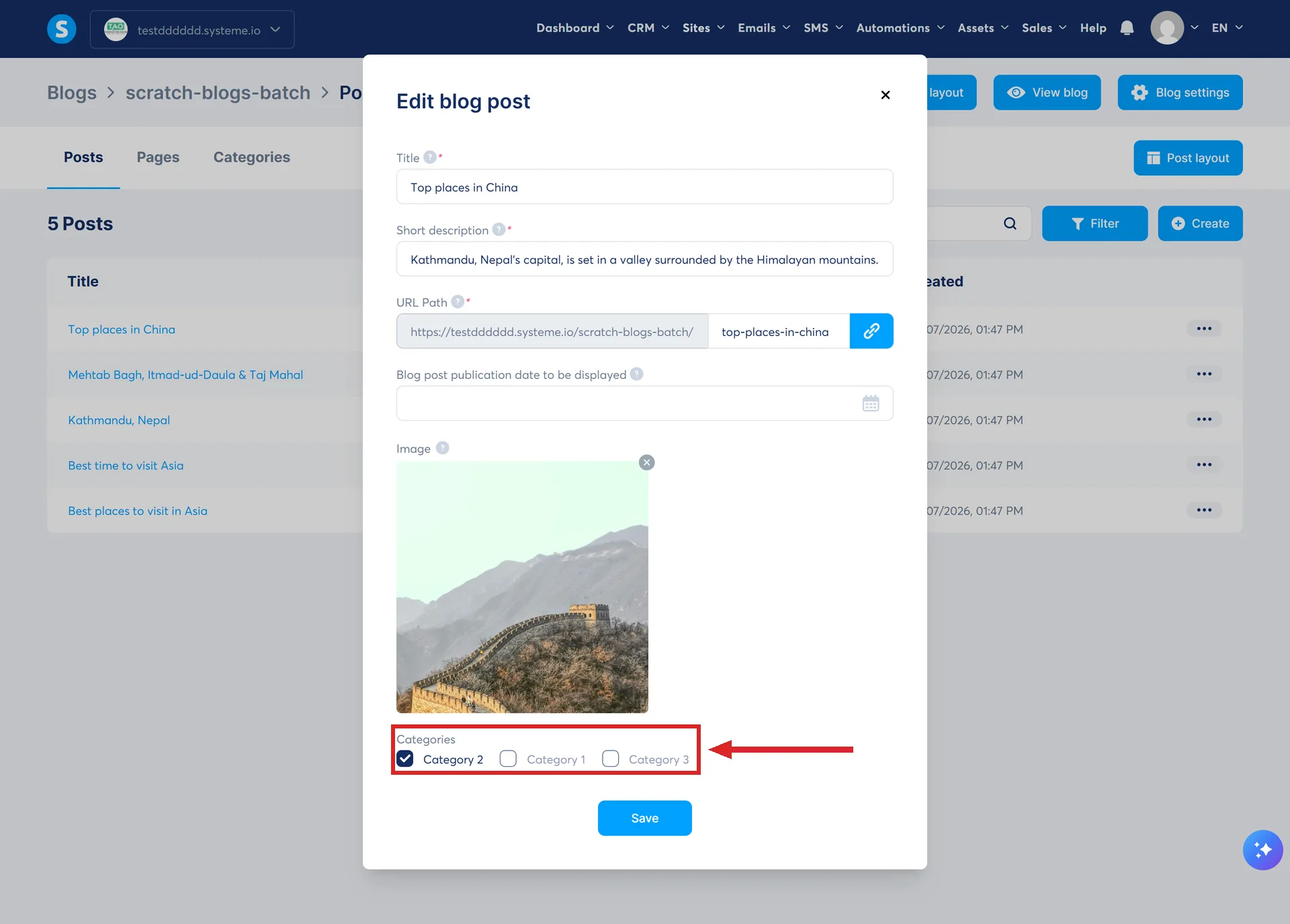
At the moment a post is created, the Categories field takes one or several.
Creating that post starts at Sites, then Blogs, then the blog's name, then Posts, then Create. The Categories field sits inside the popup that opens next to the title, the short description, the URL path and the image.
Afterwards, go to Posts, click the three dots next to the post, choose Settings, tick the box for the category, and Save. A post is not limited to one.
Where a reader meets them
- On the post. The post layout carries a Blog post categories element, replaced by the categories assigned to that post.
- In the listing. Each row of the blog post listing shows the post's category alongside its title, publication date and short description.
- In the carousel. The Latest blog posts carousel has a Category setting, so it can be pointed at one group only.
How I checked this answer
Nothing on this site is written from memory. These are the sources I checked to write this answer, and the date I checked them.
- How to create a blog categoryhelp.systeme.io, article 1690
- Details about the fields required when creating a blog categoryhelp.systeme.io, article 1696
- How to configure your blog's post list pagehelp.systeme.io, article 1691
- How to manage the blog post layouthelp.systeme.io, article 1689
- How to create a blog posthelp.systeme.io, article 359
- How to use the latest blog post carousel elementhelp.systeme.io, article 1744
Checked on
Did this answer your question?
Keep reading
- What is an RSS feed, and do I need one? It exists already, whether or not it gets used. What is in it, what is left out, and where to copy it.
- Can I put an opt-in form inside a blog post? The documented route runs through a funnel step and a script pasted into a Raw HTML block.
- Can I charge for a booking? Yes, but from one page type only. The build, and the confirmation email that fires too early.