Home / Categories / Booking calendar
Can I charge for a booking?
Yes. The event is attached to a digital product as its resource, given a price plan, and placed on an order form page using the Paid calendar element instead of the ordinary Calendar one.
What has to exist first
Besides an account, systeme.io lists three things.
- A calendar event, already created.
- An order form or payment page.
- A price plan.
Notice what is not on that list. There is no separate booking page type and no calendar product type. A paid booking is built out of the ordinary selling parts.
How the offer is assembled
All of it happens in the page settings of the order form, before the editor is opened at all.
-
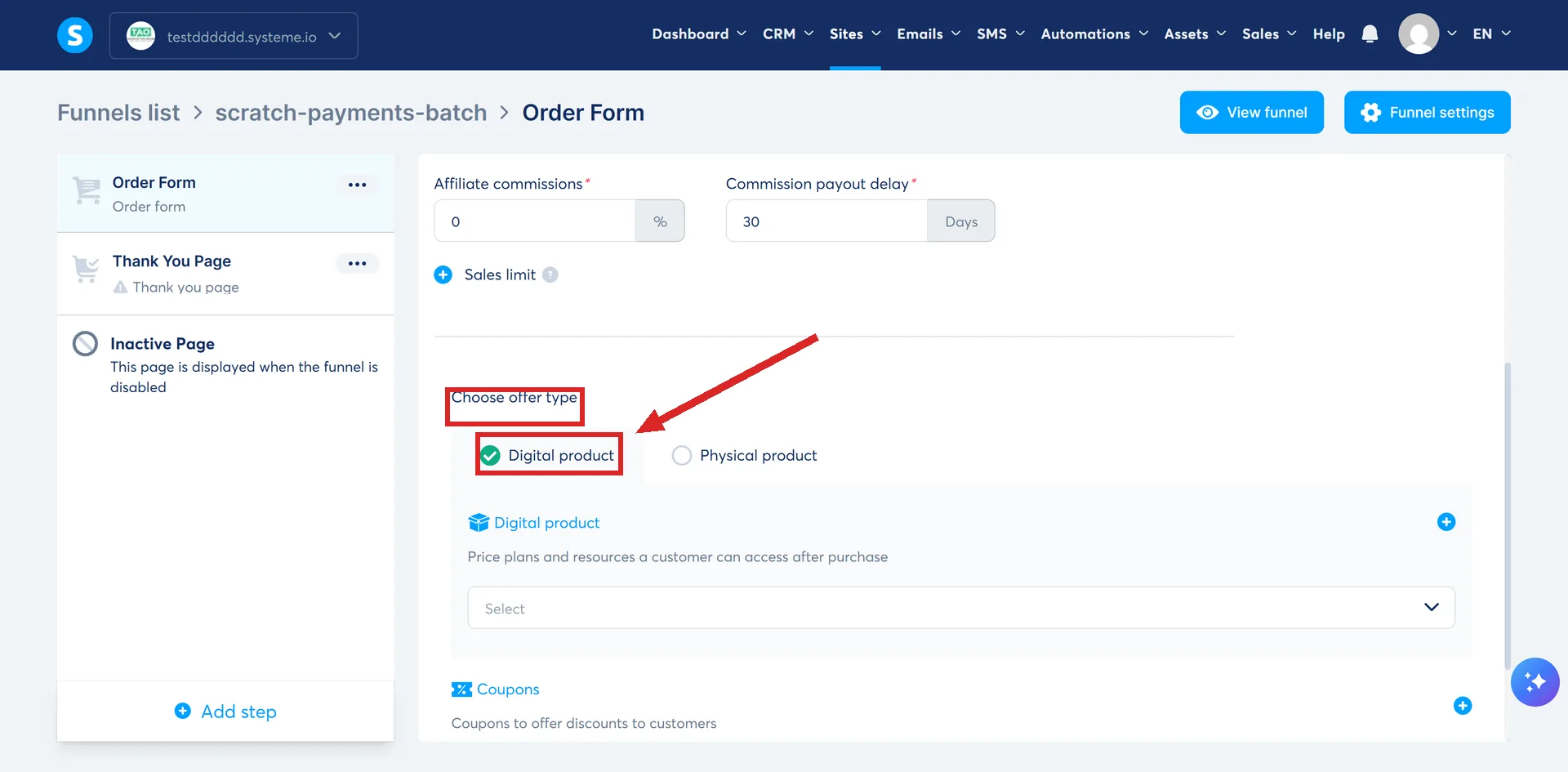
Scroll to Choose offer type and select Digital product. That opens a Digital product block below it, for the price plans and resources a customer gets after buying.
-
Name the digital product.
-
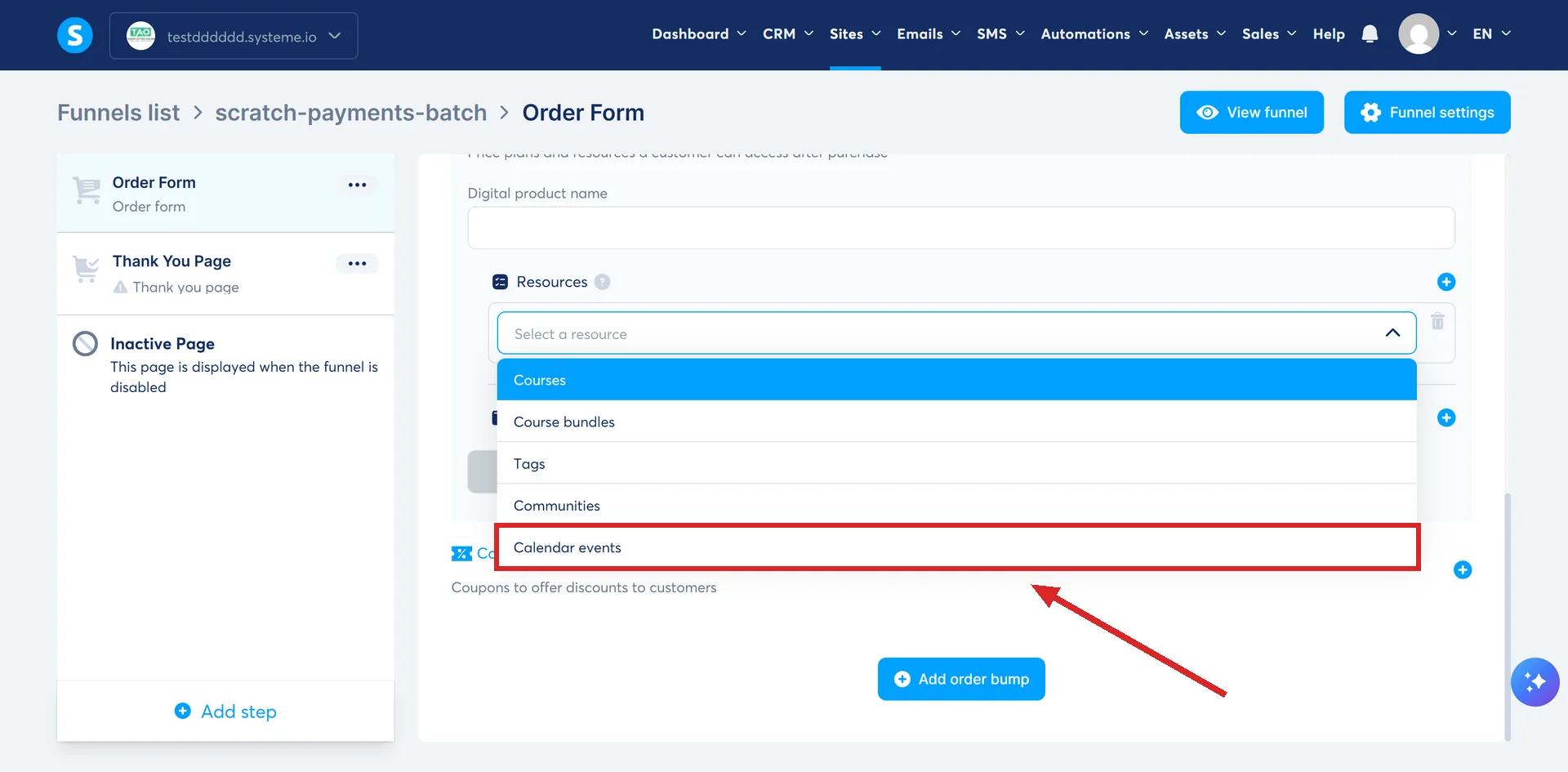
Click the plus icon to add resources, and pick Calendar events from the dropdown. It is the last of five resource types, after Courses, Course bundles, Tags and Communities, and it is sold the same way as any of them.
-
Select the specific event being sold.
-
Set the price plan, then save.
A calendar event is a resource, in the same list as courses, course bundles, tags and communities. That is why the build looks like selling any other digital product until the element goes on the page.
The element is a different one
The ordinary Calendar element takes no money. An order form needs the Paid calendar element dragged onto it instead.
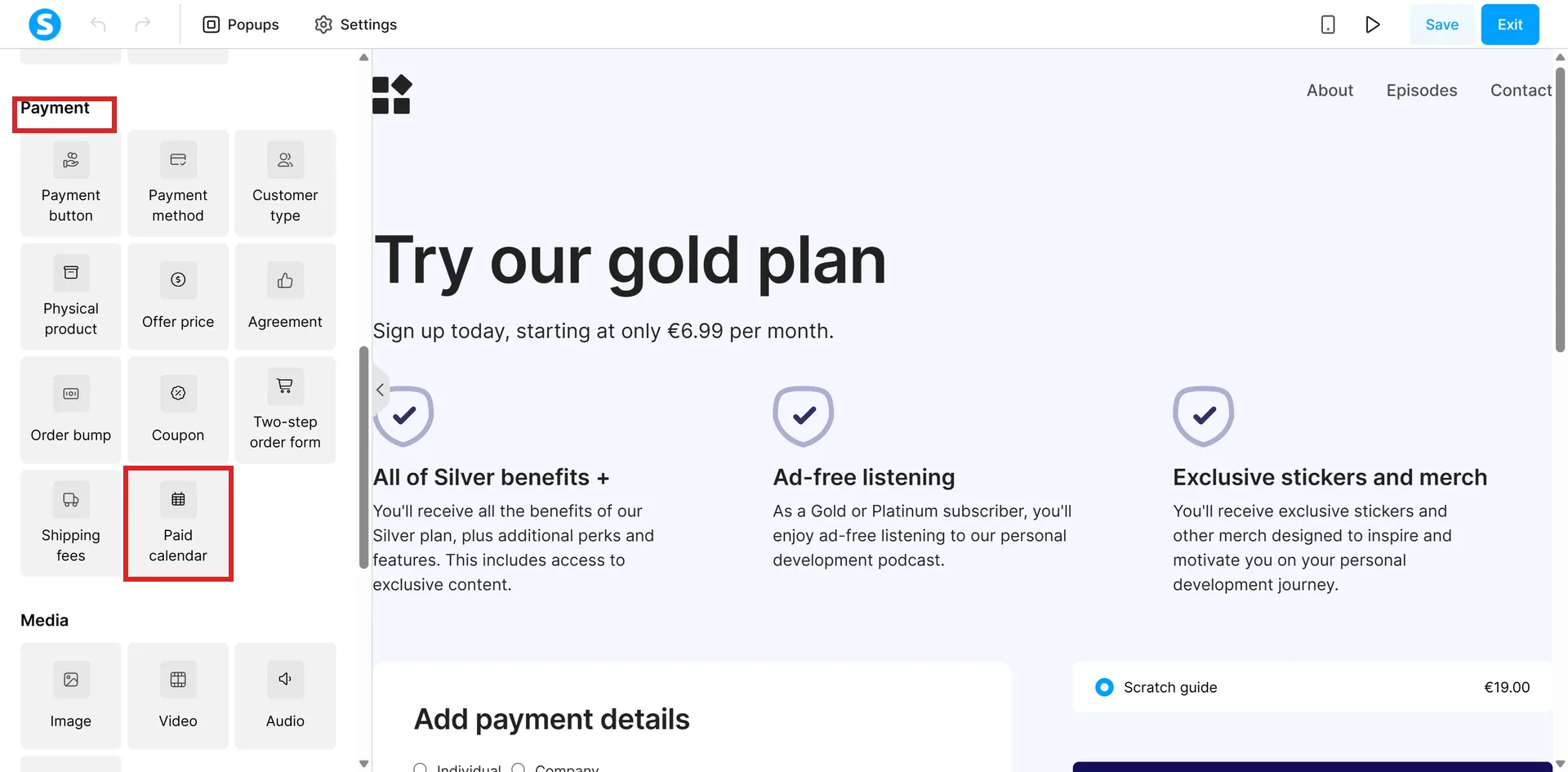
It builds a two step flow rather than the three of a free booking. The visitor picks a slot, then enters their details and pays on the same screen. There is no confirmation step inside the element, because the funnel's own thank you page does that job.
Both steps are editable from the left panel of the editor: a headline, a sub-headline, the button text, and whether the clock reads 12 or 24 hour. The Save button is in the top right corner and the page has to be saved before leaving it.
After payment the buyer follows the normal order page route. If the funnel has upsell or downsell pages they go there next, and if it does not they land on the thank you page.
The one page that will carry it
The order form, and nothing else in the funnel.
| Page | Can it sell a calendar event? |
|---|---|
| Order form or payment page | Yes. Calendar events are one of its digital product resources |
| Order bump | No. Selecting one returns an error message |
| Upsell page | No |
| Downsell page | No |
So a paid booking cannot ride along on somebody else's checkout. It cannot be the tick box added to a course purchase, and it cannot be the offer made on the page after one. It needs a checkout of its own.
That is worth knowing before designing the funnel, because a coaching call is exactly the kind of thing people try to attach to a bigger sale.
The rule that catches people out
By default, the booking confirmation email goes out as soon as the payment process starts. Not when it succeeds. systeme.io's wording is that it is sent even if the payment later fails or is cancelled, which leaves a confirmation sitting in somebody's inbox.
There is a setting for it. Under Settings, then Notifications, then Sales, switch on the option to send the booking confirmation email only after payment is completed. systeme.io states it works with every payment provider, naming Stripe, PayPal and Mollie.
Switch it on before the first paid booking rather than after the first awkward email.
What the price can be
An ordinary price plan does the work. systeme.io documents three types: a one-time payment, a subscription, or a fixed number of payments. Its article on selling bookings says to set up a price plan and names no restriction on which type.
Where a paid booking shows up afterwards
In the same Bookings tab as the free ones, with one extra column. The Payment column reads Free for an unpaid event and Completed for a paid one, so the two kinds are told apart at a glance.
The emails are the same as a free booking too: a confirmation to both sides straight away, then the reminders on the schedule set on the event.
Taking payment at the moment of booking is available on the free plan, through Stripe or PayPal.
How I checked this answer
Nothing on this site is written from memory. These are the sources I checked to write this answer, and the date I checked them.
- How to sell your calendar bookingshelp.systeme.io, article 10274
- How to create an order form/payment pagehelp.systeme.io, article 252
- How to add an order bump to an order form/payment pagehelp.systeme.io, article 154
- How to create an upsell and a downsellhelp.systeme.io, article 243
- How to create and configure a price planhelp.systeme.io, article 153
- How to manage your calendar bookingshelp.systeme.io, article 10272
- The booking calendar feature page and its FAQsysteme.io/booking-calendar
Checked on
Did this answer your question?
Keep reading
- What is a custom field, and when do I need one? Made from the contact list, not the editor. What the unique key is, and where the field shows up after that.
- Can I get deleted contacts back? There is a bin, and it holds them for 30 days. Where it is, and the row that never empties.
- What is the safest way to import an old list? The file it will take, the two things set during the import itself, and the wait afterwards.