Home / Categories / Sales funnels
What is an order bump, in plain English?
A tick box on your order form that offers one extra product before the customer pays. Ticking it adds that product to the order they are already paying for.
What the buyer sees
One tick box on the order form, near the payment button. It names a second product and its price.
systeme.io describes it as a promotional offer displayed as a small checkbox, appearing on the order form before the payment is finalised. It is meant for something that goes with the main order, not something unrelated.
Where the setting is
Open Sites, then Sales funnels, then the funnel. In the funnel pages menu on the left, click the order form step. Its settings screen carries an Add order bump button, and clicking it opens the fields below.
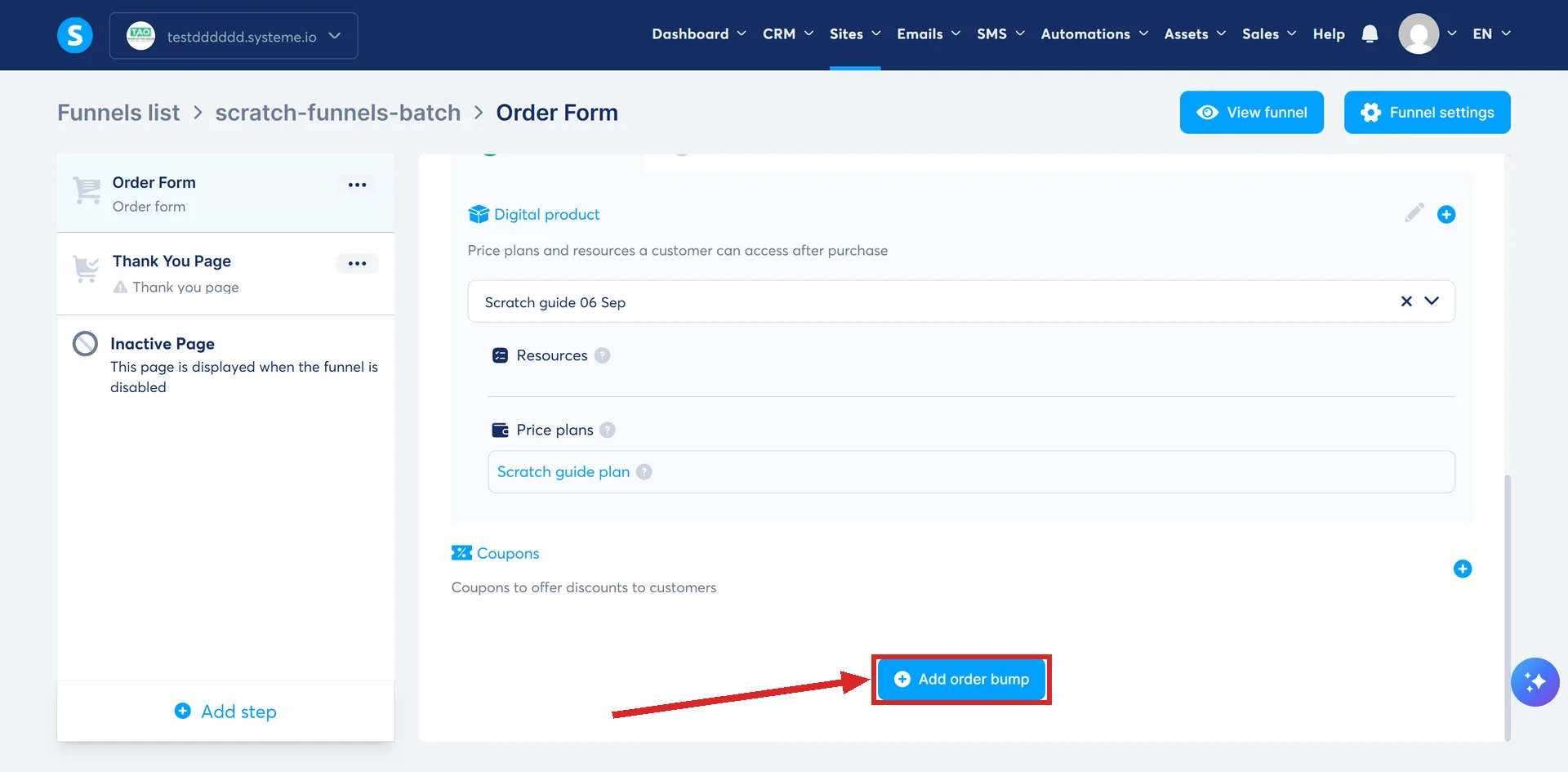
What you have to set up
The button asks for two things.
- An offer type. Physical product or digital product.
- A resource. What the buyer gets. For a digital product that is a course, a course bundle, a tag, or a community.
Then it needs a price. An order bump takes one price and only one. The order form itself and an upsell page both accept several price plans, so this limit belongs to the bump alone.
The step people miss
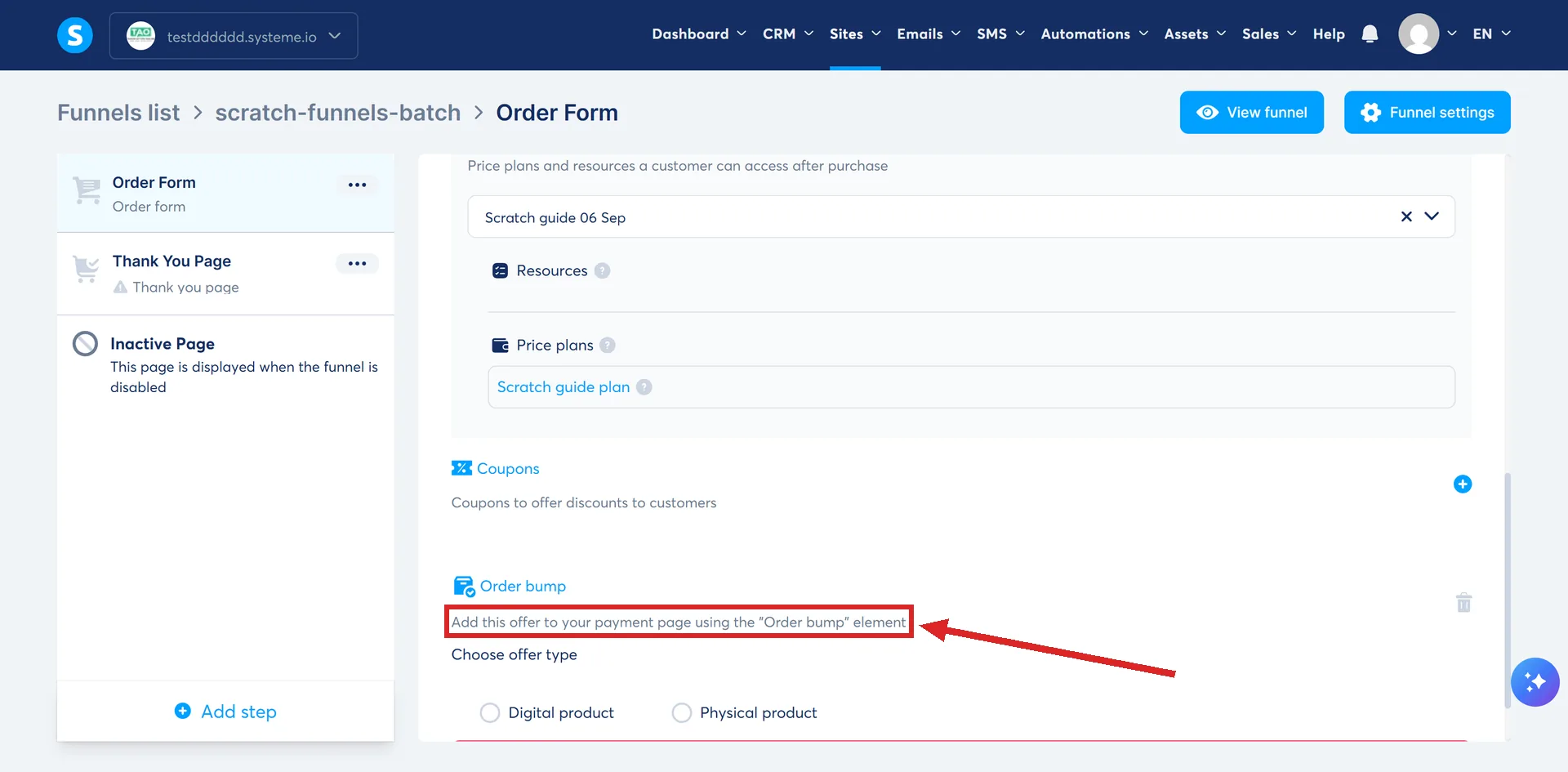
Setting the bump up in the page settings does not put it on the page. It stays invisible until you click Edit page on that same settings screen and drag the Order bump element into the body of the page.
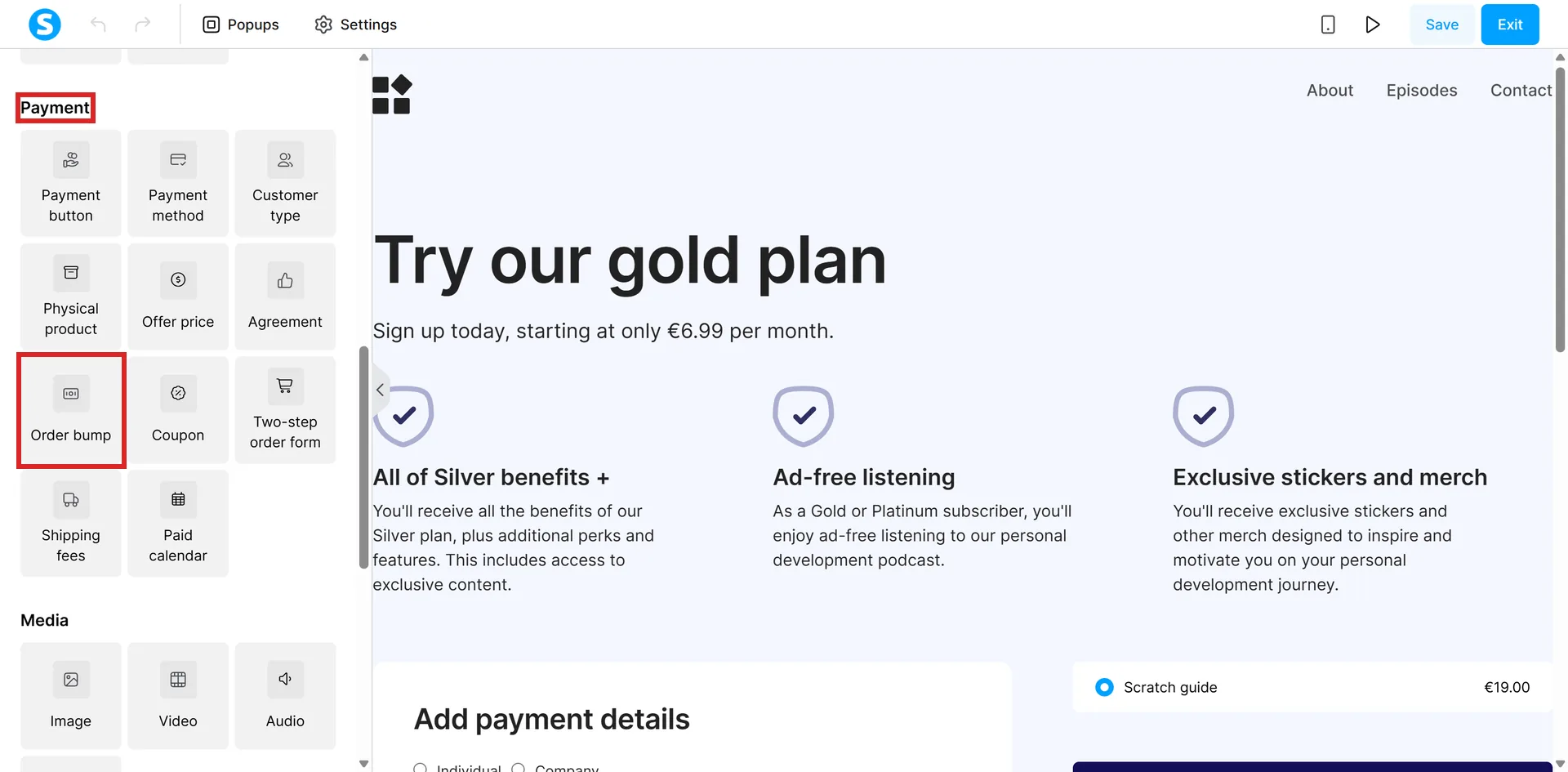
A bump that is fully configured and still not showing is usually a missing element, not a broken setting.
What it will not sell
A calendar event cannot be the resource on an order bump. Picking one returns an error. The main order form does allow calendar events, so the restriction belongs to bumps specifically.
Physical products can be sold, but shipping is yours to arrange. systeme.io does not handle fulfilment.
What the charge looks like
The main offer and the order bump go through as two separate transactions, not one total.
A bump is also the cheaper of the two things you can bolt onto a funnel, which is why it is usually worth building before an upsell. This one is a setting on a page that already exists. An upsell is a new step and a new page.
One side effect is worth knowing before a customer emails about it. The payment window from a processor such as PayPal may show only the price of the main offer. systeme.io lists that as normal behaviour. Both are still charged.
Knowing who took it
Set a tag as the bump's resource and everyone who ticks the box gets that tag. An automation rule triggered by Tag assigned can then send them an email or add them to a campaign.
systeme.io's own worked example runs in three moves.
- Create a tag for the people who buy the bump. Its example names the tag Order Bump.
- On the order form step, set the offer type, choose Tags as the resource, and pick that tag.
- Go to Menu, then Automations, then Rules, and build a rule with the trigger Tag assigned on that tag. For the action it names Send email or Campaign.
How I checked this answer
Nothing on this site is written from memory. These are the sources I checked to write this answer, and the date I checked them.
- How to add an order bump to an order form/payment pagehelp.systeme.io, article 154
- The difference between an upsell and an order bumphelp.systeme.io, article 315
- How to create an order form/payment pagehelp.systeme.io, article 252
Checked on
Did this answer your question?
Keep reading
- What pages does a simple funnel actually need? Two, and systeme.io builds both of them for you. The rest is optional.
- What is a squeeze page? The common name for a page systeme.io calls something else. And the two elements it needs.
- What should you try before contacting support? Three fields decide how good the first reply is. Plus the channel that adds days if you pick it wrong.