Home / Categories / Courses & memberships
What is a course bundle?
A course bundle is several of your courses packaged as one product. It is built under Assets, then Courses, then Bundles, and it is sold and granted as a single item instead of course by course.
Where bundles live
Under Assets, then Courses, then a Bundles tab. Create asks for four things: a name, a description, an instructor name and a bundle cover image.
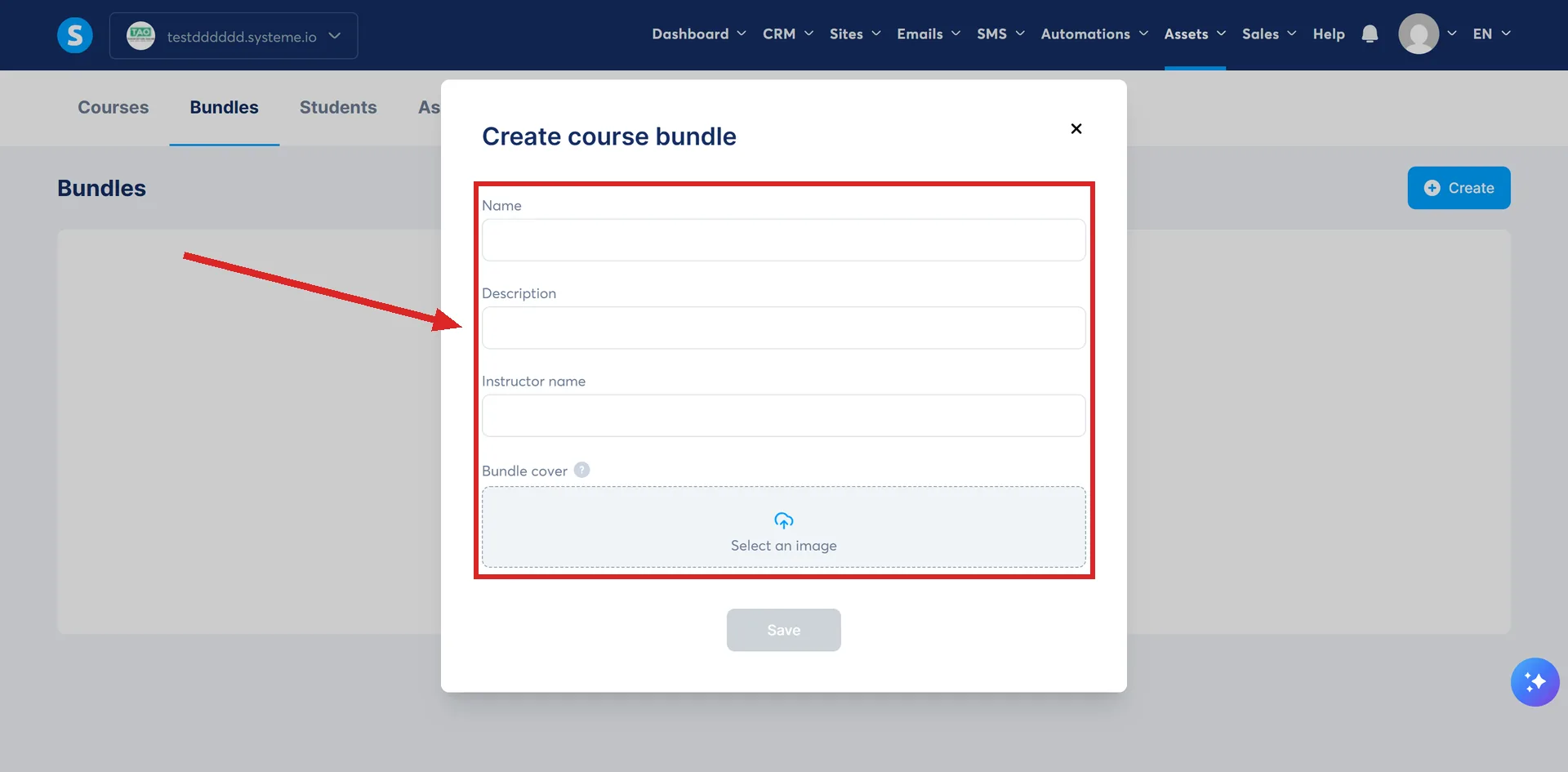
Save that, open the bundle, and use Add a course to choose which of your courses go in it.
The courses have to exist first. systeme.io lists courses as a requirement for creating a bundle, so a bundle is a wrapper around finished courses rather than a place to write lessons.
Selling one
On the order form, choose the Digital product offer type and add a resource. Pick Course Bundles from the resource list, then the bundle you want to sell.
Next comes the bundle's access type, then a price plan. systeme.io is explicit that an offer cannot be sold until a price plan is added to it.
The access types listed for a bundle
- Full access. Immediate access to everything in the bundle.
- Drip content. Gradual access to the bundle's content over time.
The delay rule that catches people out
Once courses are inside a bundle, each one can be given a Delay before start. That setting only applies to a bundle sold with the drip content access type.
The delays then stack. Content unlocks on the individual course delays plus the Delay before start you set on the bundle itself.
So the wait in front of a lecture is the bundle's delay added to the course's own delay, not whichever of the two is longer.
The field is inside the bundle. Open Assets, then Courses, then Bundles, then the bundle, and each course you added carries its own Delay before start. Enter a number of days and click Save.
systeme.io publishes no worked figures for the stacking, so here is its rule applied to numbers. A lecture set to 3 days, sitting in a course whose Delay before start is 7, opens on day 10. Not day 7, and not day 3.
Adding somebody by hand
Go to Assets, then Courses, then the Students section. Click the email address of the student, scroll down to Grant access to a course bundle, choose the bundle and the access type, and click Add.
Giving it away automatically
The documented route is an opt-in page with an automation rule behind it.
- Build a funnel with an opt-in page and a thank you page, then open the opt-in page in the editor.
- Add a form carrying at least one Form input set to the Email type, and a button whose action is Submit form.
- Close the editor, open the Automation rules tab on the same page, and add a rule.
- Set the trigger to Funnel step form subscribed and the action to Enroll in a course bundle.
- Choose the bundle, choose full access or drip content, and save the rule.
From then on, anybody who submits that form is enrolled in the whole bundle.
How I checked this answer
Nothing on this site is written from memory. These are the sources I checked to write this answer, and the date I checked them.
- How to create a course bundlehelp.systeme.io, article 302
- How to sell a course bundlehelp.systeme.io, article 2048
- How to manually add a student to a course bundlehelp.systeme.io, article 2296
- How to give free access to a course bundlehelp.systeme.io, article 2933
Checked on
Did this answer your question?
Keep reading
- What is a course store? A public catalogue at /school, and the one setting that makes a course show up on it.
- Can I move a course in from Kajabi or Teachable? No import file is documented. What the migration team rebuilds by hand, and what arrives last.
- What is list hygiene, and why does it decide whether you get delivered? The weekly setting most accounts never switch on, and the open rate it protects.