Home / Categories / Deliverability
What is a bounce, and what should I do about one?
A bounce is an email a receiving mail server refused. Hard bounces are permanent and systeme.io stops sending to those contacts. Soft bounces are temporary and the contact stays active.
What a bounce is
A bounce happens when an email is not delivered to an address. The failure comes from the recipient's mail server, not from systeme.io.
The contacts a message did not reach show up in two places: the statistics for that email, and the email history on each contact record.
Soft and hard
systeme.io sorts bounces into two categories and treats them very differently.
A soft bounce is temporary. The address is valid and the message reached the recipient's server, but it was rejected before reaching the inbox. The contact is not marked as bounced, because the rejection applied to that one message.
The documented reasons for a soft bounce:
- The recipient's server is temporarily unavailable
- The SMTP server is not responding
- A blocked IP address
- A blocked or blacklisted domain
- Content or links flagged as suspicious or as spam
A hard bounce is permanent. The documented reasons are an invalid address, an address that does not exist, and a full inbox.
Telling them apart in the statistics
Colour does it. An address shown in grey is a hard bounce: the email could not be delivered and never will be. An address shown in blue and clickable is a soft bounce, and that contact stays active in the list because a later send may get through.
What systeme.io does without being asked
- A full inbox gets the contact marked Bounced. Future emails are not attempted at all, because the message is known not to arrive.
- Fake or non-existent addresses are removed from the contact list automatically once they are identified as such.
- Anything in Bounced status stops receiving email, which is there to protect the sending reputation of the account.
What to do about one
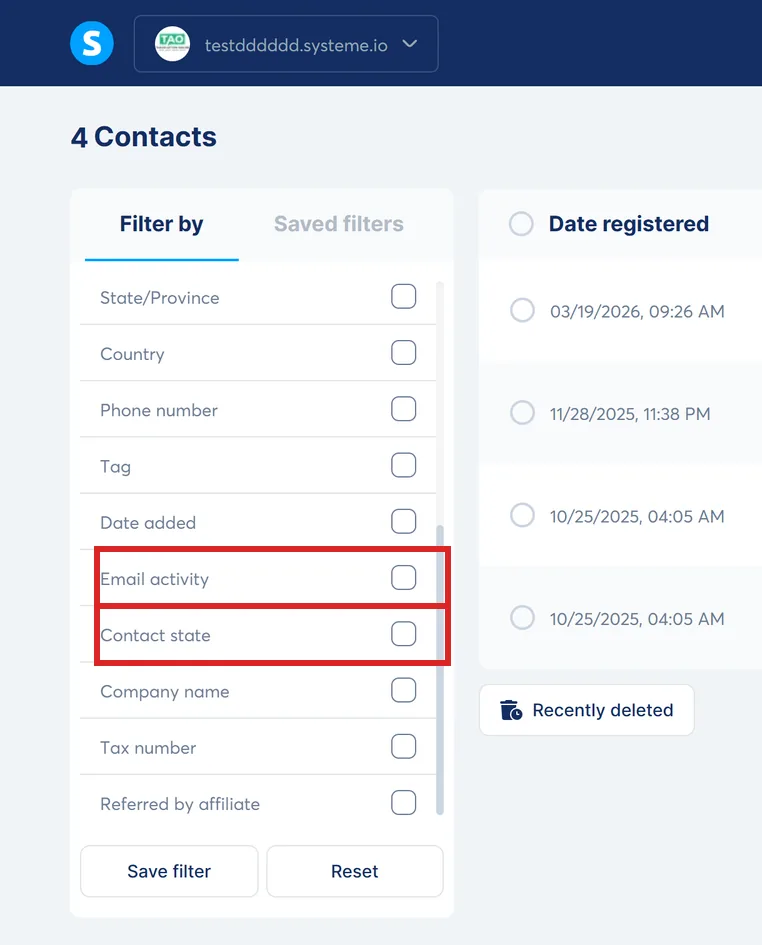
Find them first. Open the CRM tab, then Contacts. The contact list has a Contact Status filter that returns everything in Bounced status, and each of those profiles carries a Stop icon.
Click the Stop icon before doing anything else. It shows why that contact was marked, and an invalid address, an inbox problem and a server rejection are three different problems.
Then clear them out. systeme.io's stated recommendation is to check the bounced list regularly and delete those addresses from the database.
If an address was marked by mistake and is known to work now, systeme.io support can reactivate the contact manually. The documentation asks you to contact the team for it rather than pointing at a setting.
When the rate becomes the problem
Bounce rate is the percentage of emails rejected by receiving servers, measured against the number sent. systeme.io publishes two different scales for reading it.
The first is guidance on when to worry:
| Bounce rate | What systeme.io says |
|---|---|
| Under 0.5% | Fine |
| 0.6% to 1.9% | Try to find the reason |
| 2% and above | Critical, contact support as soon as possible |
The second decides which pool of sending IP addresses the account sits in, which affects every email sent afterwards:
| Pool | Bounce rate |
|---|---|
| Low risk | Under 0.7% |
| Moderate risk | 0.7% to 1.8% |
| High risk | 1.8% to 5% |
| Quarantine | Over 5% |
The two scales do not line up, and both come from systeme.io's own documentation. Working to the tighter of them keeps you clear of both.
Stopping the next one
Bounces are mostly a list problem rather than an email problem, and systeme.io's list of fixes reflects that. Clean the list regularly. Turn on double opt-in so an address is confirmed before it joins. Add reCAPTCHA to forms so bots cannot put rubbish addresses on the list in the first place.
Sending consistently matters too. A list left alone for a long stretch collects addresses that have since been closed, so the first send after a gap bounces harder than it needs to.
How I checked this answer
Nothing on this site is written from memory. These are the sources I checked to write this answer, and the date I checked them.
- Understanding and managing email bounce on systeme.iohelp.systeme.io, article 2924
- What to do with contacts that have a "Bounced" statushelp.systeme.io, article 276
- How to improve the deliverability of my emails (advanced tips)help.systeme.io, article 1643
- Do you need a dedicated IP to send emails with systeme.io?help.systeme.io, article 4468
- How to manually clean your email listhelp.systeme.io, article 139
Checked on
Did this answer your question?
Keep reading
- What is a spam complaint, and how many is too many? The denominator is opened emails, not sent. That changes the arithmetic a lot.
- What is a warm-up period, and do I need one? The first 500 emails from a new account are already a warm-up, run for you.
- Why does it say "at least one email input is required"? A button is asking for a form. The page has not got one it recognises.