Home / Categories / Deliverability
What is a spam complaint, and how many is too many?
A spam complaint is a reader pressing the spam button. systeme.io measures them as a share of emails opened rather than emails sent, and crossing 1% moves an account into the quarantine pool.
What counts as one
A spam complaint is a recipient pressing the spam or junk button on a message in their own inbox. It is a manual act by a person, not a filter decision.
systeme.io shows it in the statistics table as a column called Average percentage of spam reports per opened email. The tooltip on that column spells the calculation out: the spam report percentage is the ratio of spam reports to the open rate.
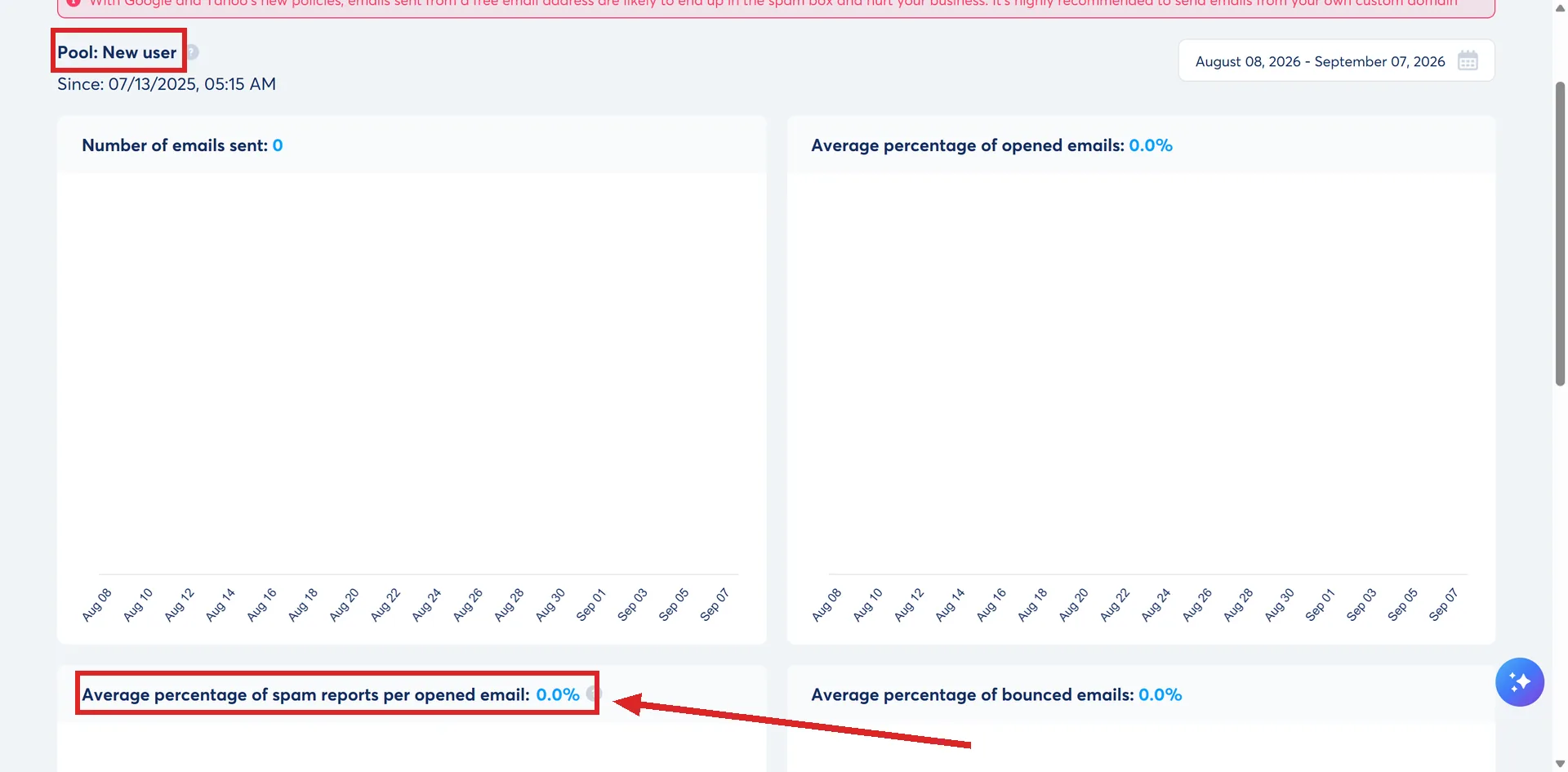
That denominator is the part worth pausing on. A complaint rate measured against opens is a much smaller pool of people than the same rate measured against everything sent, so the percentage climbs faster than most people expect.
What it does to the contact
When a contact marks one of your emails as spam, systeme.io automatically moves them to Bounced status. They receive nothing from the account after that, with no action needed on your side.
How many is too many
Three published numbers apply, from three places, and they are not the same number.
The first decides which pool of sending IP addresses the account uses:
| Pool | Spam rate |
|---|---|
| Low risk | Under 0.25% |
| Moderate risk | 0.25% to 0.4% |
| High risk | 0.4% to 1% |
| Quarantine | Over 1% |
Quarantine is the one to watch, because it does not wait. Emails sent in the last 24 hours are checked, and crossing 1% moves the account there immediately rather than at the next review.
The second is systeme.io's guidance on reading the figure day to day:
| Spam reports | What systeme.io says |
|---|---|
| Below 0.08% | Fine |
| 0.08% to 0.19% | Find the reason |
| 0.2% and above | Critical, contact support as soon as possible |
The third is Google's, quoted in systeme.io's own guidance: do not go over 0.3% of spam reports per sender domain. Passing it repeatedly degrades deliverability in a way that lasts.
The three scales disagree with each other. Working to the tightest of them, under 0.08%, keeps an account clear of all three.
The complaints you cannot see
Gmail does not run a normal feedback loop. When a Gmail user reports an email as spam, that report is not passed back to the sender or to systeme.io, so it never reaches the statistics. systeme.io leaves Gmail open rates out of the spam percentage calculation for the same reason.
Google Postmaster Tools is the way to see it. It reports the user-reported spam rate for your own domain, alongside authentication status and delivery errors.
In the newer of its two interfaces the figure sits under a Spam rate tab, next to SPF and DKIM authentication, From header alignment, DMARC authentication, inbound and outbound TLS percentages, and a DNS record check.
Setting it up means verifying the domain with a TXT record in your DNS, or a CNAME record if the TXT gives trouble.
- Sign in with a Google account and open the Postmaster Tools dashboard.
- Scroll to the bottom right, click Add, enter the domain and click Next.
- Copy the TXT value from the popup. In your host's DNS settings, go to Manage DNS records, choose TXT from the list, paste the value in, and click Add record.
- Back in Postmaster Tools, click Validate.
systeme.io asks to be added as a user on each domain so its own team can read the same data when helping you. Click the three dots, then Manage Users, then the plus button in the bottom right corner, and enter the address customers-gpt@systeme.io.
What to do about a rate that is climbing
- Make unsubscribing obvious. A reader who does not want an email has three options: unsubscribe, stop opening, or report it as spam. The first is the good outcome, so the link has to be findable.
- Check where the list came from. Bought lists are strictly forbidden on systeme.io, and it does not allow addresses found on the internet either, yellow pages and public social profiles included. They are the fastest route to complaints.
- Turn on double opt-in and reCAPTCHA. Between them they keep bots and addresses that never asked for anything off the list in the first place.
- Reconfirm an old list before mailing it. Consent given long ago is still consent, but a contact who has not heard from you in a year may not remember giving it. Asking whether they still want the emails is the documented fix.
- Keep the sender name, subject and content consistent. A subject line that does not match what is inside earns complaints, and systeme.io runs an internal filter that blocks misleading subject lines before they go out.
What happens if it stays high
systeme.io monitors accounts daily and suspends sending from an account when an indicator is abnormally high. It describes that as a security measure taken in the interest of all its users.
List bombing is the harshest version. If bots flood one of your forms with fake sign-ups and the resulting rejections put systeme.io's sending addresses at risk, email sending can be suspended temporarily, and it is reinstated only after you complete a remediation plan their team provides.
How I checked this answer
Nothing on this site is written from memory. These are the sources I checked to write this answer, and the date I checked them.
- Google Postmaster Tools: an ally for your deliverabilityhelp.systeme.io, article 11171
- How to improve the deliverability of my emails (advanced tips)help.systeme.io, article 1643
- Do you need a dedicated IP to send emails with systeme.io?help.systeme.io, article 4468
- General guidelines and best practices for email deliverability during the first few dayshelp.systeme.io, article 4247
- How to create a Google Postmaster Tool account for your domainhelp.systeme.io, article 2243
- What to do with contacts that have a "Bounced" statushelp.systeme.io, article 276
- Email deliverability: how spam filters workhelp.systeme.io, article 10452
- How can I prevent list bombing?help.systeme.io, article 3990
- Don't risk getting blocked: identify your compliant and non-compliant listshelp.systeme.io, article 11009
Checked on
Did this answer your question?
Keep reading
- Why do my emails land in the promotions tab? Gmail decides this, not systeme.io. What shifts the odds, and why the tab costs less than it looks.
- Do I need a cookie banner? The help centre points at an outside tool. Where its script goes, and what it will not cover.
- Can I paste in my own HTML, CSS or JavaScript? Yes, in three places. Two of them are boxes, one is an element you drag on.