Home / Categories / General
What is double opt-in, and should I turn it on?
Double opt-in sends a confirmation email to every new subscriber and keeps them only once they click the link inside it. In systeme.io it is switched on per form, not across the account.
What the subscriber goes through
They fill in your form as normal. Instead of landing on your list, they get a confirmation email holding a link, and they are on the list once they click it.
Where the switch is
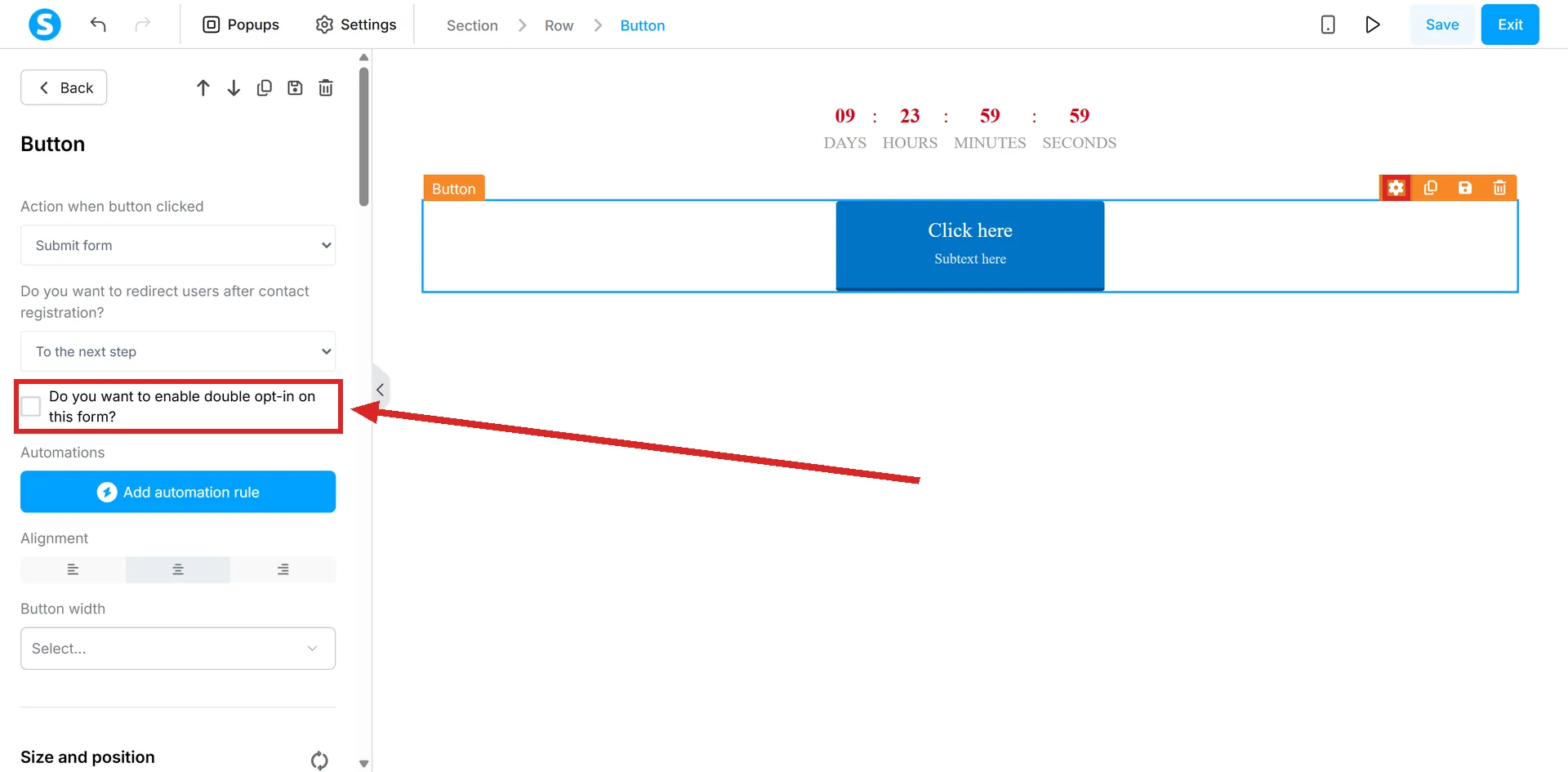
Open the page editor, click the settings icon on the button element, and tick the box reading "Do you want to enable double opt-in on this form?".
On a website page, the same option is a checkbox under the Actions tab of the Form element.
The important part is where it is not. Double opt-in is configured individually for each form, not at account level, so switching it on for one page leaves every other form in the account single opt-in.
The 24-hour rule
If a contact does not click the confirmation link within 24 hours of registering, they are deleted automatically.
Not marked unconfirmed. Deleted.
What is paused meanwhile
All emails and automations are held until the contact confirms.
That has a consequence people meet the hard way: a lead magnet handed over by an automated email does not go out until the link is clicked. If the thank you page promises the file by email and the confirmation email is dull or lands late, the file never arrives and the contact is gone in a day.
Changing the confirmation email
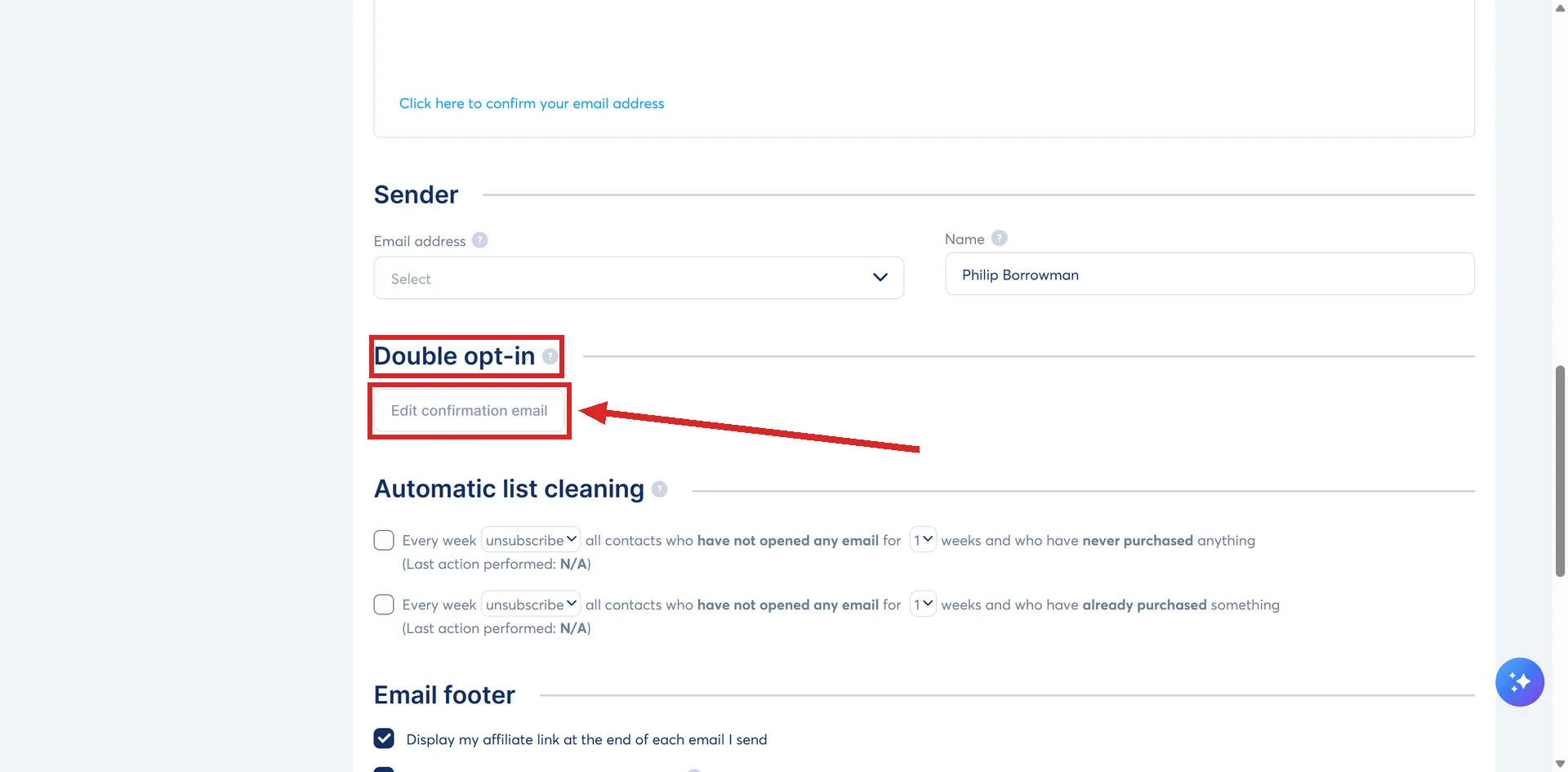
Profile picture, then Settings, then Emails. Scroll to the Double opt-in section, click Edit confirmation email, change the wording, then Save.
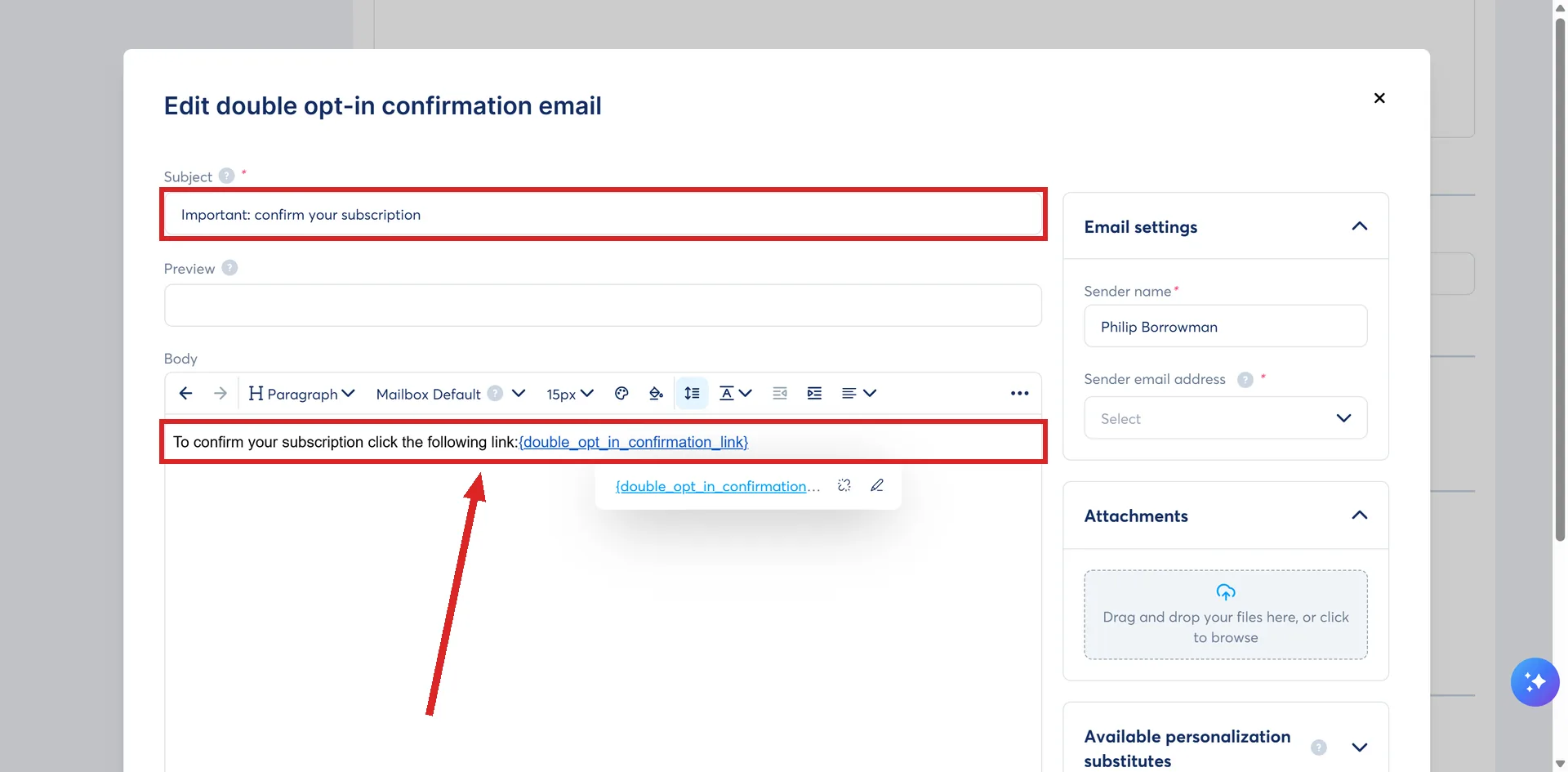
Worth doing before you switch the feature on rather than after, because this email is now the step your whole list depends on.
Should I turn it on?
systeme.io's own recommendation is to consider it on blog forms, on deliverability grounds.
The trade is plain enough. You lose everybody who does not click, and you keep a list of addresses that are real and monitored. On a form that attracts typed-wrong addresses or bot signups, that is a good trade. On a paid ad sending traffic to a lead magnet, every extra click costs you people.
Either way the funnel around it is the same. The lead magnet funnel guide builds one from the opt-in page through to the first email.
How I checked this answer
Nothing on this site is written from memory. These are the sources I checked to write this answer, and the date I checked them.
- How to set up double opt-inhelp.systeme.io, article 271
- How to build your contact list using a funnelhelp.systeme.io, article 1602
- How to create a websitehelp.systeme.io, article 4526
Checked on
Did this answer your question?
Keep reading
- Free plan or free trial: which one am I actually on? Two different things sharing one word. Where to look, and what the phrase means in the menus.
- What happens to my funnels if I downgrade or stop paying? The funnels stay. What has to happen before the plan changes, and who actually changes it.
- What pages does a simple funnel actually need? Two, and systeme.io builds both of them for you. The rest is optional.